Lecture 1: What is Software Engineering?
What Is Software Engineering? → Software is everywhere
Software
- Code
- Documentation, user manuals
- Designs, specifications
- Test cases
- Plans and schedules
Engineering
- Creatively applying science and math
- To designing and building things
- Involves trade-offs, risk analysis, skill, and knowledge
Video (“Computer Science Field Guide: Software Engineering”)
- Software development has teams to write huge software
- Software engineering is so much more than just programming
- 1/3 of software projects fail
Definitions of Software Engineering by Experts
- A broad field that touches upon all aspects of developing and supporting a software system
- “A discipline that deals with the building of software systems which are so large that they are built by a team or teams of engineers.” [Ghezzi, Jazayeri, Mandrioli]
- Scalability
- Need layers of management
- Multi-person construction of multi-version software
- Not static in time → constantly updating
- Multiple versions of different software
- A discipline whose aim is the production of fault-free software, delivered on time and within budget, that satisfies the user’s needs. Furthermore, the software must be easy to modify when the user’s needs change.
- Shows how many things to worry about when building software
- Informatics 43 definition
- The process of constructing software
- Phases of development (focusing on those other than programming)
- Principles and qualities of enduring value
- Also of (lesser) interest in this course
- Managing and scheduling software development teams
- Making money → business models
- Software’s impact on users, organizations, and society
- AI
Waterfall Model → Requirements → Design → Implementation → Verification → Maintenance
Principles and Qualities of Enduring Value
- Correct
- Reliable
- Adaptable
- Modular
- Usable
- Efficient → algorithm efficiency and Big-O in ICS 46
- Robust
Summary
- Software is Everywhere
- It touches nearly every domain: cars, medicine, politics, military, space exploration, disaster response, gaming, law enforcement, and more.
- Software is…
- On one hand, it’s exciting, fun, versatile, and helpful (though it can also be harmful). On the other, it’s large, built by teams, long-lived, multi-versioned, and complex.
- Informatics 43: Definition of Software Engineering
- Software engineering is the process of constructing software, with a focus on the phases of development beyond just programming, guided by principles and qualities of enduring value.
Lecture 2: What is Software Engineering? (cont.)
Shawna, CEO → Business Perspective
- Thinking about staff hours
- People being employed
- Cost, profits, and revenue
- Federal agencies and approval
- What matters most → quality
Andy, SWE → Engineering Perspective
- Ethical issues
- Implementation of software
- Uptime of software
- Fixing issues
- Usability issues like the one with the x-ray coming down prematurely
- Design (video games)
Clara, Mother → User Perspective
- Cars
- Interface the user experiences
- Safety of usability (being distracted while driving)
- Medical
- How can tech help me?
- Video Games
- Is it engaging?
- External quality is what the user cares about
What Part of Software Do We See? (outside of the above)
-
Electrical Engineer
-
Society
-
Designers
-
SWE PMs
-
Professor of SWE
-
Students of SWE
-
Many domains of software engineering → everyone looks at it differently; some things come up often across domains (e.g., profits)
Three Essential Ingredients of Software Engineering
- People
- Everyone mentioned above
- Process
- Software process models
- Scrum
- Agile
- Waterfall
- Software process models
- Tools
- IDE
- Programming language
- APIs
- LLMs
Software Principles
- Core concepts that inform everything around SE
Davis 1994
- Quality is number 1
- Give products to customers early
- Understand the problem first
- Choose an appropriate process
- Good management is more important than good tech
- People are the key to success
Royce 1998
- Follow architecture-first process
- Use component-based development (buy vs. build) to reduce the coding effort
- Show the customer preliminary versions of the software frequently
- Have incremental releases
Wasserman 1996
- Modularity → modularity in hardware layers (ICS 51)
- Abstraction → abstraction hierarchy in ICS 51
- User Interface (UI) Prototyping
- Reuse
- Metrics
- Understanding the performance of our work
INF 43 Recurring, Fundamental Principles
- Rigor and formality → describe concepts using shared terminology
- Separation of concerns →
- Modularity
- Divide and conquer
- Abstraction
- Making it simpler to understand
- Anticipation of change
- Generality
- Incrementality
No Silver Bullet (The Essence and Accidents of Software Engineering)
- What are the actual issues with SE?
- Why “Silver Bullet” → Werewolf killed with a silver bullet
- Werewolves are all of the problems
- Delayed milestones
- Bugs
- There is no perfect bullet to solve them all
- Werewolves are all of the problems
Essential Problems of SE
- Complexity
- “…a construct of interlocking concepts: data structures and classes, algorithms, function calls.”
- “No two parts are alike.”
- That’s the fundamental nature of SE → we can mitigate with abstraction → how hardware uses abstraction to manage complexity
- Consequences:
- Difficult to communicate problems and solve them
- Conformity
- Software must conform to human institutions and systems
- Example: TurboTax changing because the laws are changing
- Changeability
- All software gets changed
- Why? → Due to conformity, software is supposed to change inherently
- Invisibility
- The reality of software is not inherently embedded in space
- Even though we can see code, the encapsulation is a human-built thing
- Consequences:
- Difficulty in understanding and communicating
- The reality of software is not inherently embedded in space
“False” Silver Bullets (did not fix these issues)
- High-level languages → how high-level languages get translated down in ICS 51
- Time-sharing
- Unified programming environments
- Object-oriented programming
- Artificial intelligence
- Expert systems
- Automatic/graphical programming
- Program verification
- Environments/tools
- Workstations
Potential Silver Bullets (not really “silver bullets,” but thought to greatly help)
- Buy vs. build
- Requirements refinement and rapid prototyping
- Incremental design
- Great designers
Lecture 3: How Do We Know What to Build? (Requirements)
Failure Readings → What’s the Real Problem?
From the articles:
- Complexity
- Conformity
- Progress is hard to measure
- Legacy systems (older systems moving to new systems)
- Hubble psychology → keep dumping money
Shopa Failure
- Never solidified the vision of the product
- No one inside the company really knew what they were building
Jurgen Laartz
- Said that half of projects deliver on budget and on time
- On average, cost overruns about 34% and projects are late
- Some are doing fine, some are doing super horribly
2015 Chaos Report
- 29% of projects considered successful
- 52% challenged (not on budget, not on time goals)
- Still results in a software product
- 19% failed
- Billions wasted per year on canceled, unused, or unusable projects
Why Requirements?
- Let’s say we want to build a to-do list app → toooo many options
- If you write requirements, it allows you to write tests and be concrete with your goals
Top Failures
- Not understanding the target audience → requirements issue
- Incomplete requirements or specification → requirements issue
- Constantly changing requirements or specification → requirements issue
- Lack of discipline in development process → lack of rigor/formality
- Lack of methodical usage of metrics → lack of rigor/formality
- Lack of resources

Definition of Requirements
- What the software should do (without saying how it should do it)
- Requirements address what the customer needs, not wants
CHAOS Reports (More): Requirements Defects Are Expensive
- They represent more than 70% of rework cost
- Rework consumes about 30-50% of total project budget
- Lack of user input/user involvement listed as most frequent problem
Requirements Engineering
Requirements Phase — Terminology
- Requirements Analysis → activity of discovering/observing/gathering customer’s needs
- Requirements Specification → activity of describing/documenting customer’s needs
- Can also refer to the requirements document itself
Requirements Analysis
- Interview customer
- think of edge cases
- Observe customer (CNBC article)
- Have to actually be the customer to create a good product
- Create use cases/scenarios/user stories
- Prototype solutions
- Identify important objects/roles/functions/goals
- Perform research
- Construct models
Data-Driven Requirements Analysis
- Usage data is analyzed and business metrics are recorded to discover the value of new (potential) features
- Techniques
- Data analytics
- A/B testing
- Prototyping
- Market research
- This information is used to create/prioritize/analyze/evaluate requirements
- Techniques
Summary
- Software failures can be disastrous
- Proper requirements engineering (analysis and specification) is essential
- Requirements analysis is learning what the system should do (without worrying yet about how it should do it)
Lecture 4: Requirements Specification
Requirements Specification
- Serves as the fundamental reference point between customer and software producer
- Defines:
- The what, not the how
- Environmental requirements on the software
- Constraints on the software
- Software qualities
Why Spend So Much Time on Requirements Specification?
- It doesn’t cost as much to do it now, but if you get it wrong it will definitely hurt you later (money-wise)
- Changes are cheaper now than later
Who Uses It?
- Everyone, to be honest
Document Structure
- Introduction
- What is the document about
- Who it was created for
- Who created it
- Outline
- Executive summary
- Short, succinct, concise, to-the-point description of product
- No more than one page
- Identifies main goals, key features, key risks/obstacles
- Called “executive summary” because a busy executive should be able to gloss over it
- Short, succinct, concise, to-the-point description of product
- Application context
- Describes the situation in which software will be used (home, office, …)
- Identifies all things the system affects → objects, processes, other software, …
- Environmental requirements
- Platforms
- Hardware → operating systems, type of machines, memory size
- Software → web app, mobile app, open source (Linux, Apache, PHP/MySQL), enterprise (.NET), …
- Programming languages
- Standards
- Naturally, some “how” might creep in here
- Platforms
- Functional requirements (main section, so longest)
- Identifies all concepts, functions, features, and information the system provides to its users
- Provides an abstraction for each, characterizing properties and functions relevant to the user
- What is the system supposed to do?
- What information does the system need?
- What is supposed to happen when something goes wrong?
- Software “ilities” (qualities)
- Correctness, reliability, efficiency, …
- Helps developers assess tradeoffs in the system’s implementation
- Other requirements
- Catch-all for everything that didn’t fit elsewhere → cost, documentation, etc.
- Time schedule
- By when should all of this be done?
- What are some important milestones to be reached?
- Potential risks
- Future uncertain events with a probability of occurrence and a potential for loss
- Any project faces risk, so it’s important to identify them up front
- Assumptions
- Often combined with risk → if our assumptions fall through, that’s a risk
- Factors believed to be true during the life cycle of the project
- If changed, they may affect project outcomes negatively
- Future changes
- Any project changes over time
- Structure the requirements document so it easily absorbs changes
- Glossary → definition of terms used throughout
- Reference documents → pointers to other useful documents
- Some documents include a UI prototype section
Observations About the Specification Document
- Document is structured to address the fundamental principles:
- Rigor
- Separation of concerns → modularity, abstraction
- Anticipation of change
- Generality
- Incrementality
- Not every project requires every section of the document
Specification Methods
- Natural language → SRS, user stories
- Diagrams → data flow, finite state machines
- Formal language → Z, TLA+
- Models → domain model (objects), usage model, goal model
Verification
- Is the requirements specification complete?
- Is each requirement understandable?
- Is each requirement unambiguous?
- Are any requirements in conflict?
- Can each requirement be verified?
- Are all terms and concepts defined?
- Is the requirements specification unbiased?
Acceptance Test Plan
- Often accompanies a requirements specification
- Specifies how it will be determined that each requirement is met
- Binds a customer to accept the delivered system if it passes all the tests
- May include:
- Specific test cases
- Number of test cases that will pass
Ziv’s Law (professor here at UCI)
- Software development is unpredictable and the document artifacts such as requirements will never be fully understood
- Uncertainty is inherent and inevitable in software engineering processes and products
Quiz 2 Study Guide
Software Failure Causes & Requirements Issues
- Top failure causes are almost all requirements-related:
- Not understanding the target audience
- Incomplete requirements or specification
- Constantly changing requirements
- Lack of rigor/formality → no discipline in development process, no methodical use of metrics
- 2015 CHAOS Report → only 29% of projects successful, 52% challenged, 19% failed
- Requirements defects represent >70% of rework cost; rework consumes 30-50% of total project budget
“Which category employs the most programmers in the US?”
- In-house staff writing systems for internal use
- The word “customer” is arbitrary and can change depending on context
Failure Readings — Main Ideas
- Minnesota DMV fiasco → licensing/registration system became a chronic fiasco, needed an extra $43 million to fix; failure of risk management and project oversight
- TSB Bank failure → failed IT migration left tens of thousands unable to access online/mobile banking for weeks; CEO had to publicly apologize; shows critical need for proper testing and migration planning
- Shopa failure → never solidified the vision of the product; no one inside the company really knew what they were building → classic requirements failure
- Overoptimism in IT → large IT projects consistently suffer from delusional time/cost estimates; on average 34% cost overruns; systemic problem across healthcare, airlines, government
- Five Enduring Government IT Failures → poor planning, inadequate oversight, scope creep → massive cost overruns and abandoned systems; failures sit at the intersection of business, political, technological, and societal risks
- CNBC — Doctors & Technologists → doctors asked Google technologists to shadow them before building medical apps; you have to actually observe and understand the user’s world to build the right product → ties directly to requirements analysis techniques (observation, interviews)
Requirements — Key Concepts
- Definition of requirements → what the software should do (without saying how); addresses what the customer needs, not wants
- Requirements phase → two activities:
- Requirements Analysis → discovering/observing/gathering customer’s needs
- Requirements Specification → describing/documenting customer’s needs
- Techniques for requirements analysis → interview customer, observe customer, create use cases/scenarios/user stories, prototype solutions, identify objects/roles/functions/goals, perform research, construct models, data-driven analysis
- Sections of the requirements document → Introduction, Executive Summary, Application Context, Environmental Requirements, Functional Requirements, Software Qualities (“ilities”), Other Requirements, Time Schedule, Potential Risks, Assumptions, Future Changes, Glossary, Reference Documents
- Ziv’s Law → uncertainty is inherent and inevitable in SE processes and products; we won’t actually fully know requirements until we build it
Discussion 1: Project Kickoff
Project Theme → Live Geolocation IRL Common-Interest Friend Finder
- Think Apple’s Find My Friends, except:
- Not based on existing contacts
- Instead based on a shared hobby, interest, or activity
- Example: want to meet other e-bike riders → subscribe to that activity and see those people’s live location on the map
- Whenever you’re in an area, turn it on → shows range to all people around you with similar interests
What Are the Specifications?
- Up to you!
- Be creative
- Each team will make different choices
- Some overlap, some difference between groups
Optional Feature Ideas
-
Range/diameter setting → get notified when someone with common interest enters your range (notification system)
-
Should the app focus on a single interest or support multiple?
-
Should interests be predefined?
- Decided by app creators (closed set)
- Decided by users (open ended, anything)
- Based on hashtags or other tagging
-
When someone is in range, can you chat with them?
- If multiple people in range → auto-create a groupchat?
-
Filtering criteria → user-chosen or predefined?
- e.g., age ranges
-
Once joined to a group → voice chat support?
-
Common interests strict or diverse?
- Common mode → must share same interest (e.g., crocheting)
- Diversity example → one user plays guitar, looking for a bassist
-
Impromptu groups vs. planned meetups
-
Sticky groups vs. dynamic (based on changing location/range/interests)
- If you met up with a group, can you save it? Or do they drop when they leave range?
-
Discovering interests of others in the area
- Public interests (local)
- Private interests (have to share ID)
-
Ability to block a user → what happens when blocked?
-
Anonymity → fully anonymous, user-chosen handle, or tied to real name?
-
Location always shared, or user-controlled?
-
Should location be precise?
-
Pick 5 features from the list (with rationale) + at least 2 of your own (with rationale) → 7 total minimum, more encouraged
Project Assignments
- Requirements → assigned next week, due two weeks later
- Other deadlines TBD
- Ethics report
- Architecture and internal design
- UI/UX design
- Test plan
- Final implementation / prototype demo
- Every group must attend and present
- Roughly half the groups will present half of these deliverables
Logistics
- Everyone should contribute
- All work committed to a private GitHub repo → add TA and professor as collaborators
- Documents written in Markdown
- Discussion section attendance is mandatory → used to meet with teams and present progress
- One absence from discussion per quarter allowed
Lecture 5: How Do We Know What To Build?
What Is a Use Case?
- A textual description of a set of actions defining interactions between an actor and the system to achieve a goal
- Includes:
- Basic functionality/goal
- Any preconditions
- Flow of events
- Any postconditions
- Any error conditions and/or alternative flows
- Use cases go hand-in-hand with requirements
Flows
- Flow → a sequence of steps describing an interaction between a “user” and a “system”
- A use case describes a set of flows that together accomplish a specific user “goal”
Types of Flows
- Basic flow → “happy day” scenario
- Alternative flow → the goal is achieved, but in an alternative way
- Exception flow → the goal is not achieved
- A use case should capture all possible flows → successful and unsuccessful
Why Use Cases?
- Other requirements engineering methods:
- May not map well to design/code
- May not translate well to acceptance tests
- Can be difficult for non-experts to understand
- Use cases:
- Map well to design and implementation constructs
- Make it easy to verify/validate a design and implementation against user goals
- Framed in terms of user goals and flows of events, user requests and system responses
Why Not Use Cases?
- Use cases are not good for specifying:
- User interfaces
- Data formats
- Business rules
- Non-functional requirements
- Produce use cases in conjunction with other requirements engineering methods
Actors
- Represent external entities that interact with the system
- Human
- Hardware
- Another software system
- A use case is initiated by an actor (primary actor) to invoke a certain functionality in the system
- A use case is a dialogue between actors and the system
- Symbolically represented as a stick figure in use case diagrams
Identifying Actors
- Actors are discovered:
- By reading system documents
- By talking with customers and domain experts
- Useful questions for identifying actors:
- Who uses the system?
- Who installs the system?
- Who starts up the system?
- Who shuts down the system?
- What other devices and external systems work directly with the system?
- Additional questions:
- Who gets information from this system?
- Who provides information to the system?
- Does anything happen automatically at a preset time?
- Who is interested in a certain requirement?
- Where in the organization is the system used?
- Who will benefit from the use of the system?
- Who will support and maintain the system?
- Does the system use an external resource?
- Does one person play several different roles?
- Do several people play the same role?
- Does the system interact with a legacy system?
Practice: Brainstorm Actors for a ToDo List App
- The user (you, the person)
- Cloud storage (possibly)
Identifying Use Cases → Useful Questions
- What functions will the actor want from the system?
- What are the tasks of each actor?
- Does the system store information? What actors will create, read, update, or delete (CRUD) that information?
- What use cases will support and maintain the system?
- Can all functional requirements be performed by the use cases?
Scope of a Use Case
- WHAT, not HOW
- Use audience-friendly terminology
- Include:
- How the use case starts and ends
- The interactions (in sequence) between use case and actors
- What data is needed by/exchanged during the use case
- Basic flow
- Alternative/exception flows (if applicable)
Example Use Case: Buy a Product
- Customer browses catalog and selects items to buy
- Customer goes to check out
- Customer fills in shipping information
- System presents full pricing information, including shipping
- Customer fills in credit card information
- System authorizes purchase
- System confirms sale immediately
- System sends confirmation email to customer
- Alternative Flow (3a): Customer is a regular (repeat) customer
- System displays current shipping, pricing, and billing information
- Customer may accept or override defaults → returns to step 6
Example Use Case: Add Item Deadline
- User selects list item to which they want to add a deadline
- System presents detailed view of list item (name, completed/not completed, description)
- User selects the deadline field
- System presents user with a way to enter a date and time
- User enters date and time for deadline
- System shows item with new deadline
- Alternative Flow (5a): User wants to add deadline to calendar
- After adding deadline, user selects an option to post to calendar
- System posts deadline to calendar, displays a confirmation to user
- Returns to step 6
- Exception Flow (5a): Date/time is invalid
- System notifies user that date/time is invalid, deadline not added to item
Example Use Case: Toggle Completed State
- User selects list item they wish to toggle
- System presents detailed view of list item (name, completed/not completed, description)
- User toggles completed state
- System shows item with new completed state
- Alternative Flow (1a): User swipes left on list item
- System displays the option to toggle completed state
- User confirms selection
- Returns to step 4
How to Build a Use Case
- Name the use case
- Describe basic flow
- Add variations, if applicable:
- Alternative flows
- Exception flows
Use Case Template
- Name/title
- Description
- Revision history
- Actors
- System scope
- Goal
- Level
- Assumptions
- Relationships
- Includes
- Extends
- Extension points
- Precondition
- Trigger event
- Basic Flow 1 — Title
- Description (steps), etc.
- Postconditions
- Alternative Flow 1 — Title
- Description (steps)
- Alternative Flow 2 — Title
- Description (steps)
- Alternative Flow 3 — Title
- Description (steps)
- Exception Flow 1 — Title
- Description (steps)
- Activity diagram
- User interface
- Special requirements
- Performance requirements
- Reports
- Data requirements
- Outstanding issues
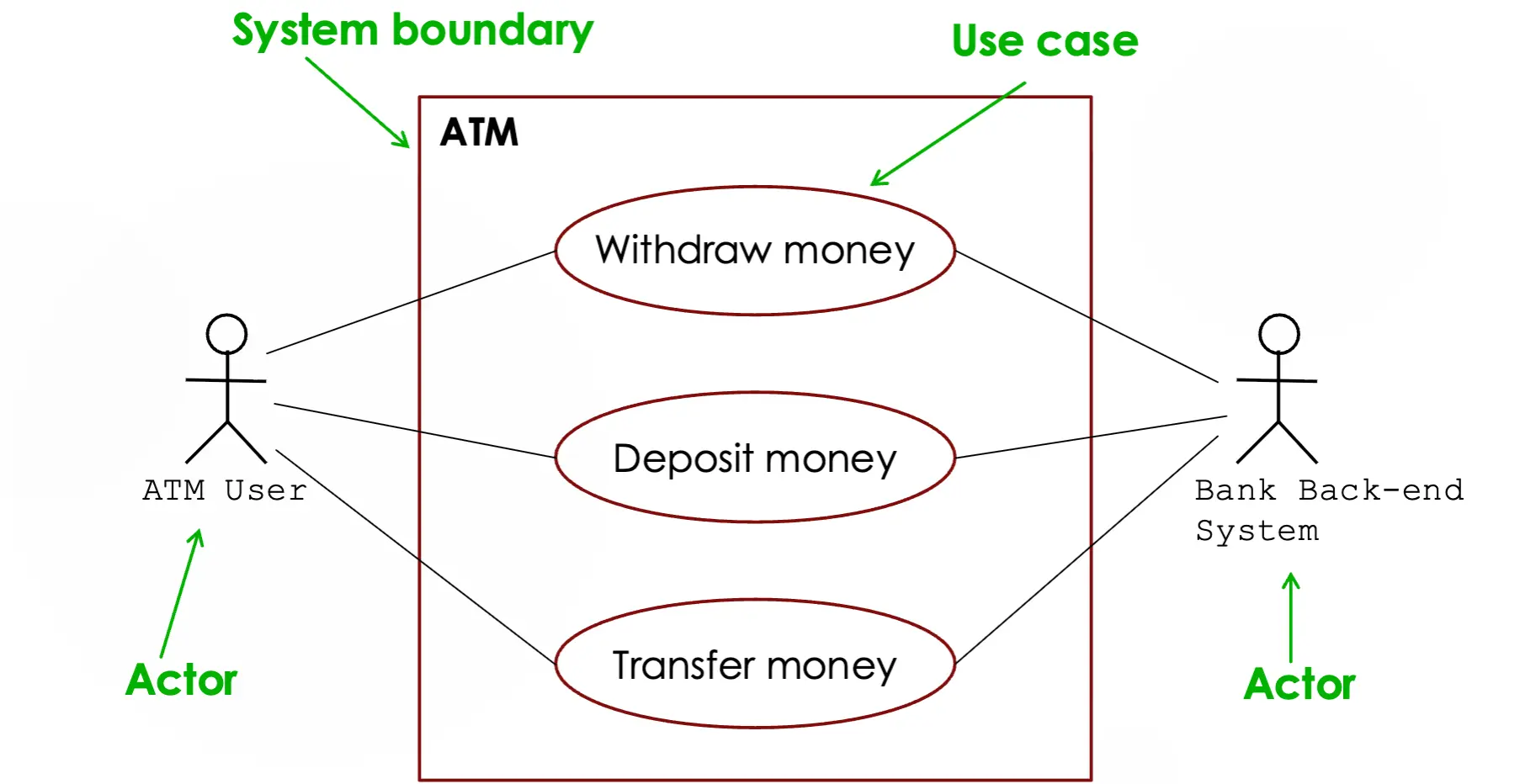
Use Case Diagrams
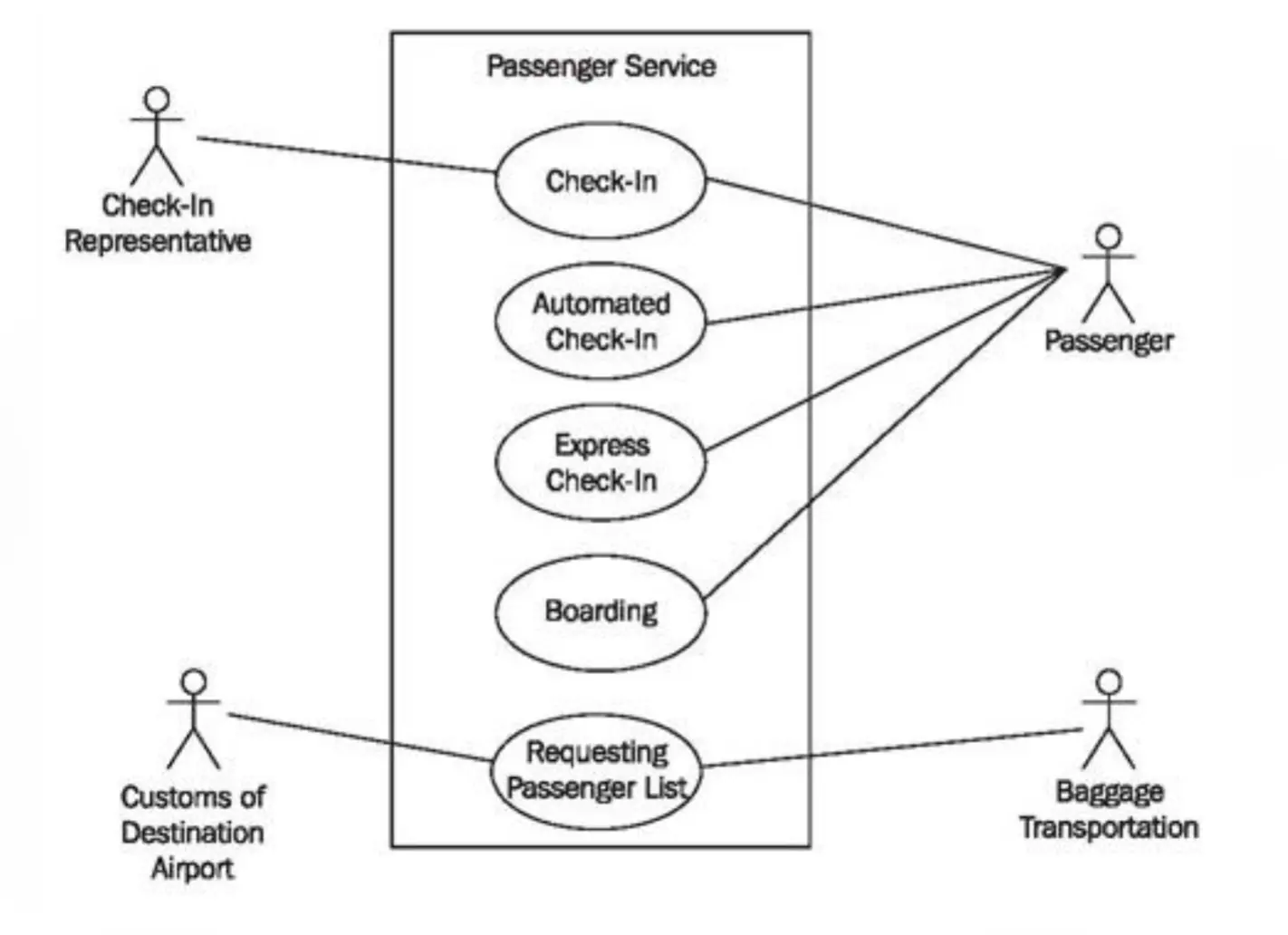
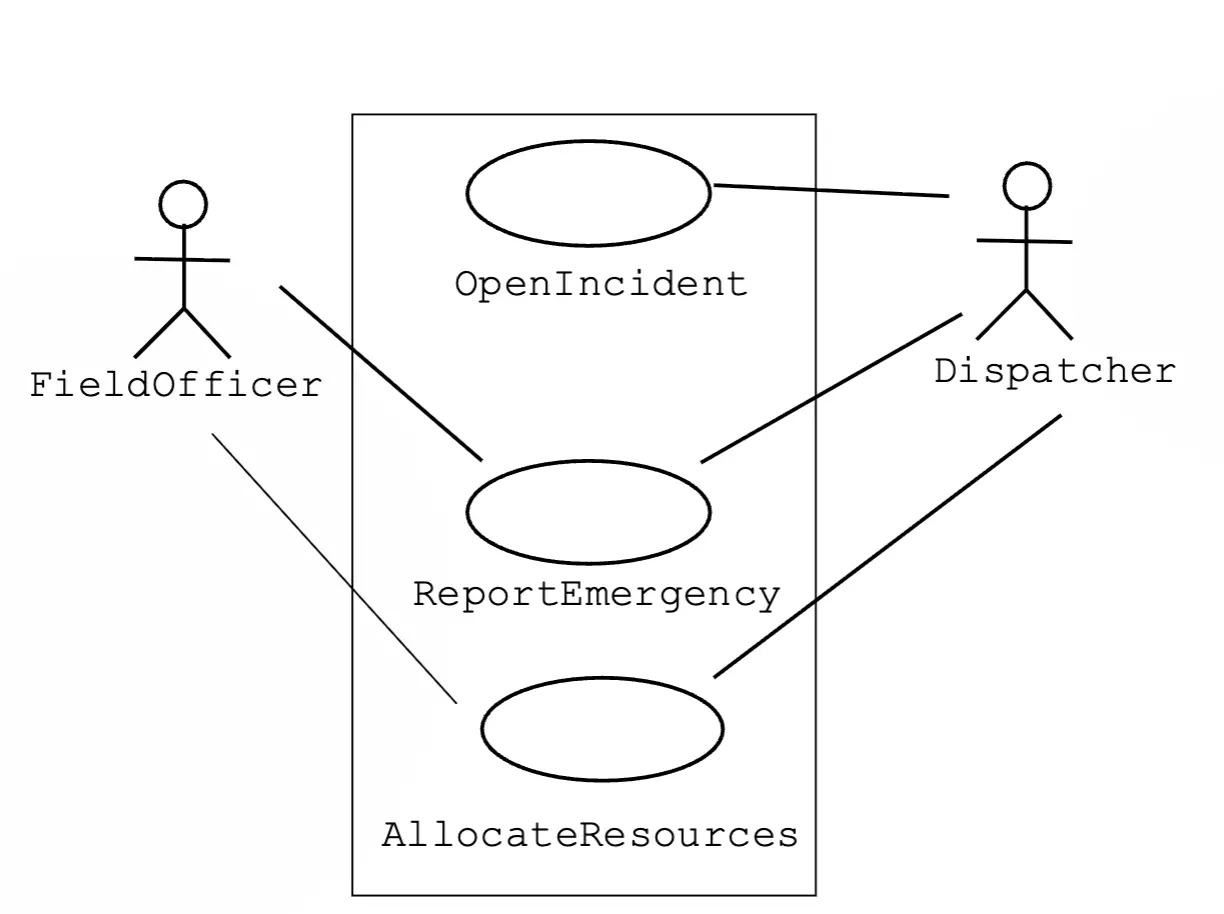
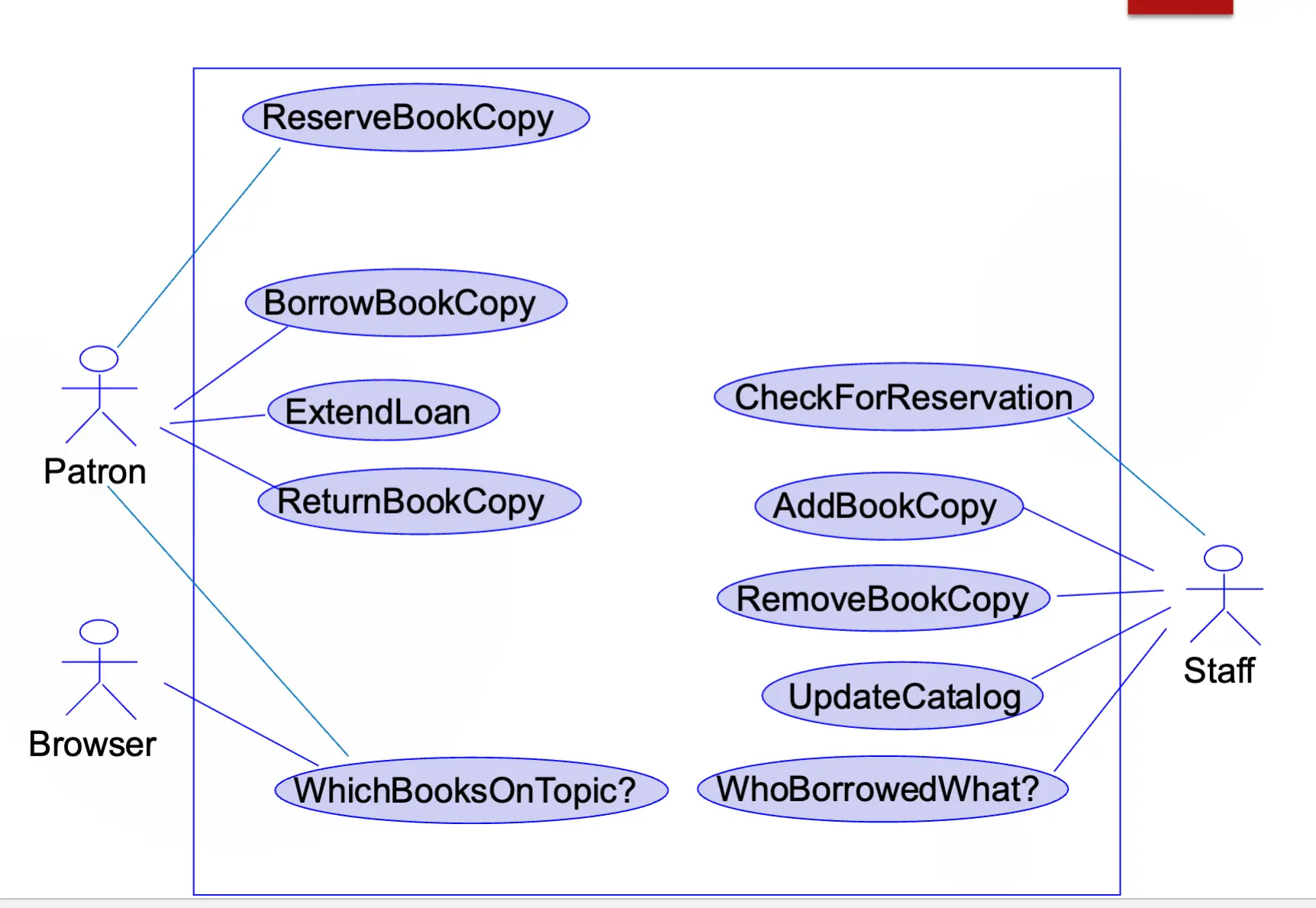
- A graphical view of actors, use cases, and their interactions
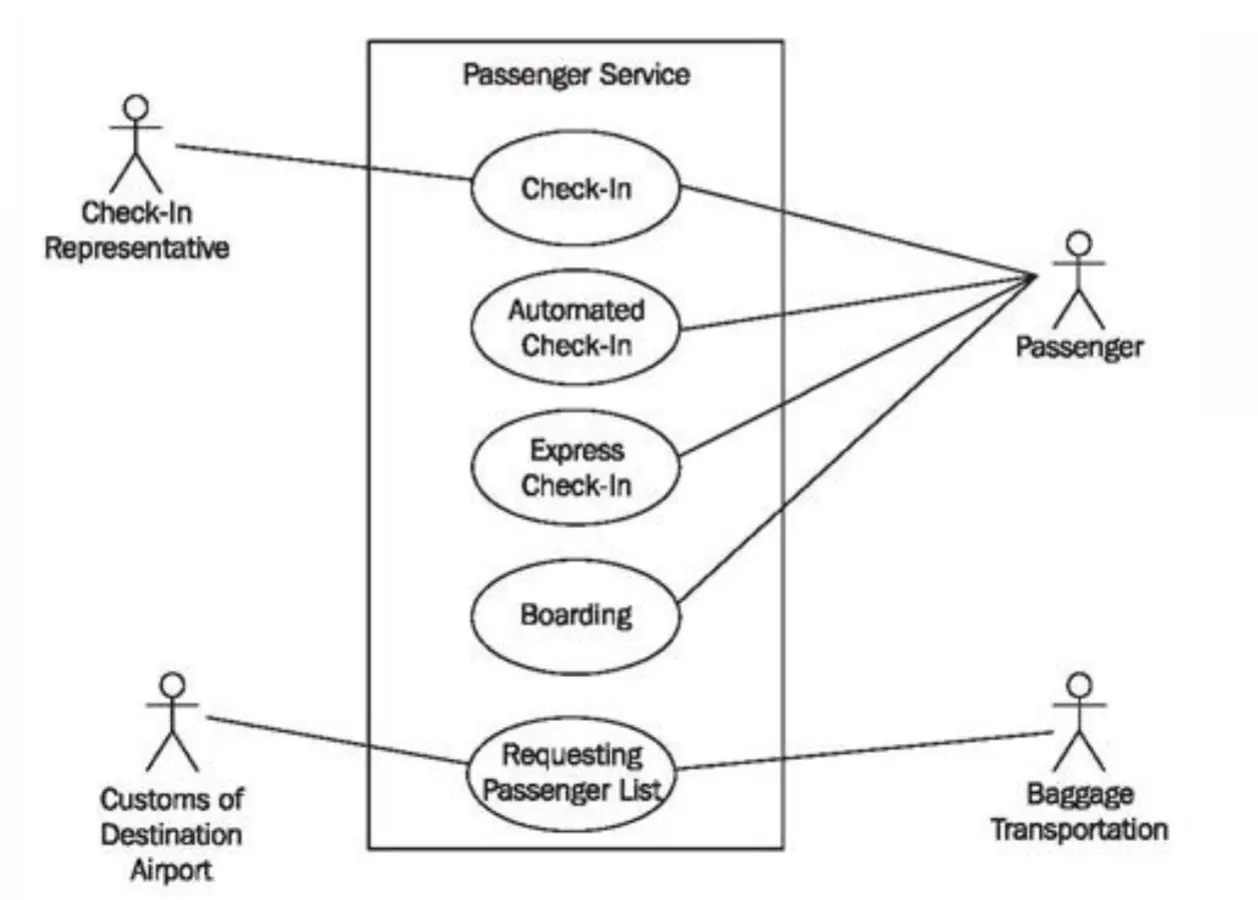
Air Travel Use Case Diagram
Incident Management Use Case Diagram
Library Software Use Case Diagram
Bringing It All Together
- There is generally one use case model per system, consisting of:
- Use case diagrams (one or more)
- Textual descriptions of use cases
Variety of Readers
- Marketing personnel, human factors engineers, specialty engineers
- System engineers
- Reviewers
- Software devs
- System/software testers
- Project managers
- Technical writers
- …
- Use cases are used as a unifying thread throughout development
- Use cases are used as a communication/understanding tool among diverse stakeholders
Reminder: Fundamental Principles (these apply to all aspects of software engineering!)
- Rigor and formality
- Separation of concerns
- Modularity
- Abstraction
- Anticipation of change
- Generality
- Incrementality
Summary
- Use case → textual description defining interactions between an actor and the system to achieve the primary actor’s goal
- Includes different flows (basic, alternative, exception)
- Use case model → diagrams + use case descriptions
- Use cases serve as a unifying thread throughout development
- Use cases serve as a communication/understanding tool among diverse stakeholders
Reading: ACM Software Engineering Code of Ethics ACM Software Engineering Code of Ethics
- ACM/IEEE Software Engineering Code of Ethics and Professional Practices (version 5.2), adopted in 1999 by both organizations
- Lays out 8 core principles that software engineers should follow, ordered by priority:
- Public → serve the public interest, ensure safety, protect privacy, don’t harm the environment. Duty to speak up if something’s wrong (whistle-blowing clauses)
- Client & Employer → act in their best interests, but never at the expense of the public. Keep confidential info private, flag failing projects early, avoid conflicts of interest
- Product → maintain high professional standards. Honest cost/schedule estimates, thorough testing, proper documentation, treat maintenance with the same seriousness as new development
- Judgment → stay objective and independent. No bribery, no deceptive financial practices, no signing off on work you don’t understand
- Management → promote ethical practices, give realistic estimates, offer fair pay, never punish someone for raising ethical concerns
- Profession → protect the reputation of software engineering. Report violations of the Code
- Colleagues → be fair, give credit, help each other grow professionally, don’t sabotage anyone’s career
- Self → commit to lifelong learning, don’t let personal biases affect decisions (clause 8.07 is intentionally open-ended for future social concerns), hold yourself to the Code’s standards
- Key takeaway → public welfare is the ultimate tiebreaker in every decision
- The Code isn’t a rigid algorithm but a framework for ethical judgment
- Developed by a multinational task force — unique in being adopted by two major international computing societies
Lecture 6: How Should I Conduct Myself While Building Software?
Last Lecture Recap
- Use case → textual description defining interactions between an actor and the system to achieve the primary actor’s goal
- Includes different flows (basic, alternative, exception)
- Use case model → diagrams (actors, use cases, relationships, system boundary) + use case descriptions
- Use cases serve as a unifying thread throughout development
- Use cases serve as a communication/understanding tool among diverse stakeholders
Do Cool Things That Matter / Don’t Do Bad Things
- Think and learn about the social responsibility of software engineering
- Examples of software with ethical implications:
- Social media
- Car software
- Video games
- Dating sites
- Employment sites
- Gambling sites
- Examples of software with ethical implications:
Why Ethics Matters
- Software impacts society
- Failures cause harm
- Engineers have responsibility
ACM/IEEE Software Engineering Code of Ethics
- Background → developed by ACM & IEEE, multinational task force, approved professional standard
- Purpose → guide ethical decisions, define responsibilities, educate professionals
The 8 Principles (in priority order)
- Public → act in the public interest
- Disclose dangers to users/public
- Approve software only if safe
- Consider privacy and fairness
- Report significant risks
- Client & Employer → act in their best interest
- Maintain confidentiality
- Be honest about limitations
- Avoid conflicts of interest
- Do not use employer resources improperly
- Product → strive for high quality and reliability
- Use appropriate testing and validation
- Document properly
- Ensure maintainability
- Fix known defects before release
- Judgment → maintain integrity and independence
- Avoid deceptive practices
- Disclose conflicts of interest
- Base decisions on evidence
- Reject bribery or undue influence
- Management → promote ethical development practices
- Ensure realistic schedules
- Provide proper resources
- Support quality assurance
- Encourage reporting of concerns
- Profession → advance integrity of the profession
- Follow standards and best practices
- Contribute to public understanding
- Avoid discrediting the field
- Support ethical policies
- Colleagues → be fair and supportive
- Credit others’ work
- Review work constructively
- Avoid discrimination
- Help colleagues develop skills
- Self → engage in lifelong learning
- Improve technical competence
- Know limits of expertise
- Seek feedback and improvement
- Act with personal integrity
Summary
- Ethics in SE → software engineers have a responsibility to the public, clients, colleagues, and themselves
- The Code → 8 principles ordered by priority, with public welfare as the ultimate tiebreaker
- Not a rigid rulebook → a framework for ethical judgment and professional conduct
- Know the principles and be able to apply them to real-world ethical scenarios
Quiz 3 Review
Use Cases (Lectures 4-5)
- Use case → textual description defining interactions between an actor and the system to achieve the primary actor’s goal
- Actors → primary actor (initiates the use case to achieve a goal) vs. supporting actors (help the system fulfill the use case)
- Actors can be people, organizations, or other systems
- Three types of flows:
- Basic flow → the “happy path,” everything goes right
- Alternative flow → valid deviations from the basic flow (different but still successful)
- Exception flow → something goes wrong, system handles the error
- Use case descriptions → structured text documenting a use case (name, actors, preconditions, flows, postconditions)
- Use case diagrams → visual representation of the use case model
- Components: actors (stick figures), use cases (ovals), system boundary (rectangle), relationships (lines/arrows)
- Relationships: association, include (
<<include>>), extend (<<extend>>), generalization
- Purposes/uses of use cases:
- Communication tool among diverse stakeholders
- Unifying thread throughout development (requirements → design → testing)
- Help discover and document requirements
- Basis for test case development
Ethics (Lecture 6 + Reading)
- Know the 8 principles of the ACM/IEEE Software Engineering Code of Ethics (Public, Client & Employer, Product, Judgment, Management, Profession, Colleagues, Self)
- Understand that public welfare takes priority over all other concerns
- Be able to assess basic ethical issues → given a scenario, identify which principle(s) apply and whether a behavior is ethical or not
- The Code is a framework for judgment, not a checklist
Lecture 7: How Do We Structure the Software?
From Requirements to Structure
- After getting enough requirements, what’s next?
- Option One:
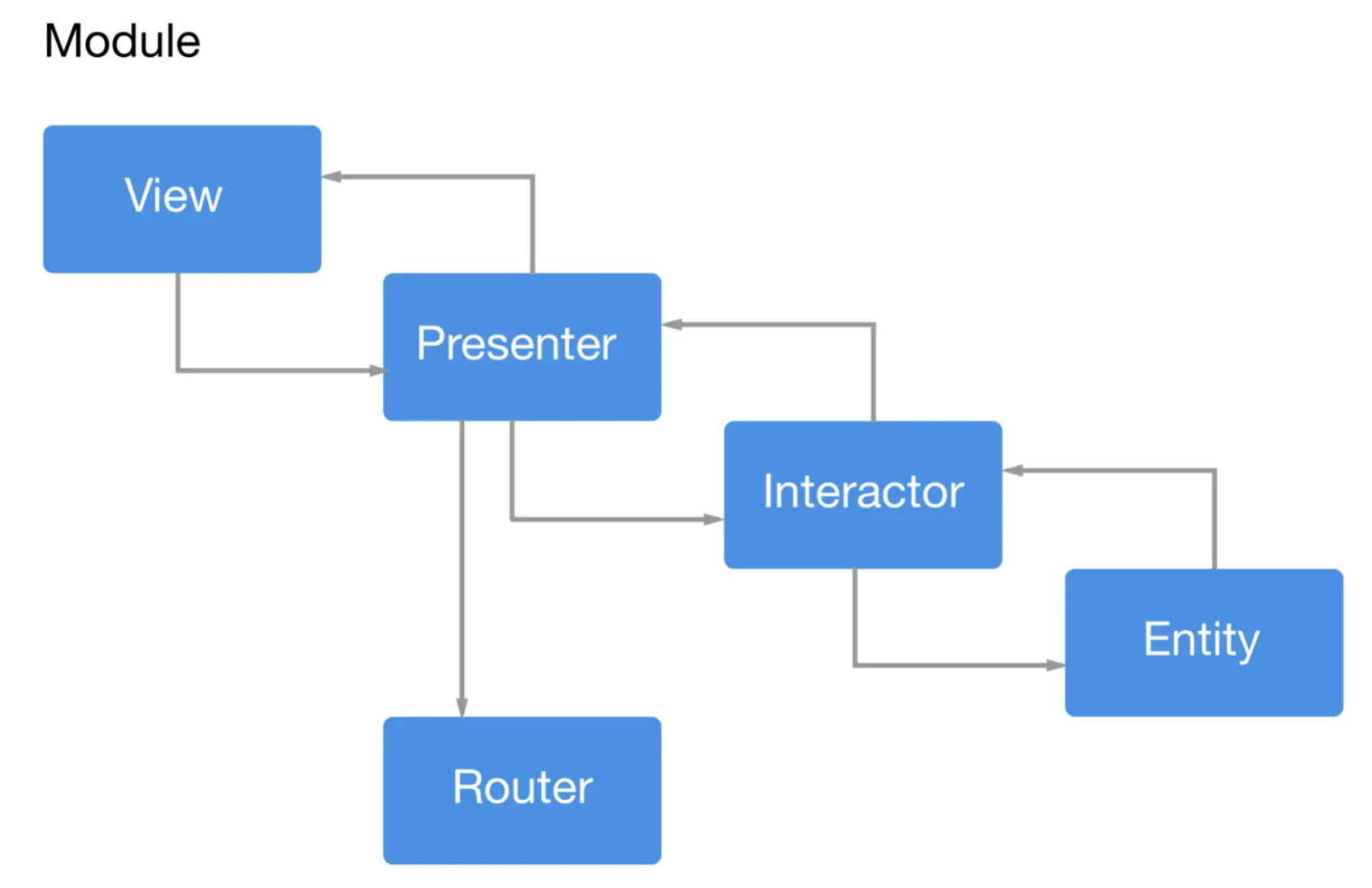
- Another possibility:
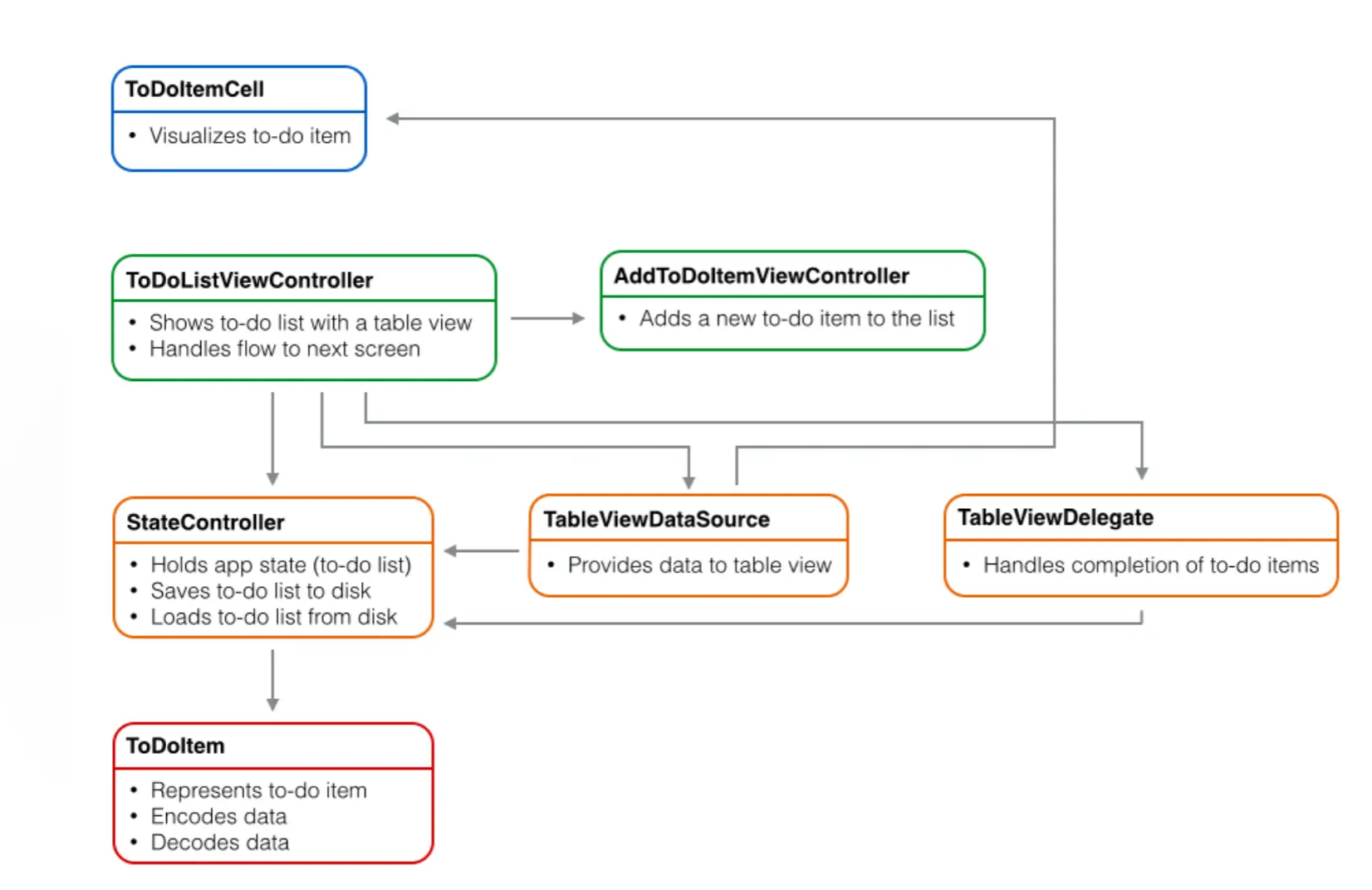
Software Architecture
- Requirements → Architecture & Design → Code
Analogy to Building Architecture
- The architect has a distinctive role and character in a project
- broad training
- extensive experience
- deep understanding of the domain
- leads the team
- good communicator
- decision maker
- deals with a higher level of abstraction than those performing construction
- often serves as the interface to key business stakeholders/customers
Limitations of the Analogy
- The nature of software is different from that of building architecture
- software serves a much broader range of purposes
- we know much more about buildings than software
- software is much more malleable than physical materials
- software is a machine
- software is invisible
Why Architecture in Software Engineering?
- intellectual control
- conceptual integrity
- effective project communication
- reusability
- maintainability (management of a set of variant systems)
Defining Software Architecture
- Software architecture → the set of principal design decisions about the system
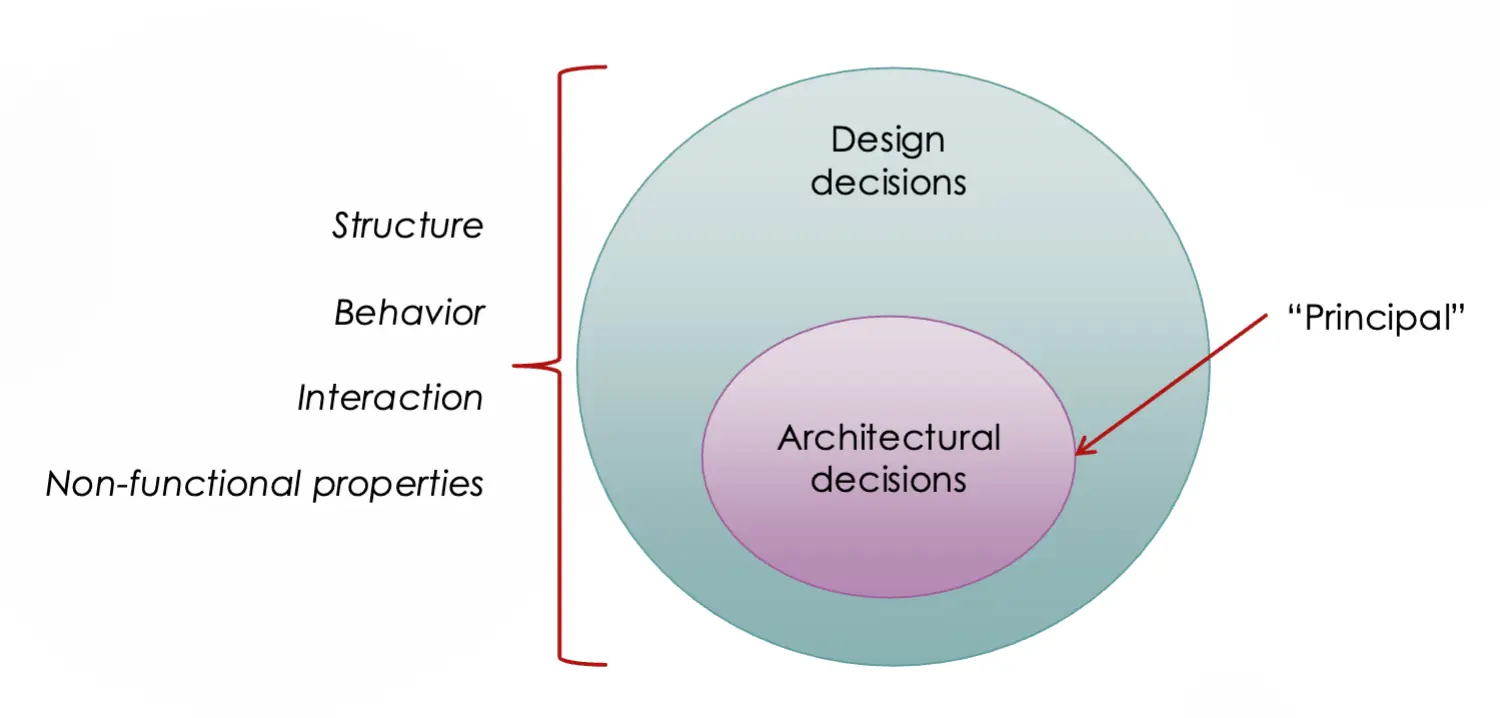
- Software architecture → the blueprint for a software system’s construction and evolution
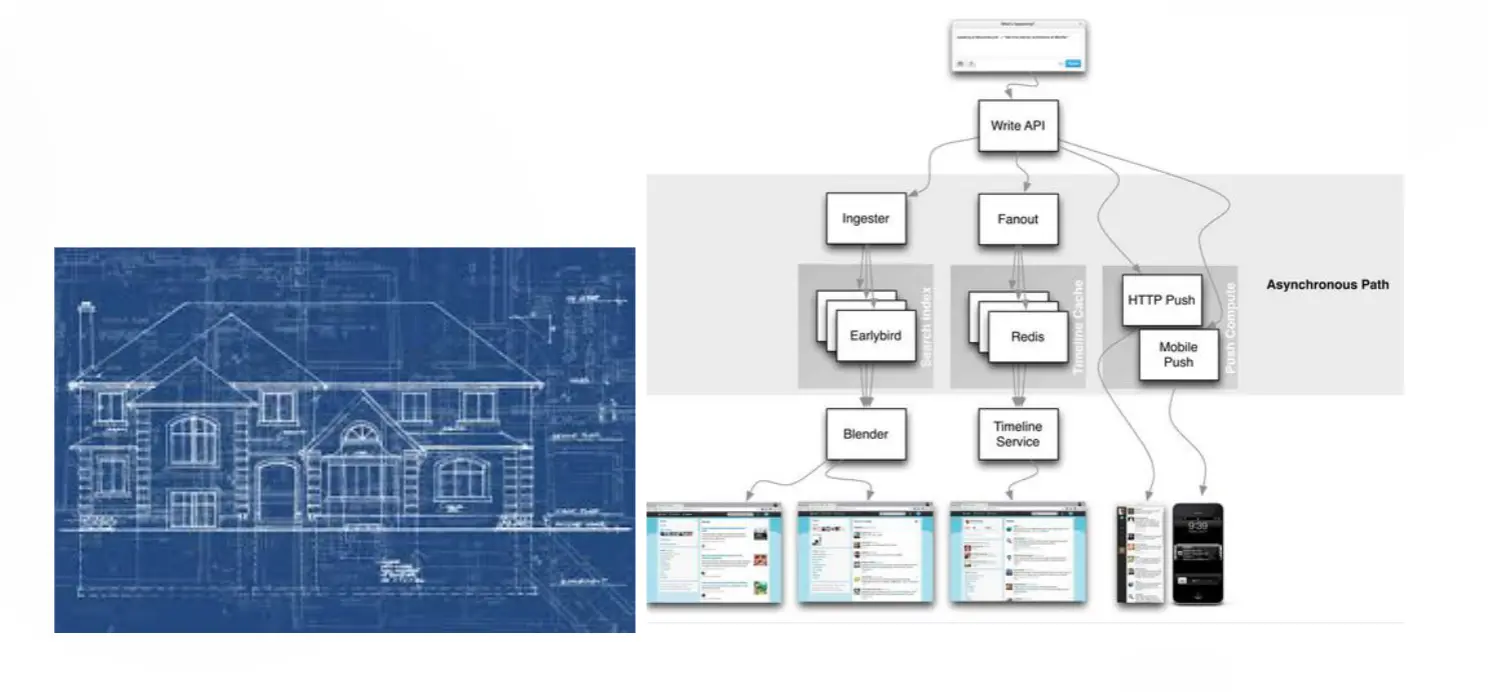
Other definitions:
- The set of structures needed to reason about the system, which comprise software elements, relations among them, and properties of both
- How your whole system (in the widest possible sense) will be decomposed into processes or services; how data are stored, communicated, and processed; and how all parts fit together to deliver the required functionality, reliability, capacity, scalability, maintainability, and portability
- The highest-level breakdown of a system into its parts; the decisions that are hard to change
- The clear definition of multiple high-level components that, when working together, form your system and solve your problem
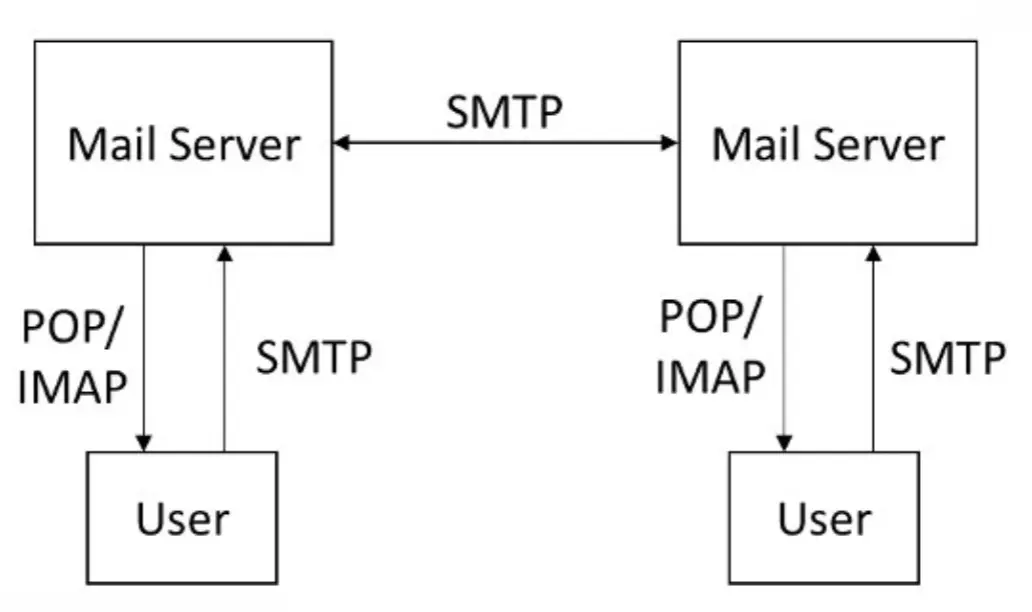
Architecture in Action: Email
- Functional specification:
- send and receive messages
- get your own messages and not others (addressing scheme)
- store messages
- electronic
- block spam
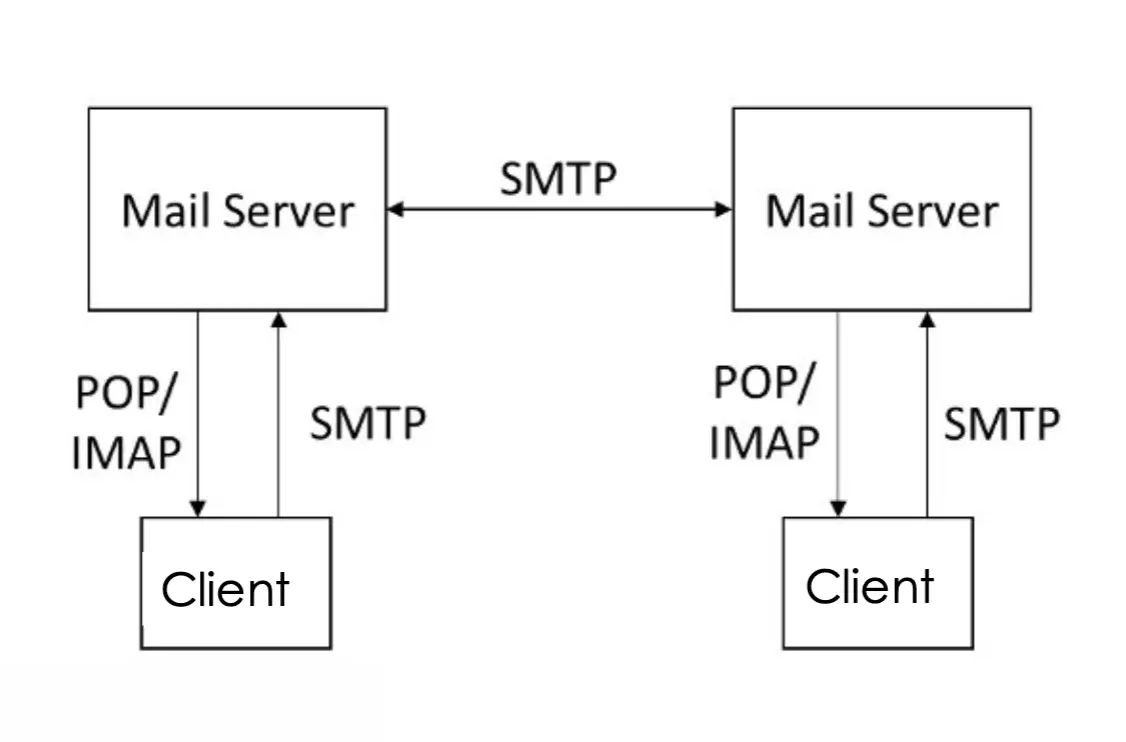
Architecture in Action: WWW
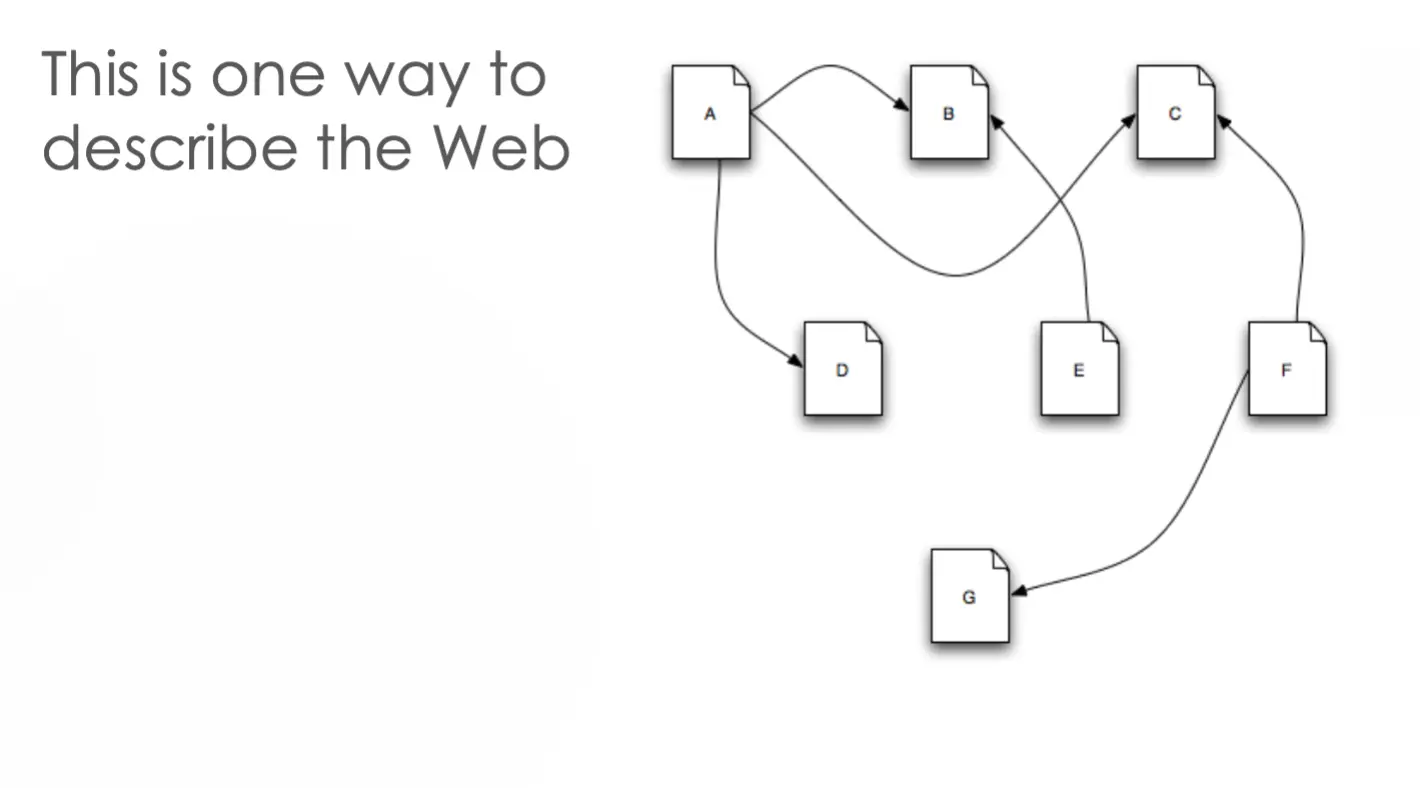
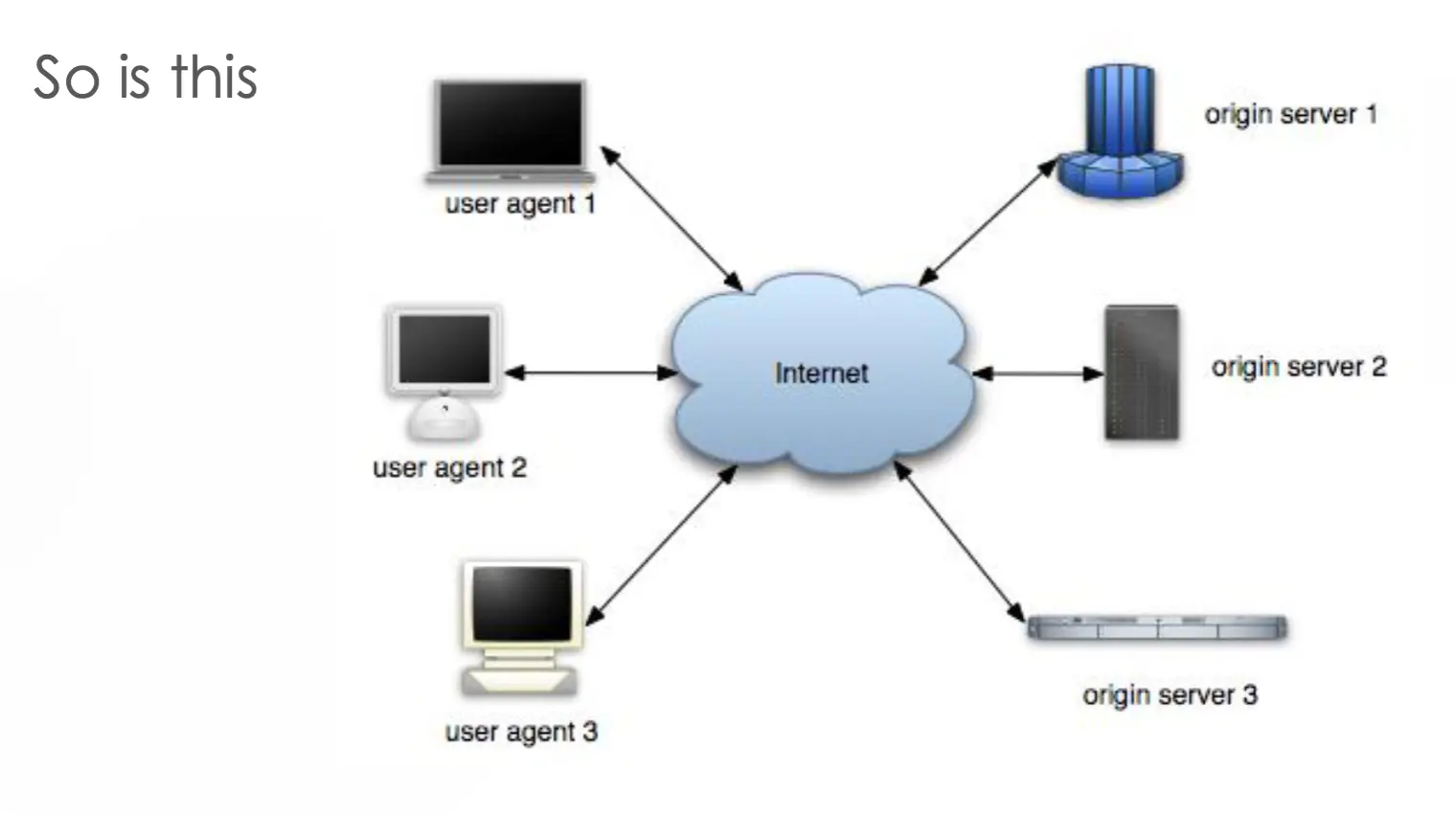
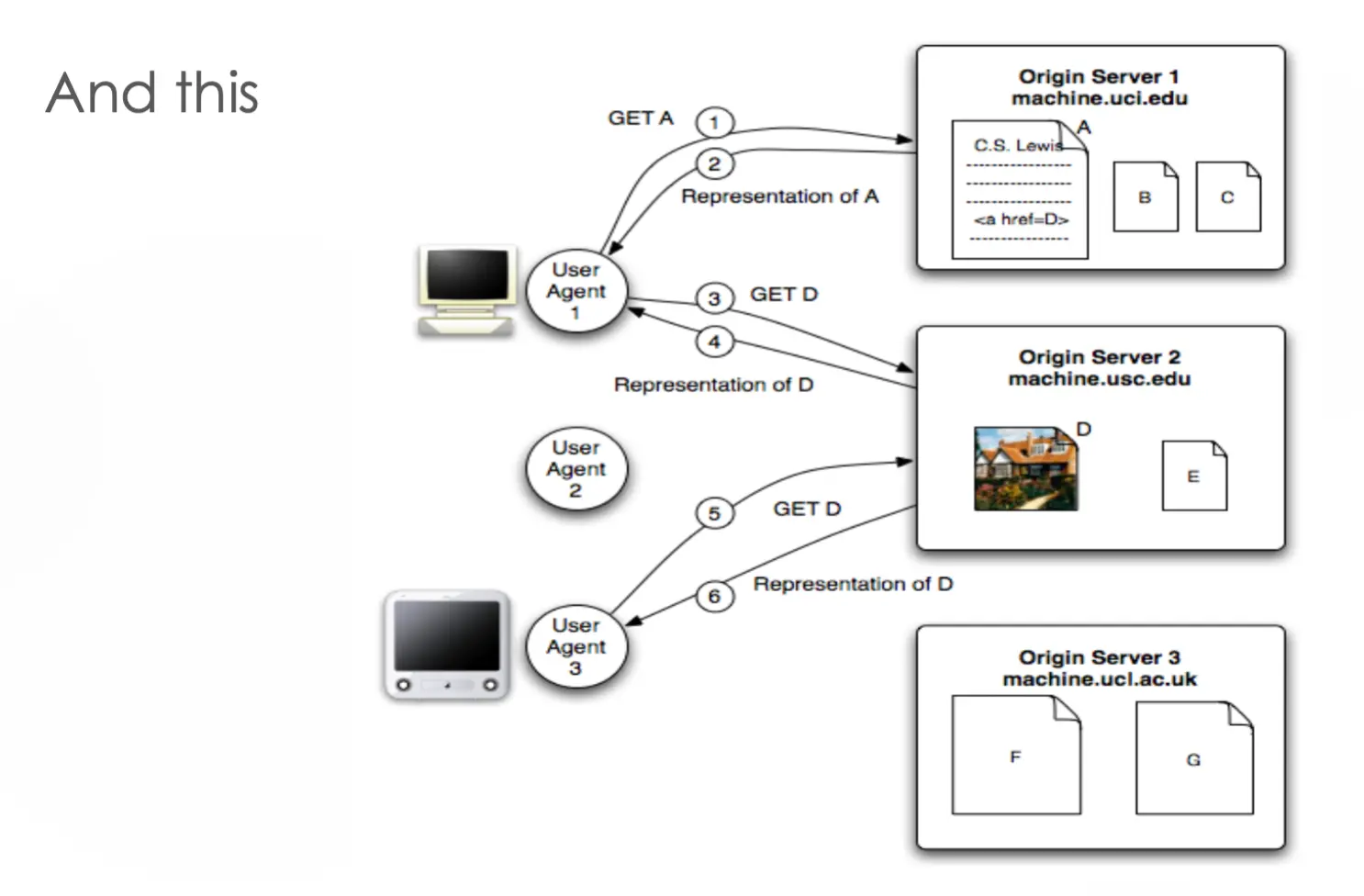
WWW in a (big) nutshell:
- The web is a collection of resources, each with a unique name (URL)
- A URL can be used to determine the identity of a machine on the internet (origin server), from which the resource may be obtained
- Clients (user agents / web browsers) make requests of servers for their resources
- Clients manipulate representations of resources
- All communication between user agents and origin servers must be performed by a simple, generic protocol (HTTP)
- All communication between user agents and origin servers must be fully self-contained
Observations about WWW’s architecture:
- There is no single piece of code that implements the architecture
- Stylistic constraints of the web’s architectural style are not apparent in the code
- One of the world’s most successful applications is only understood adequately from an architectural vantage point
- All of the diagrams and text on the previous several slides = WWW’s architecture (also known as the REST reference architecture)
Architecture in Action: Facebook
- Functional requirements:
- friends list
- status updates
- news feed
- comments / likes / reactions
- messaging
- photos
- location services
- 3rd party apps
- Non-functional requirements:
- efficiency / performance
- scalability
- availability
- security
- privacy
- reliability
- portability
Client–Server Architecture
- Most common distributed system architecture
- Clients make requests of servers
- Centralized
- data
- security
- access
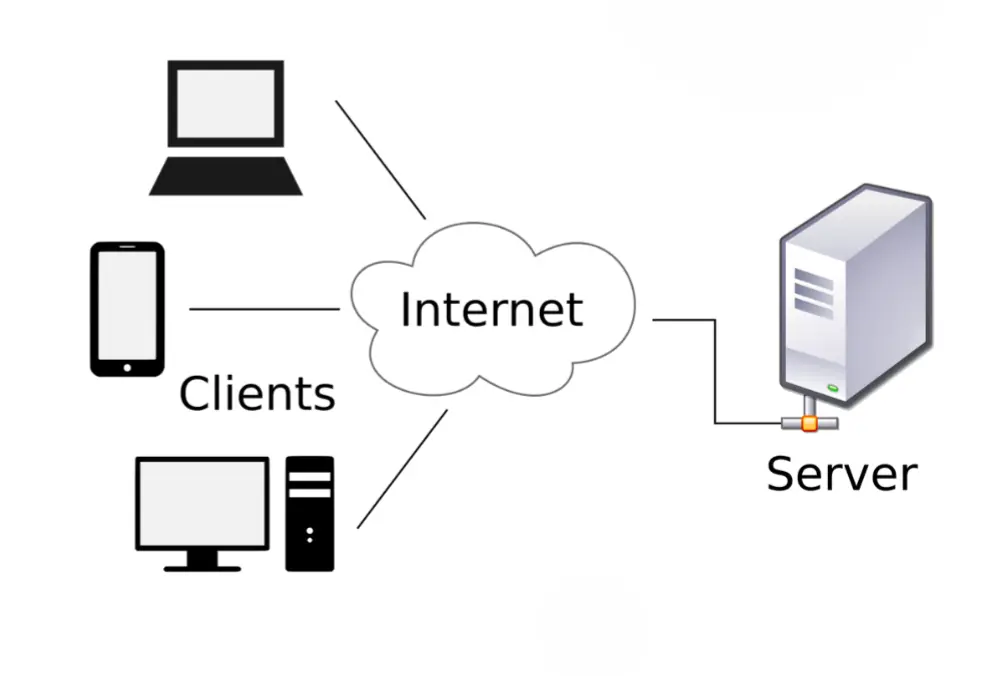
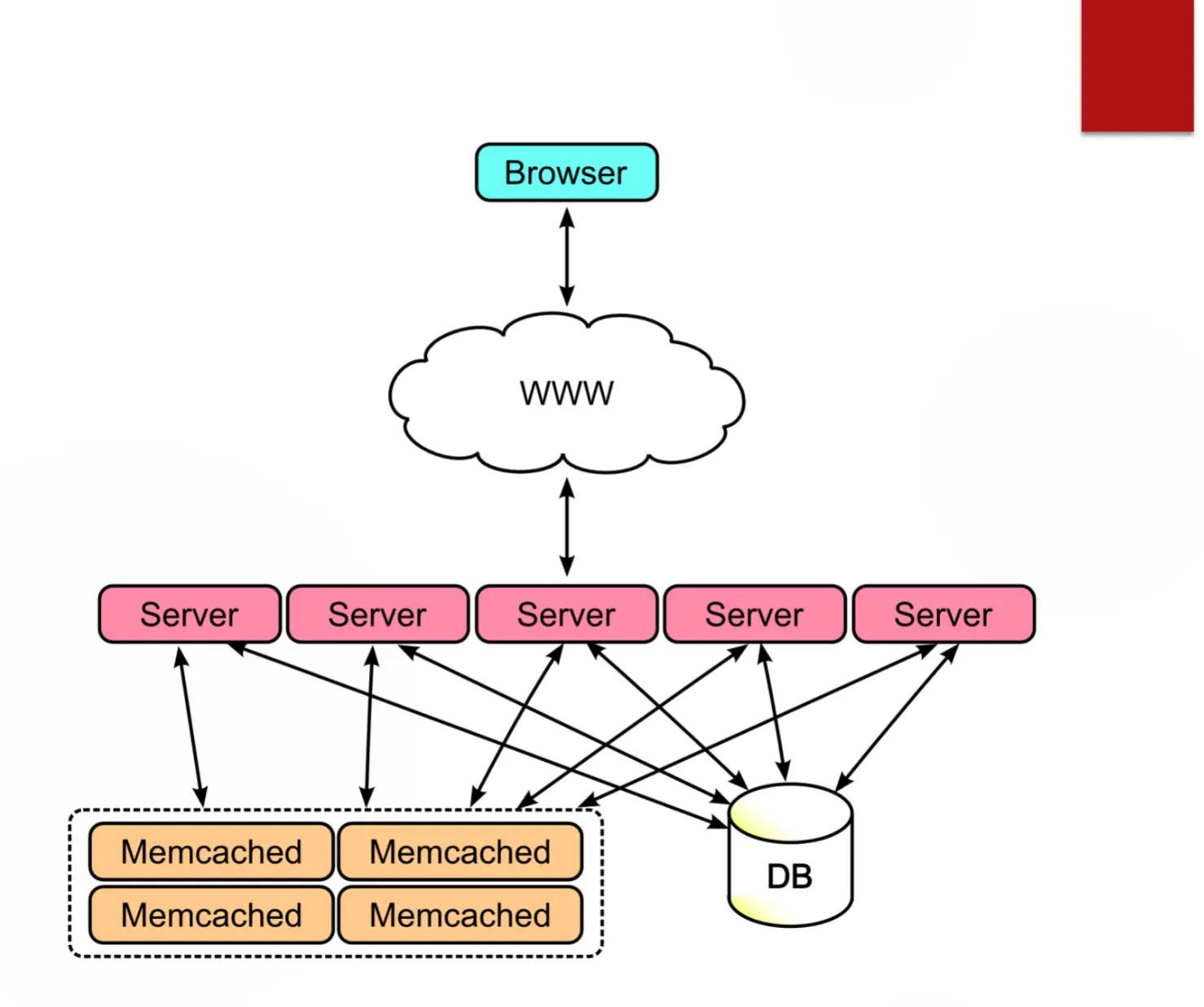
Real-World Architecture Diagrams
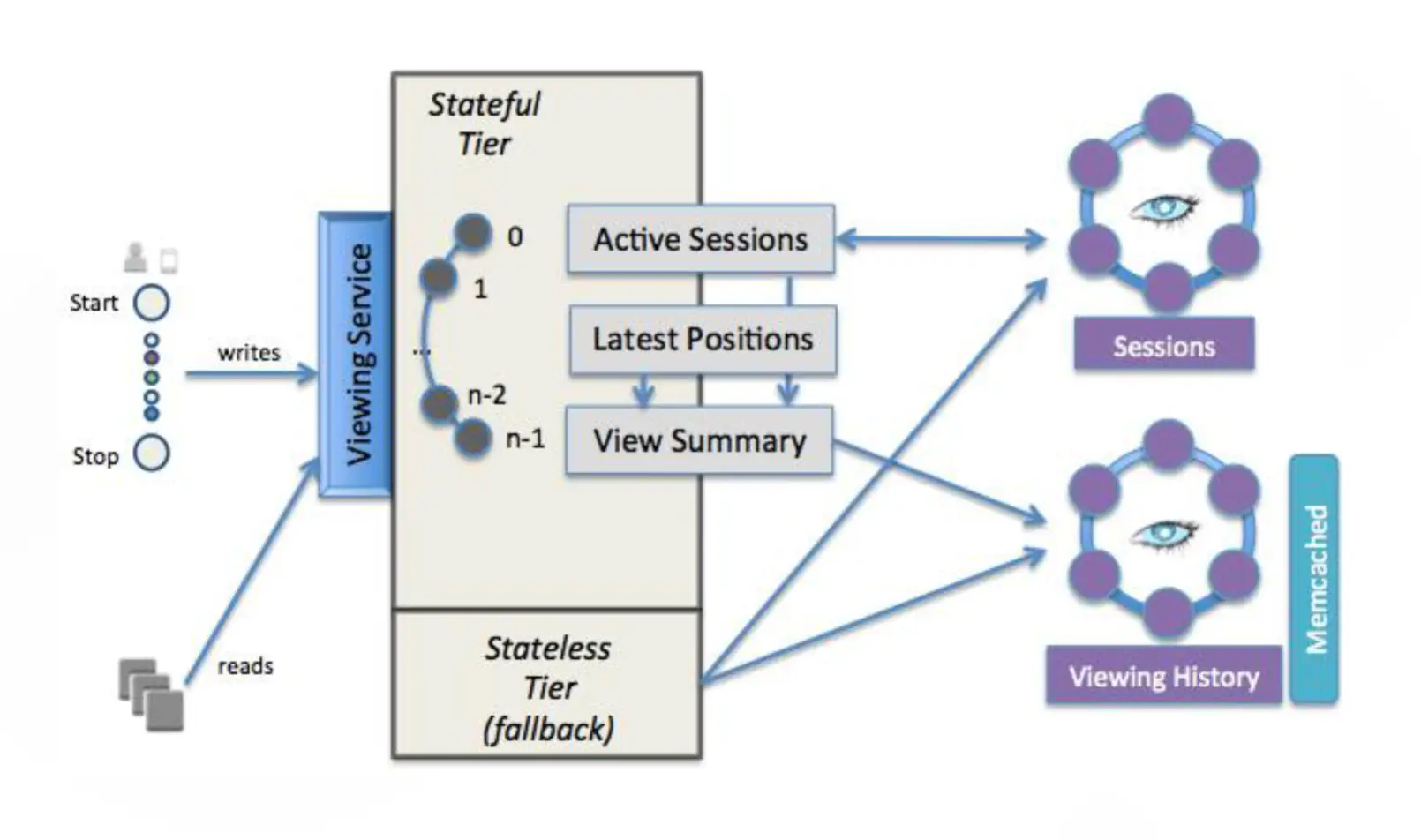
Netflix architecture diagram:
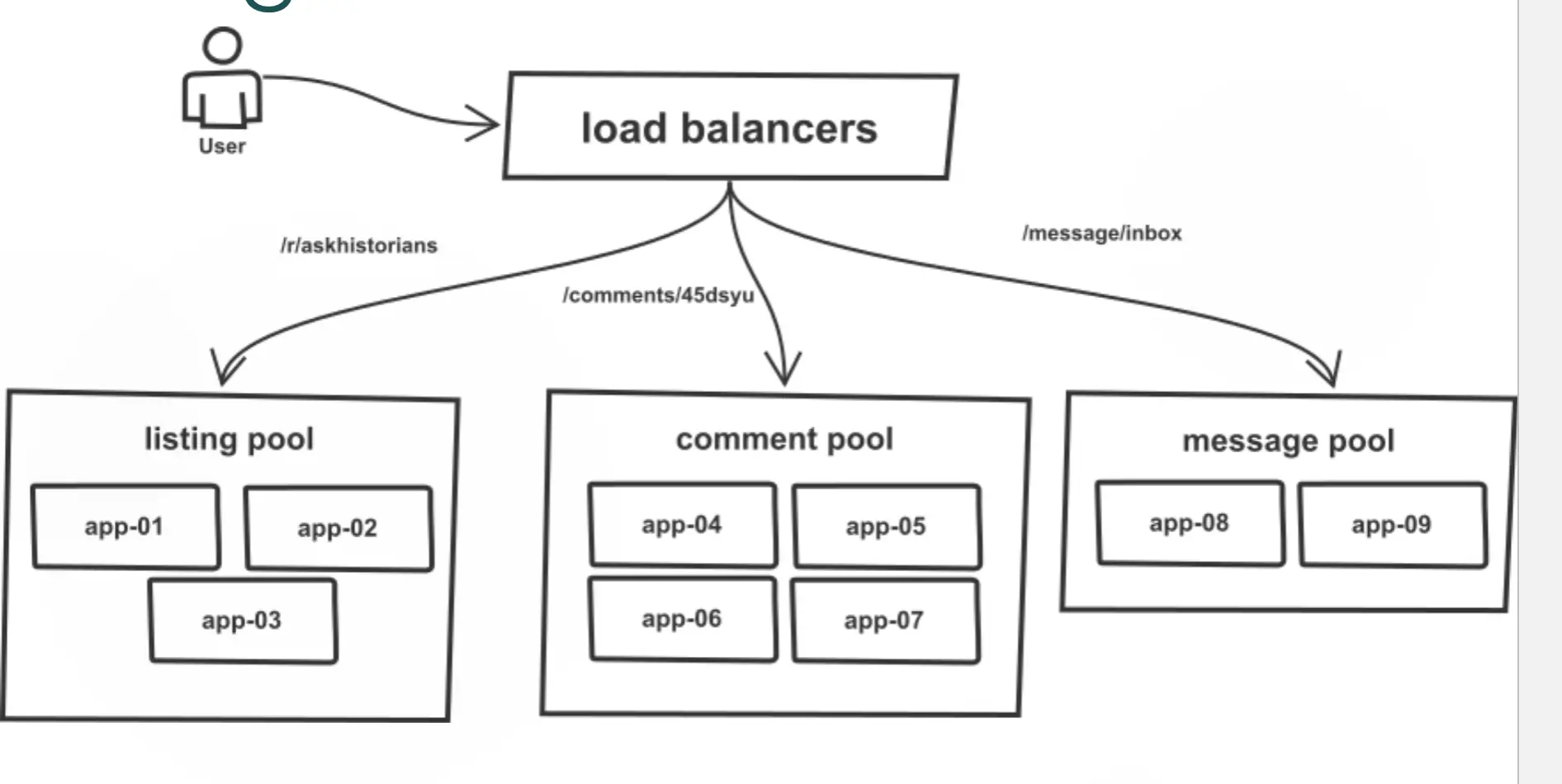
Reddit architecture diagram:
Software Architecture Elements
- A software architecture consists of:
- components
- connectors
- Components and connectors are arranged into configurations
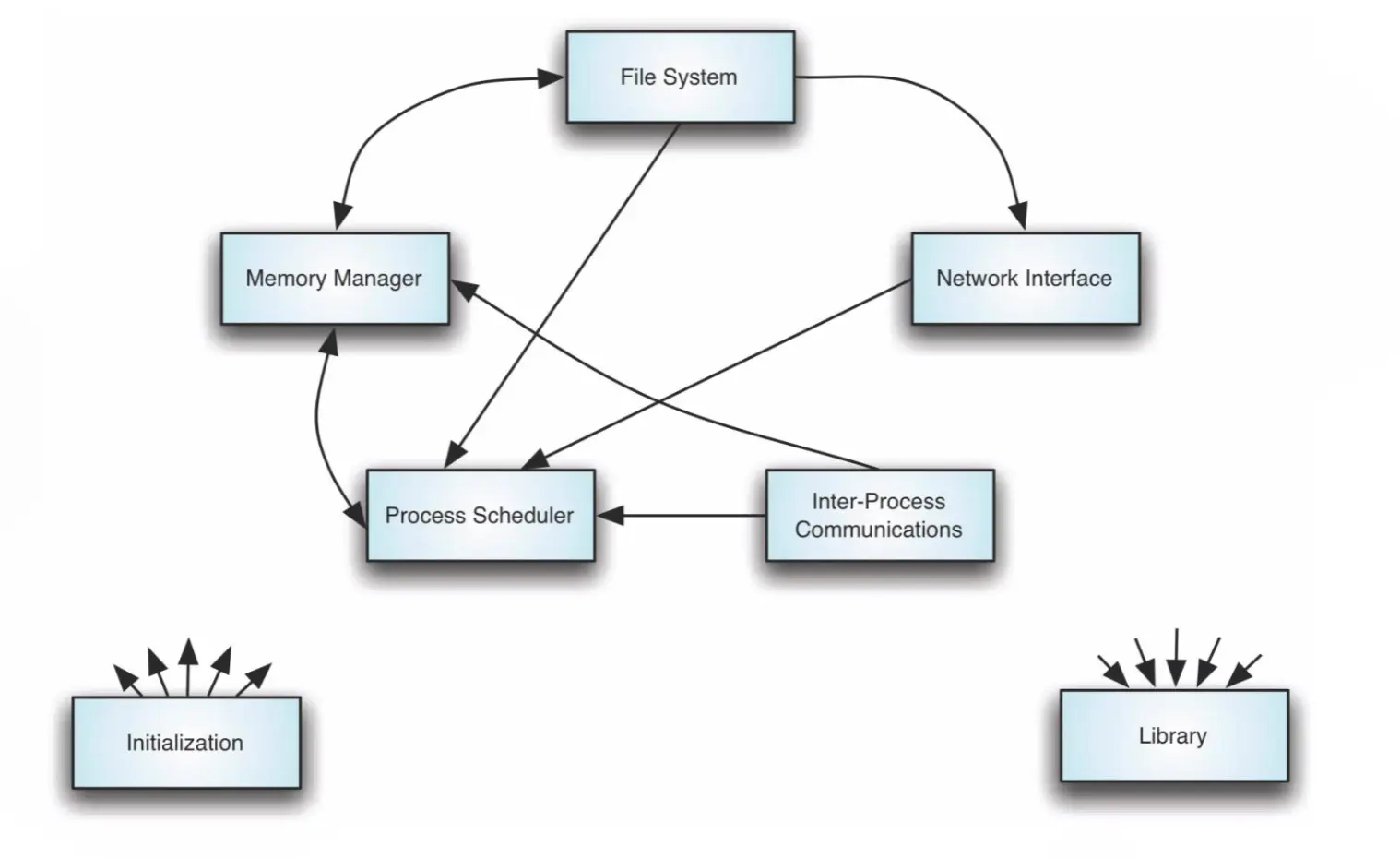
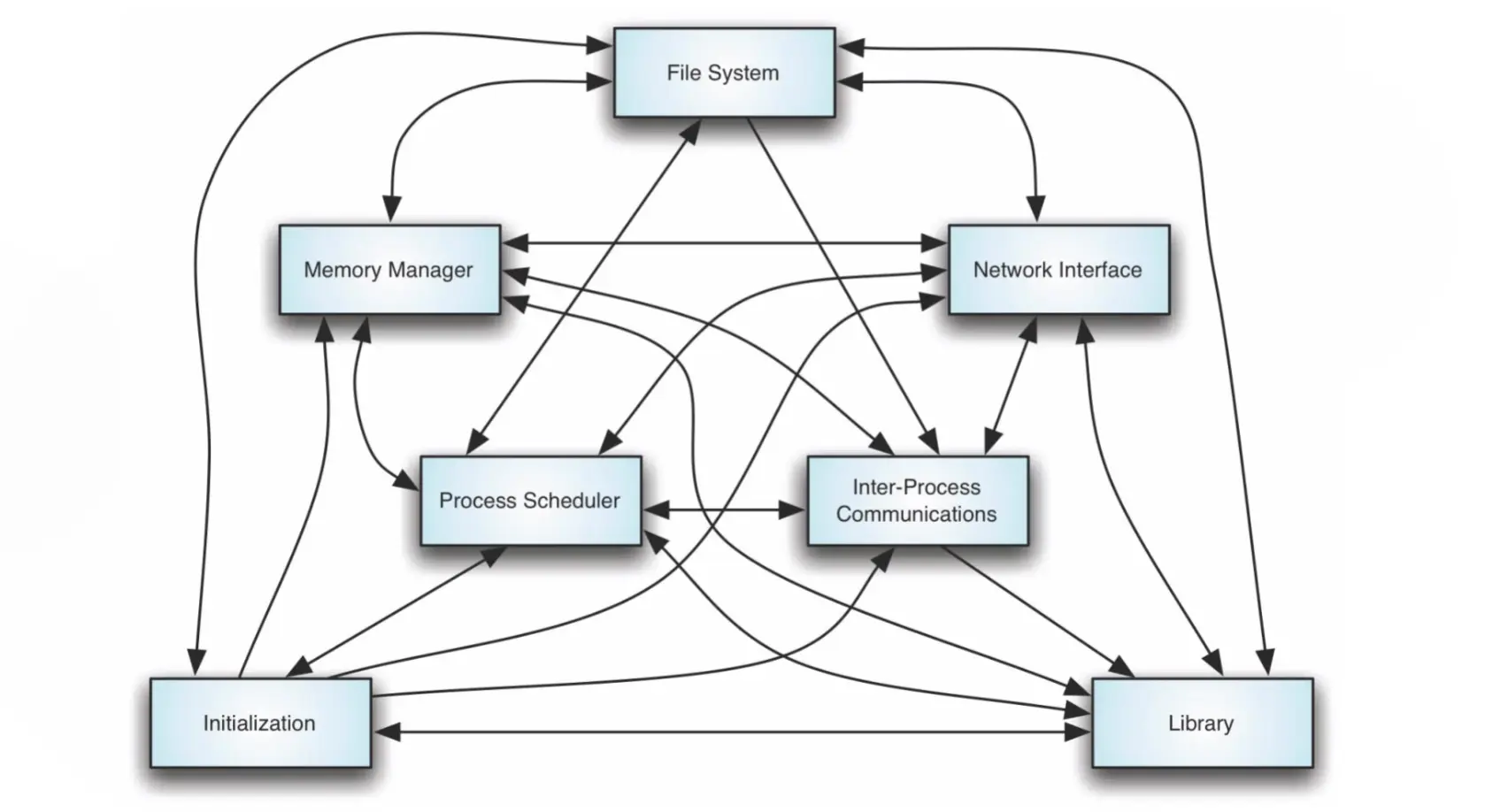
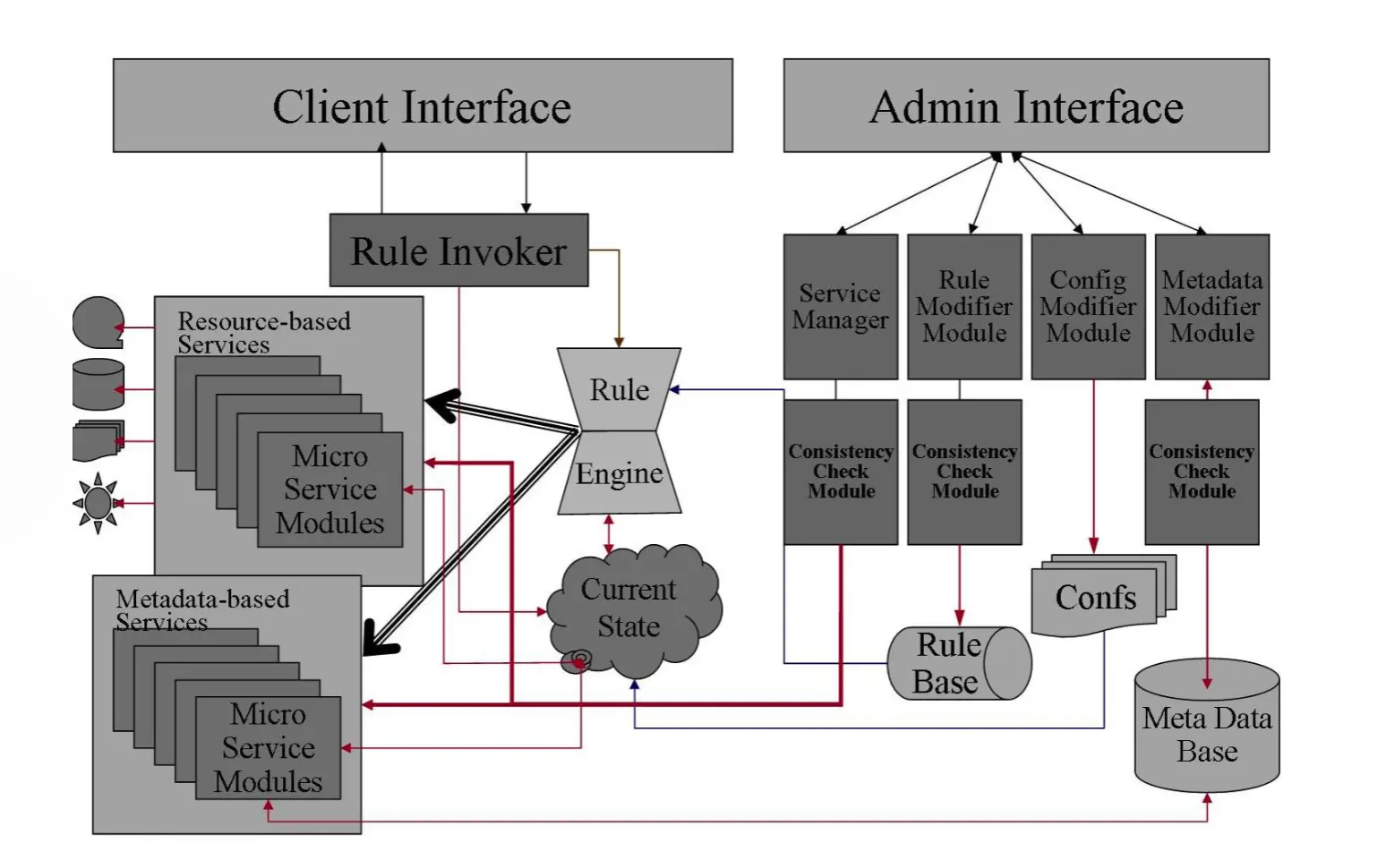
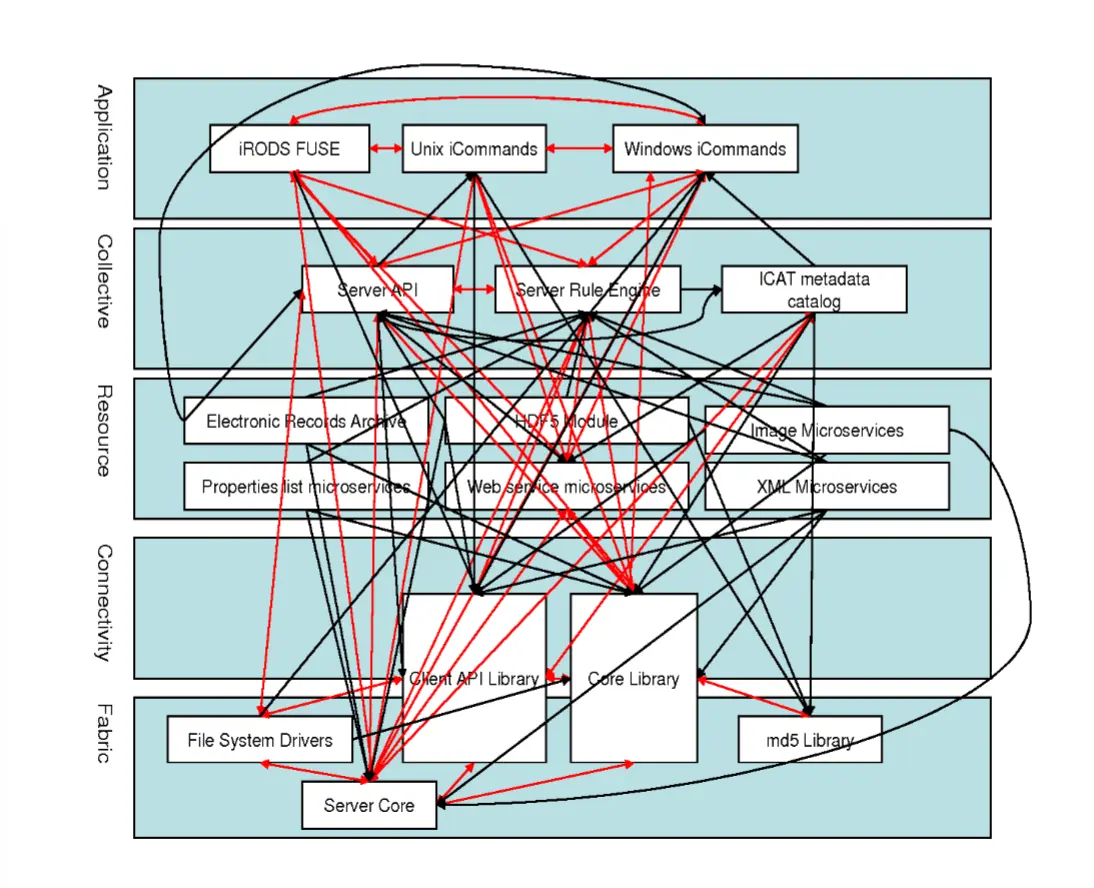
Architectural Erosion
- Prescriptive architecture → as-designed / as-intended architecture
- Descriptive architecture → as-implemented / as-realized architecture
Linux → prescriptive architecture
 Linux → descriptive architecture
iRods → prescriptive architecture
 iRods → descriptive architecture
Erosion in practice:
- When a system evolves, ideally its prescriptive architecture is modified first
- In practice, the system — and thus its descriptive architecture — is often directly modified
Why does architectural erosion happen?
- developer sloppiness
- short deadlines
- lack of (documented) prescriptive architecture
- code optimization
- inadequate techniques or tool support
Summary
- Software architecture is a very powerful tool in software engineering
- intellectual control, conceptual integrity, communication, reusability, maintainability
- A software system’s architecture is:
- the set of principal design decisions about the system
- the blueprint for its construction and evolution
- A software architecture consists of components and connectors, arranged into configurations
- Architectural erosion happens when a system evolves and its prescriptive architecture is not updated
Lecture 8: How Do We Structure the Software? (Part 2)
Software Architectural Style
- Just like there are different architectural styles for real-world buildings, there are different software architectural styles
- SAS → a named collection of architectural design decisions that
- are applicable in a given development context
- constrain architectural design decisions
- result in beneficial qualities in each resulting system
- A named, commonly used set of components/connectors/configurations
- each component/connector has its own job
Model-View-Controller (Example 2: ATM)
- Goals
- withdrawals, deposits, transfers, balance checks
- separation of concerns
- want to experiment with different UIs
- isolate business rules (due to frequent anticipated changes)
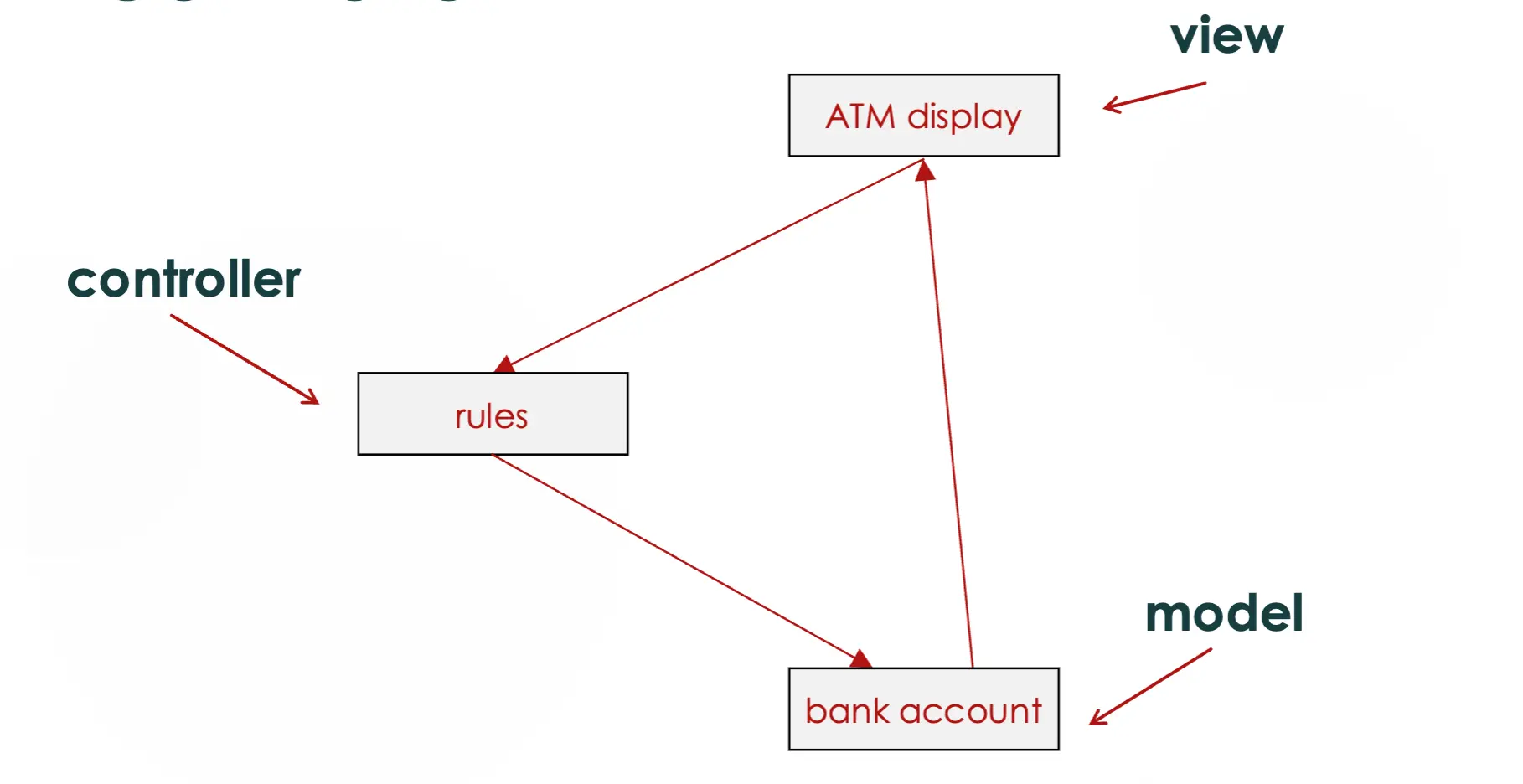
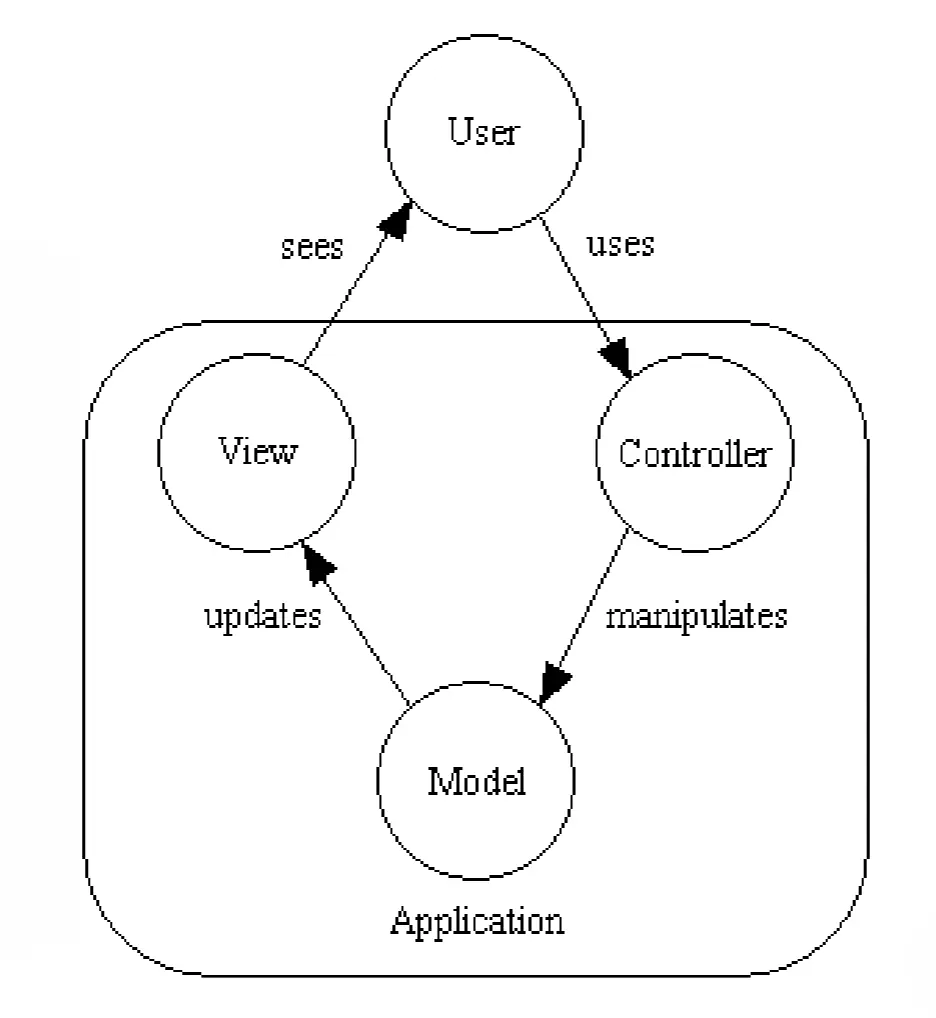
- The view and controller portion of the top is the user interface
- Key benefits of MVC
- modularity
- anticipation of change
Client-Server (Example 3: Video Game)
- Goals
- multiplayer, online
- control access to data and players
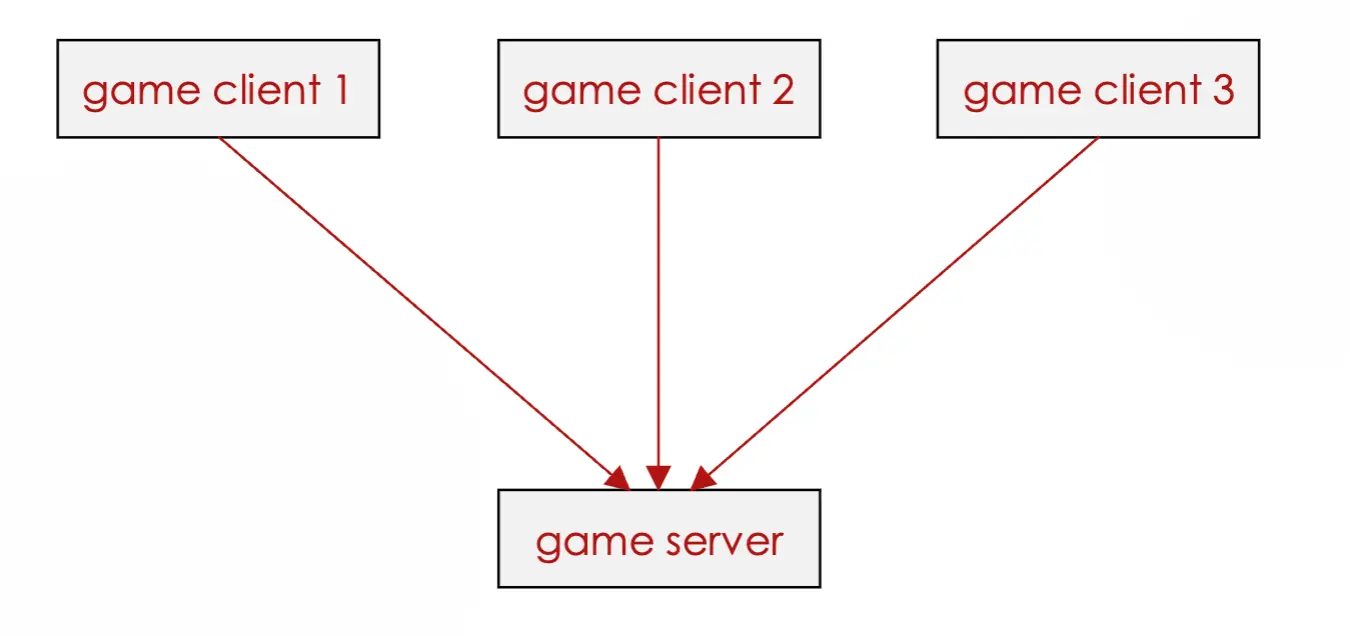
- Key benefits of client-server
- sharing data and services over a wide range of clients
- centralized control over access, functionality, data
Cloud Computing has Changed Client-Server
- Most modern client-server applications run on servers in the cloud
- software developers no longer have to manage physical servers
- instead, they are managed by a third party
- many cloud providers also provide application services
- Started by AWS (Amazon Web Services)
- Benefits
- scalability
- more computing power
- cost-effective
- Drawbacks
- security/privacy
- may not be cost-effective
Layered (Example: Restaurant)
- Goals
- prepare and serve food to customers
- enforce specific protocols of interaction
- abstract away irrelevant details
- minimize the effects of changes
- separate concerns: keep each part focused on a specific task
- person eating ↔ server ↔ chef ↔ farm
Layered Example (Android)
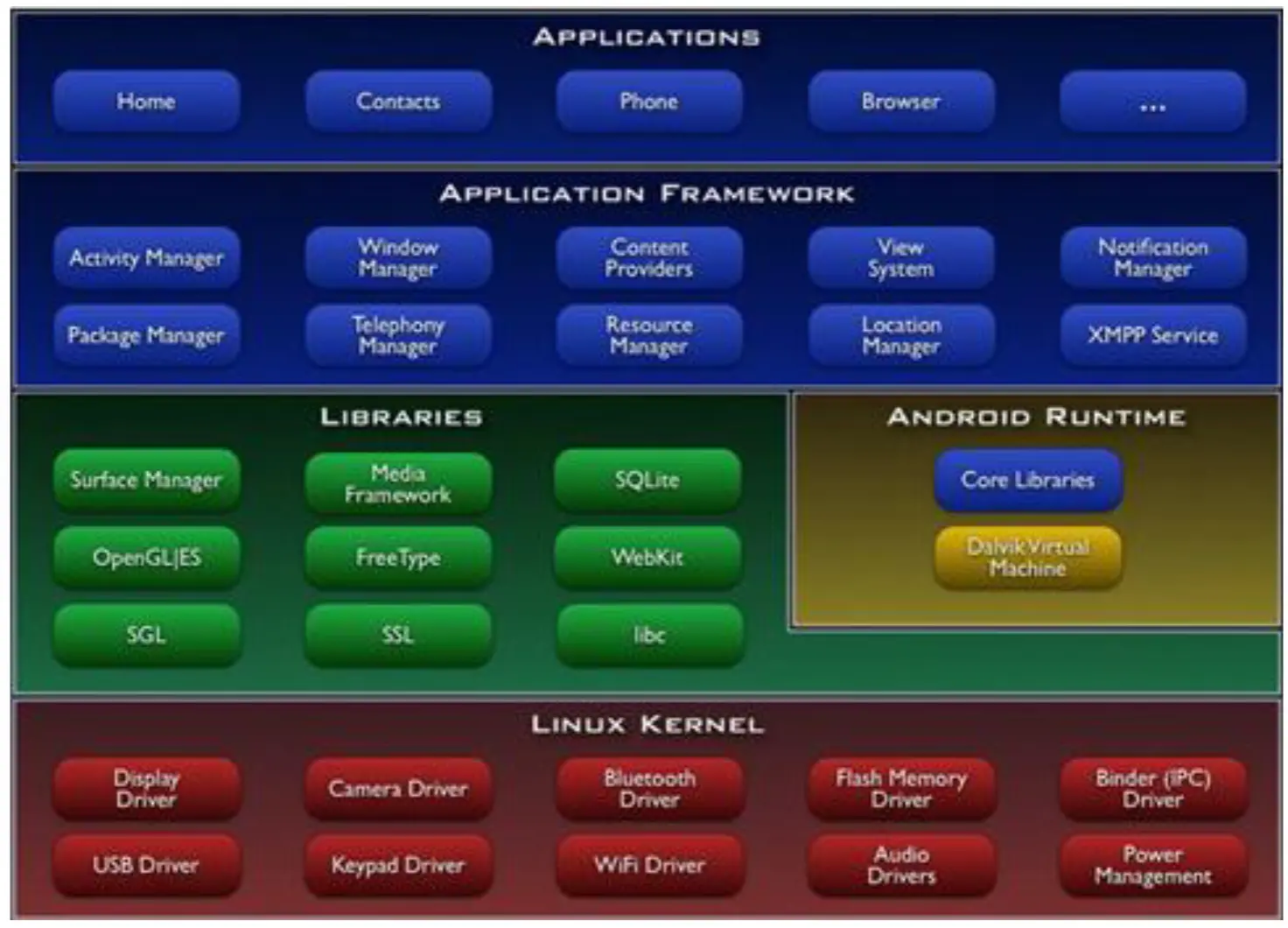
- Key benefits of layers
- modularity
- abstraction
- anticipation of change
- reuse
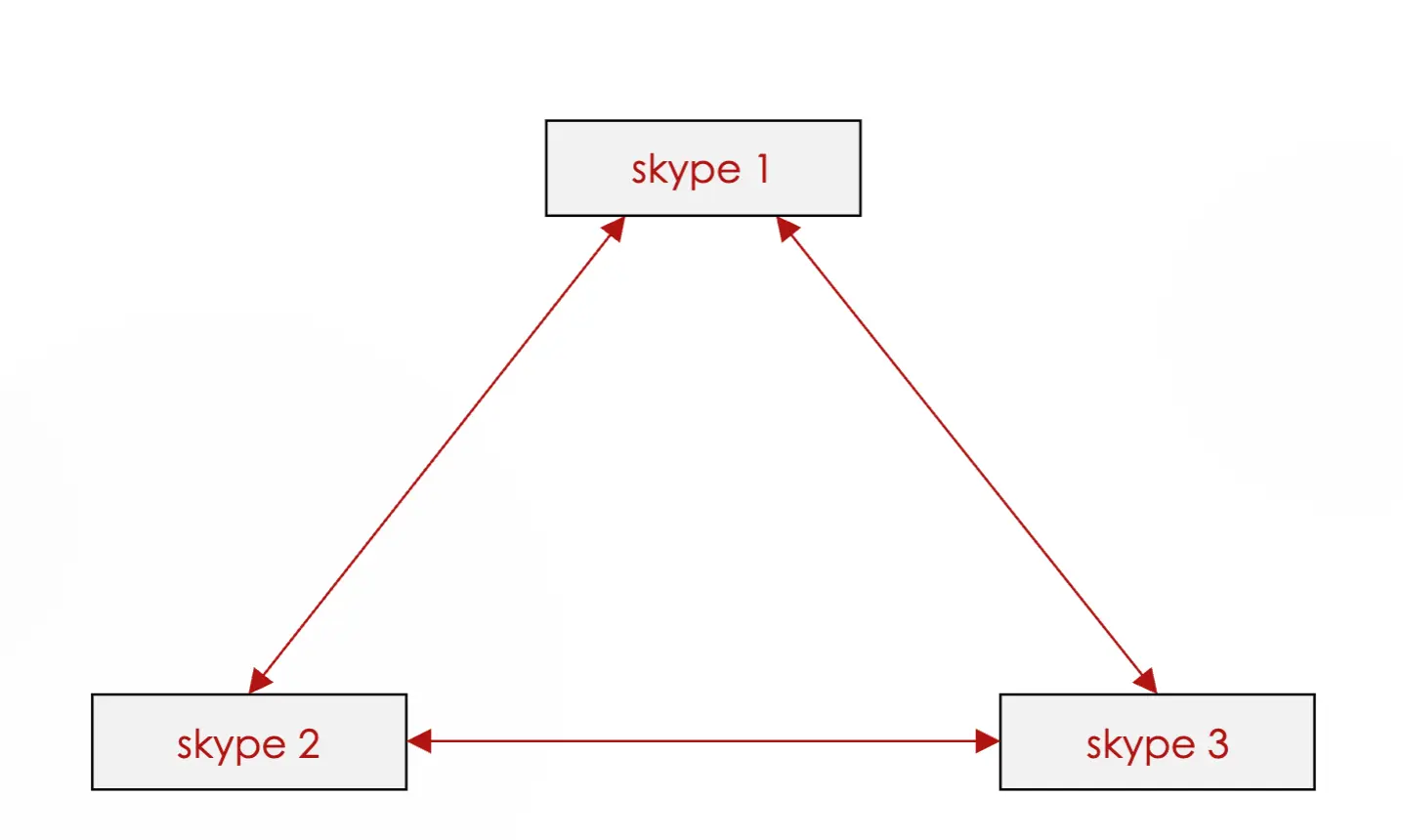
Peer-to-Peer
- Goals (Skype)
- online (multi-person) video chat and voice calls
- share same functionality between multiple people without slowing down video/audio streaming
- Key benefits
- efficient
- robust
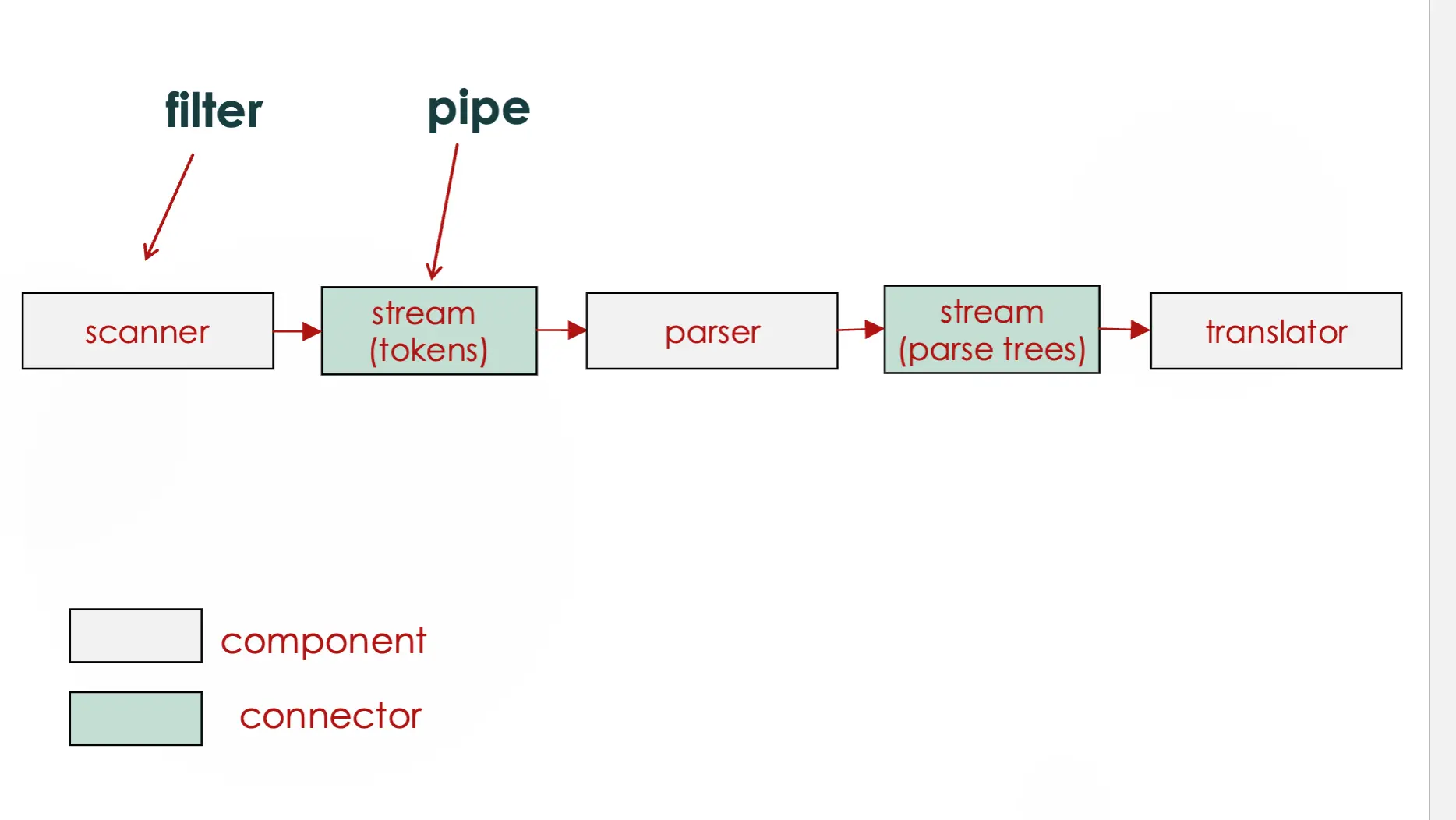
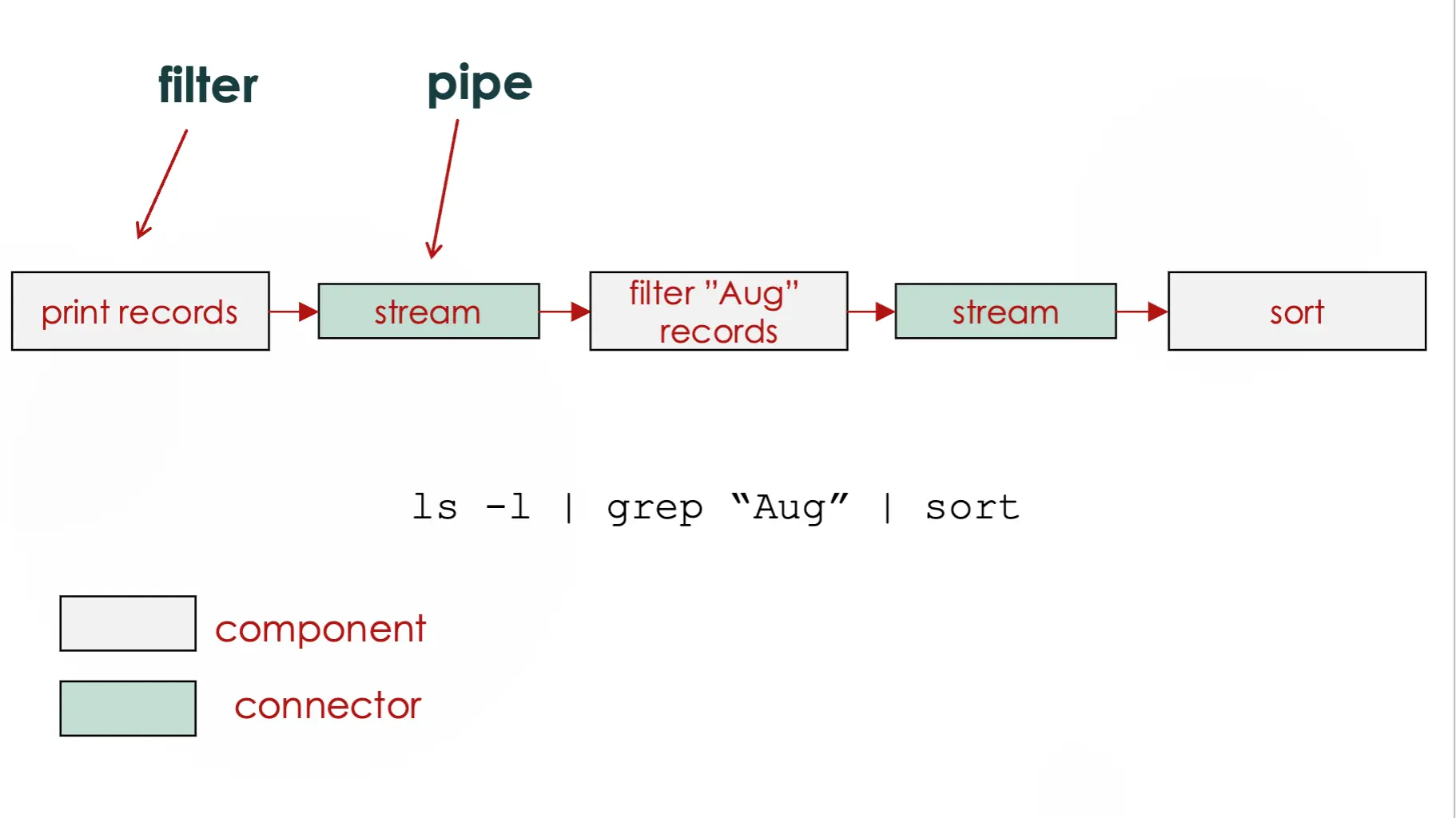
Pipe and Filter (Compiler)
- takes in code → compiler → spits out binary
- Goals
- translate a high-level programming language into a low-level one that a computer can execute
- separate different steps of translation so I can add/edit/remove/replace steps easily
- Key benefits
- modularity
- reuse
- anticipation of change
Publish and Subscribe (Stock Market Ticker)
- Goals
- filter through enormous amounts of info (stock prices) and only broadcast info that a subscriber is interested in
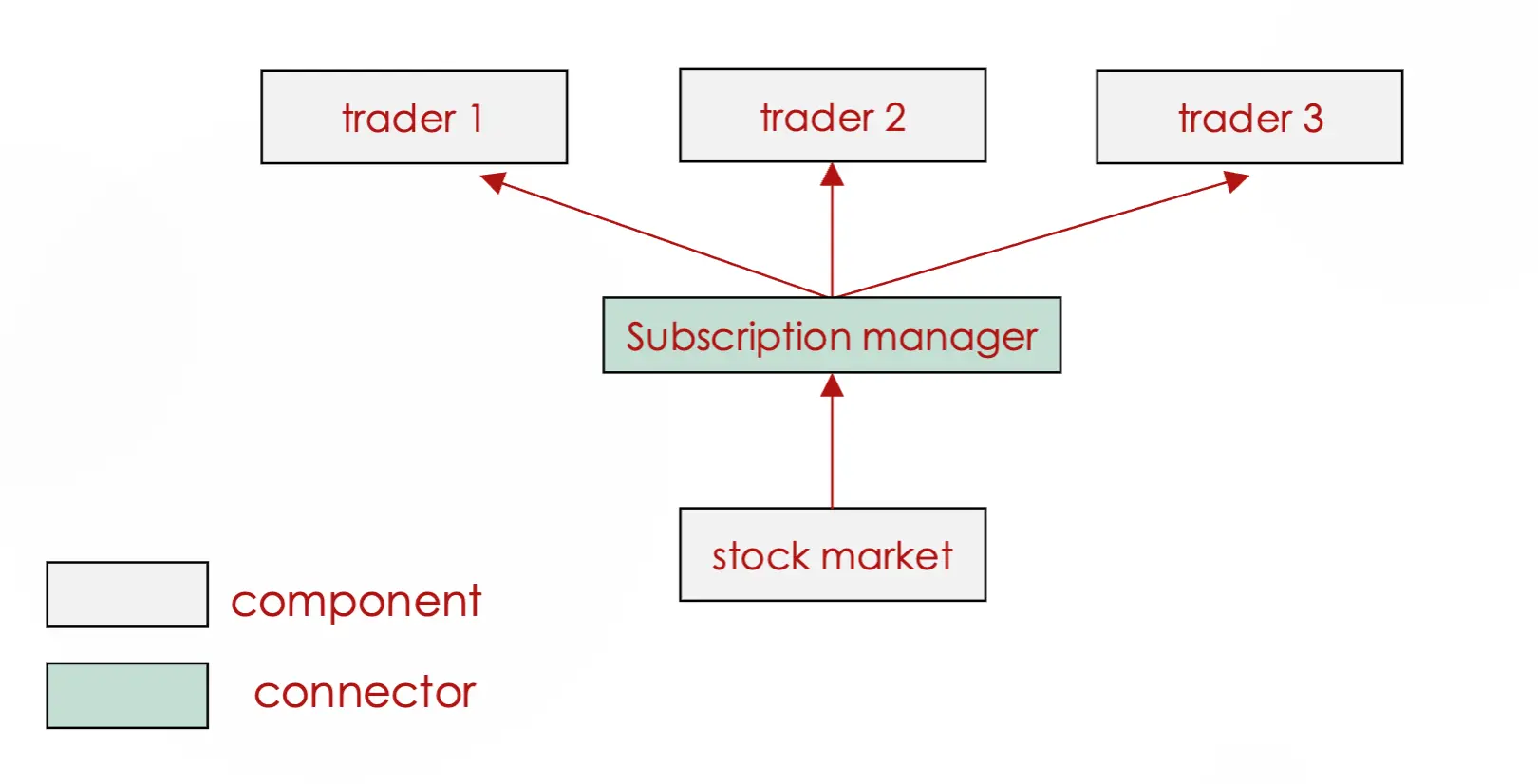
- filter through enormous amounts of info (stock prices) and only broadcast info that a subscriber is interested in
- Key benefits
- efficiency
- scalability
Mixing Styles is Often Necessary
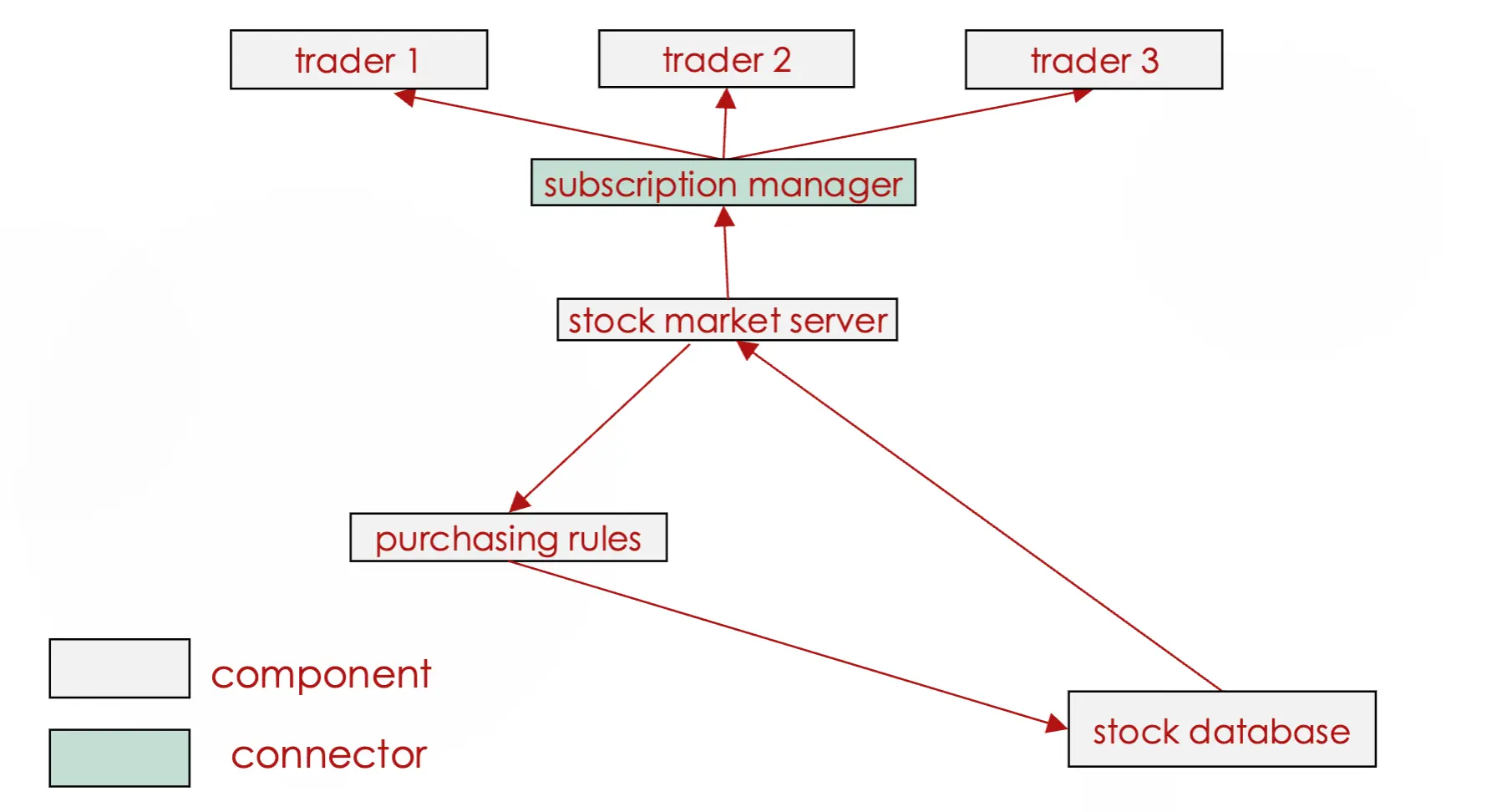
Evolution
- All successful software evolves
- Essential part of software development
- Must be accommodated/planned for as much as possible
- Architecture is a key tool in accommodating evolution
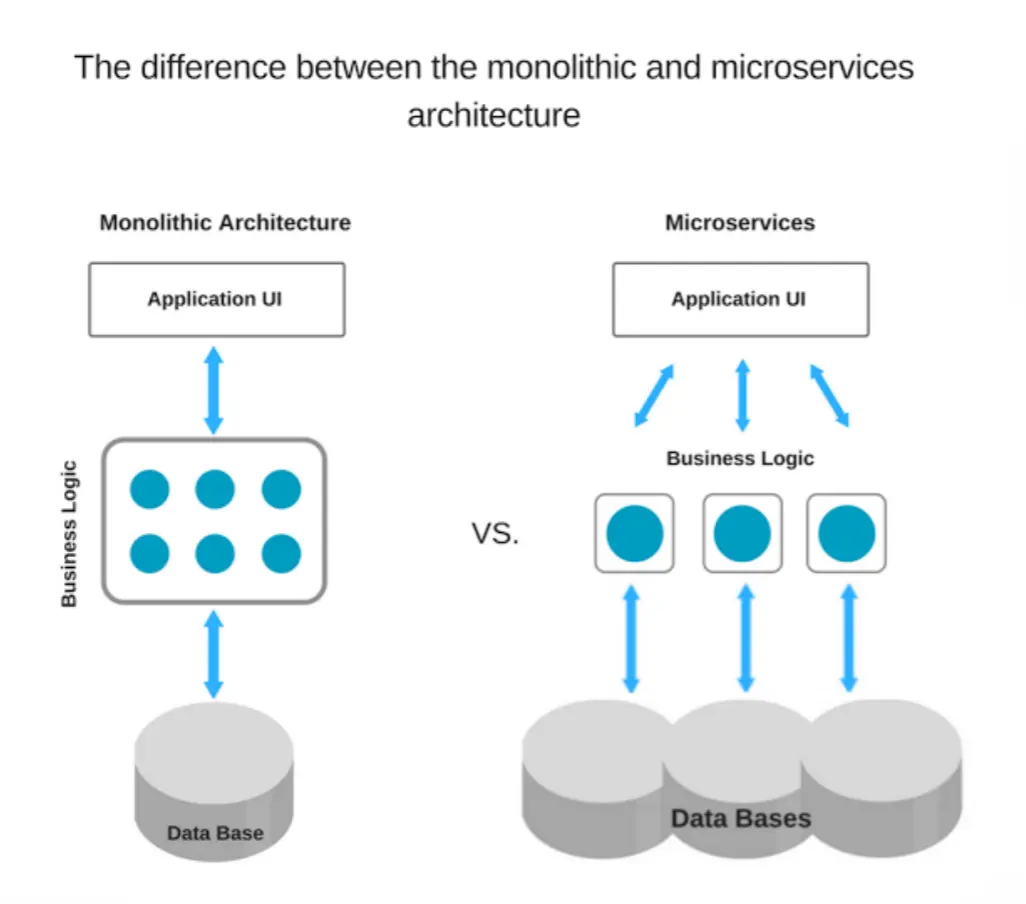
Trend: From Monolithic Towards Microservices
- Monolithic → one big unified codebase
- simple to develop and deploy
- works for small teams / simple apps
- everything ships together → one bug or change can affect the whole system
- Microservices → app split into small, independent services
- each service can be scaled, deployed, and updated independently
- different services can use different tech stacks
- better fit for large, complex systems
- tradeoff → more operational complexity (networking, monitoring, coordination)
Reminder: Recurring Fundamental Principles
- Rigor and formality
- Separation of concerns
- modularity
- divide and conquer
- abstraction
- Anticipation of change
- Generality
- Incrementality
How do these relate to software architecture?
- Rigor and formality → architecture forces us to make principal design decisions explicit instead of leaving them implicit in the code
- Separation of concerns → components and connectors split the system so each piece has one job (MVC, layered, pipe-and-filter all do this)
- Anticipation of change → choosing a style up front is a bet about what kinds of change the system will need to absorb (new UIs → MVC, new translation steps → pipe-and-filter)
- Generality → styles themselves are general patterns, reusable across many systems and domains
- Incrementality → architecture lets us build and evolve the system piece by piece (add a new layer, swap a filter, add a new subscriber) without rewriting everything
Summary
- An architectural style is
- a named collection of architectural design decisions that result in beneficial qualities in each resulting system
- Styles → model-view-controller, client-server, layered, peer-to-peer, pipe and filter, pub-sub
- there are more styles
- All successful software evolves
- we must plan for this
- architecture helps us do so
Quiz 4 Topics
- Understand what software architecture is
- the set of principal design decisions about the system
- blueprint for construction and evolution
- Elements of software architecture
- components → units of computation/data with a specific job
- connectors → mechanisms that mediate interaction between components
- configurations → arrangements of components and connectors into a working system
- Architectural erosion (prescriptive vs descriptive architecture)
- prescriptive → the architecture as designed/intended
- descriptive → the architecture as it actually exists in the implemented system
- erosion → when the system evolves and the prescriptive architecture is not updated to match → the two drift apart
- Know and understand the 6 architectural styles
- MVC → separates data (model), presentation (view), and input handling (controller) → modularity, anticipation of change
- Client-Server → centralized server provides data/services to many clients → sharing, centralized control
- Layered → strict hierarchy of layers, each only talks to adjacent layers → modularity, abstraction, reuse
- Peer-to-Peer → equal nodes share functionality directly → efficient, robust
- Pipe and Filter → data flows through a sequence of filters connected by pipes → modularity, reuse, swappable steps
- Publish-Subscribe → publishers broadcast events, subscribers only receive what they care about → efficiency, scalability
- Know that mixing styles is normal in real systems
- Understand why all successful software evolves and how architecture helps plan for it
Lecture 9: How Do We Structure the Software in Detail? (Part 1)
Last Lecture Recap
- An architectural style → a named collection of architectural design decisions that result in beneficial qualities in each resulting system
- Styles: MVC, client-server, layered, peer-to-peer, pipe and filter, publish-subscribe (there are more)
- All successful software evolves → we must plan and account for this → architecture helps us do so
Design Phase of Software Engineering
- requirements → architecture & design → code
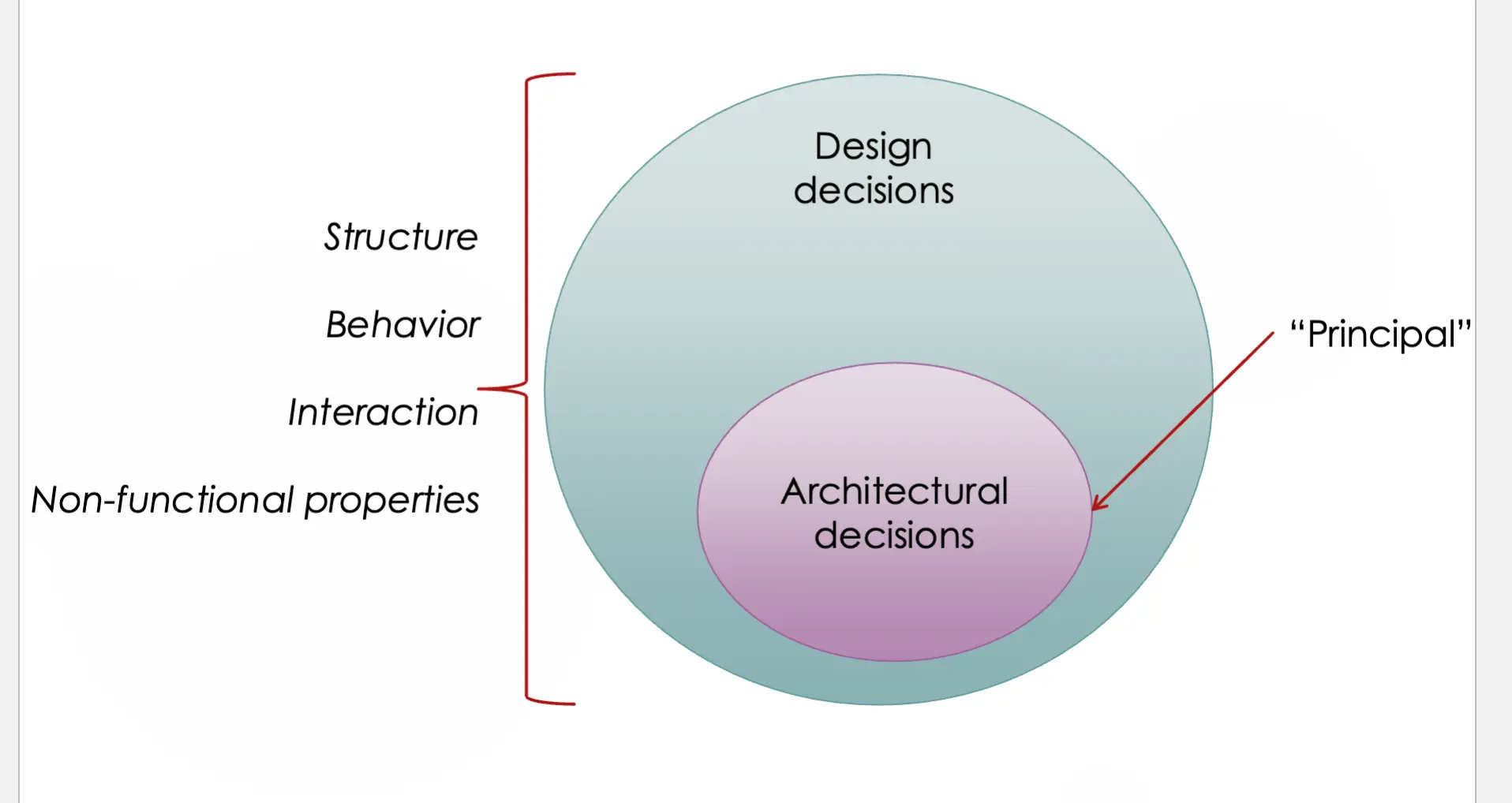
- requirements (what) → design (how) → implementation → verification → maintenance
Software Design Goals/Activities
- Making system-wide decisions
- architecture, languages, libraries, platforms, communication protocols
- Making lower-level decisions in an iterative manner
- studying the problem
- identifying solutions
- creating abstractions
- evaluating
Some Approaches to Software Design
- Software architecture
- Functional decomposition
- Relational database design
- Object-oriented design and UML
- User interface design
- Sketching → lecture 10
Functional Decomposition
- Design process led by breaking down the functionality
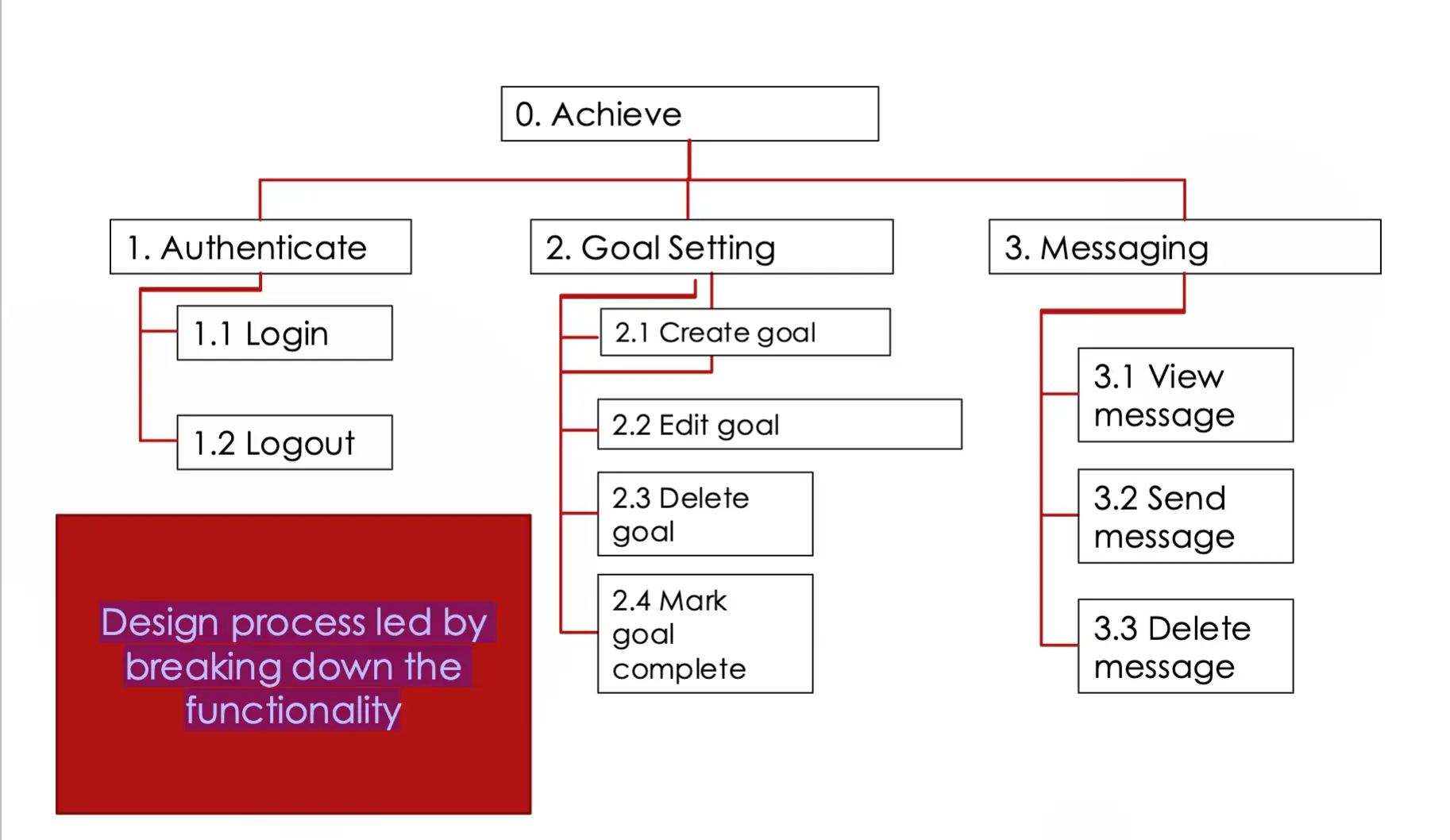
Relational Database Design
- Design process led by breaking down the data
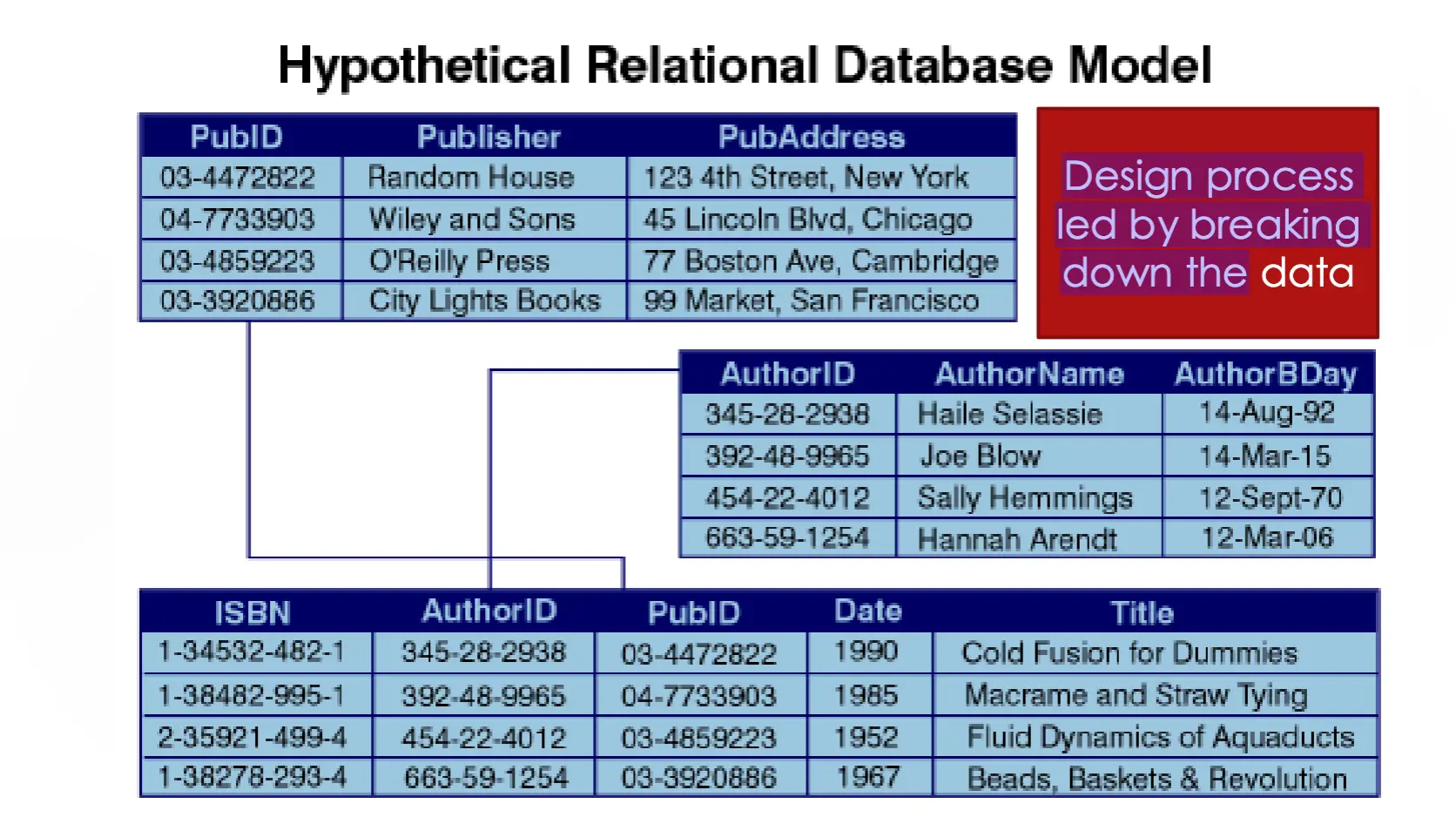
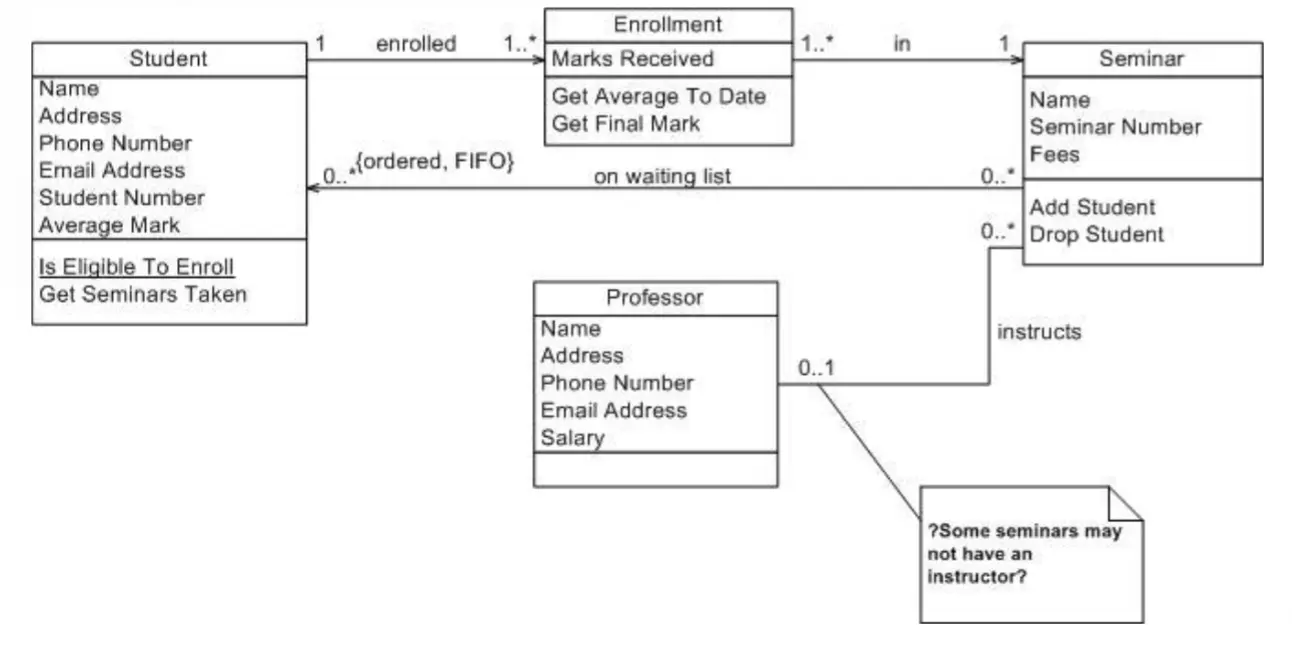
Object-Oriented Design and UML
- Design process led by breaking down the entities identified in the domain and the functionality that accompanies each entity
- An “object” contains both data and methods
- A “class” is a blueprint for making objects
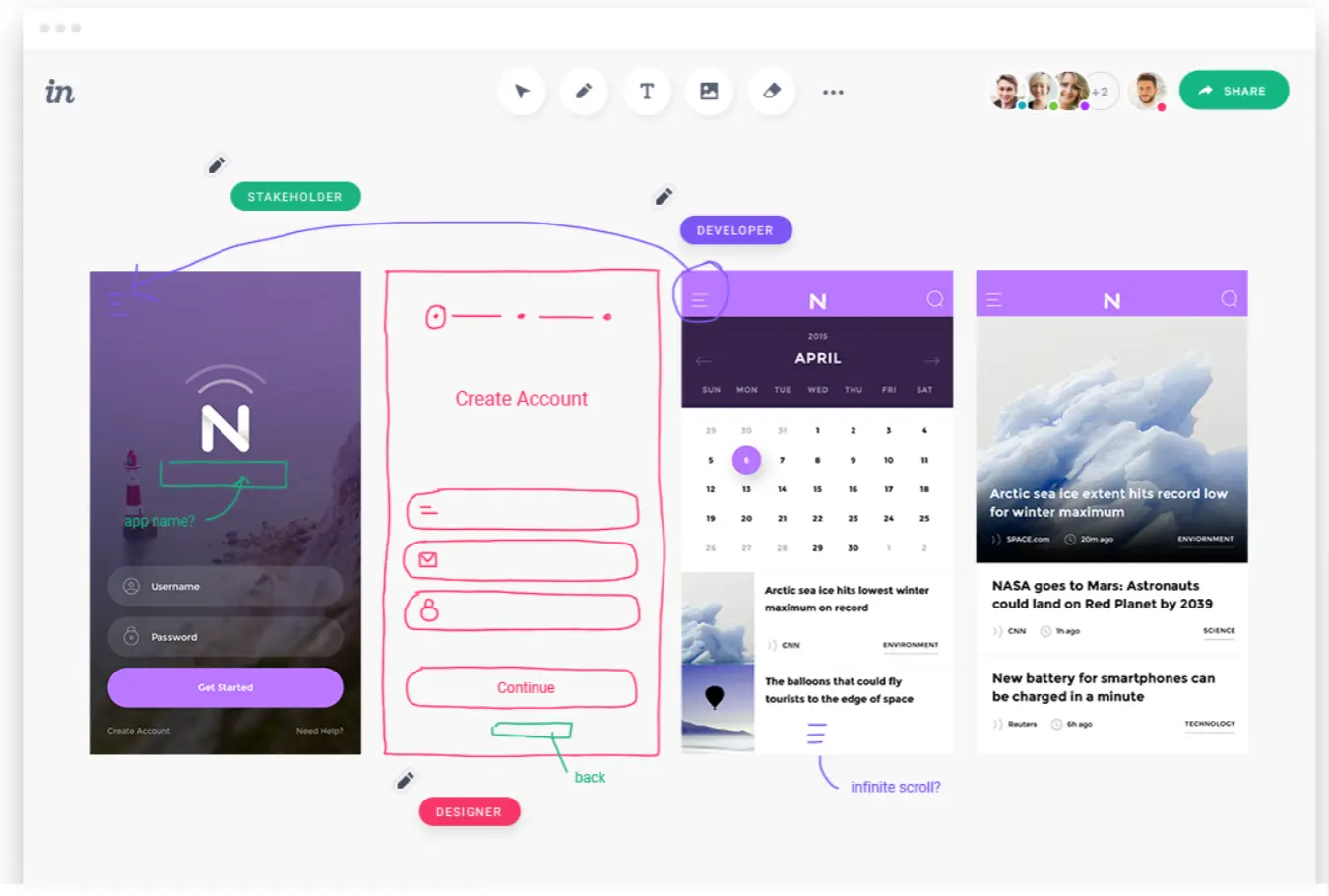
User Interface Design
- Design process led by envisioning the user interface and iterating
Designs
- Think of architecture designs and blueprints
- Models also get created
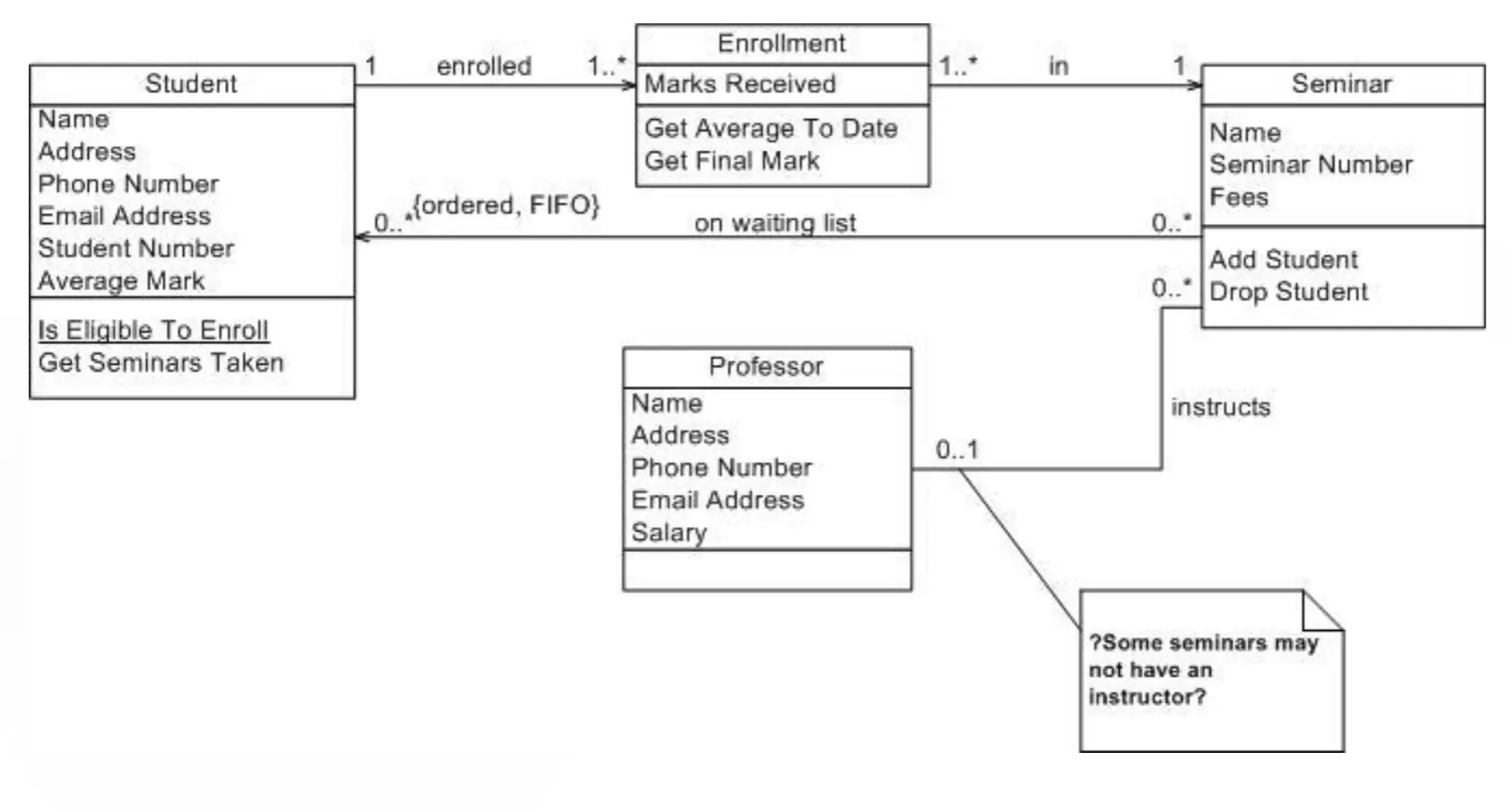
- ^ is a UML diagram
Purpose of Designs
- Designs to think
- Designs to talk
- Designs to prescribe
- Designs are developed iteratively
Abstraction
- Abstractions are formed by removing irrelevant information and retaining/highlighting relevant information
- Every design notation supports a certain kind of abstraction
- Software engineering is all about constructing and elaborating abstractions/models
Summary
- Design phase of software engineering → the how to the what of requirements
- Architecture, functional decomposition, relational database design, OO design/UML, UI design, sketching
- Designs are used iteratively to think, talk, and prescribe
- Software engineering is all about constructing and elaborating abstractions/models
Lecture 10: How Do We Structure the Software in Detail? (Part 2)
Last Lecture Recap
- Design phase of software engineering → the “how” to the “what” of requirements
- Architecture, functional decomposition, relational database design, OO design/UML, UI design, sketching
- Designs are used iteratively to think, talk, and prescribe
- Software engineering is all about constructing and elaborating abstractions/models
Software Design Recap
- All creative decisions, includes high-level and low-level
- Different notations and models allow designers to focus on a perspective, while freed from thinking of others
- Design is used to:
- Think
- Talk
- Prescribe
Design Notations
- “By relieving the brain of all unnecessary work, a good notation sets it free to concentrate on more advanced problems, and in effect increases the mental power of the race.” — A.N. Whitehead (1911)
Software Development Languages
- Different languages are used at different stages
- Requirements → Design → Coding/Testing
- English → Diagrams/UML → Java, Python
- The diagrams/UML are design notations
UML (Unified Modeling Language)
- Industry standard for software design/modeling
- Different types of UML diagrams are used to represent different aspects of a system (structure, behavior, interactions)
- Class diagrams
- Activity diagrams
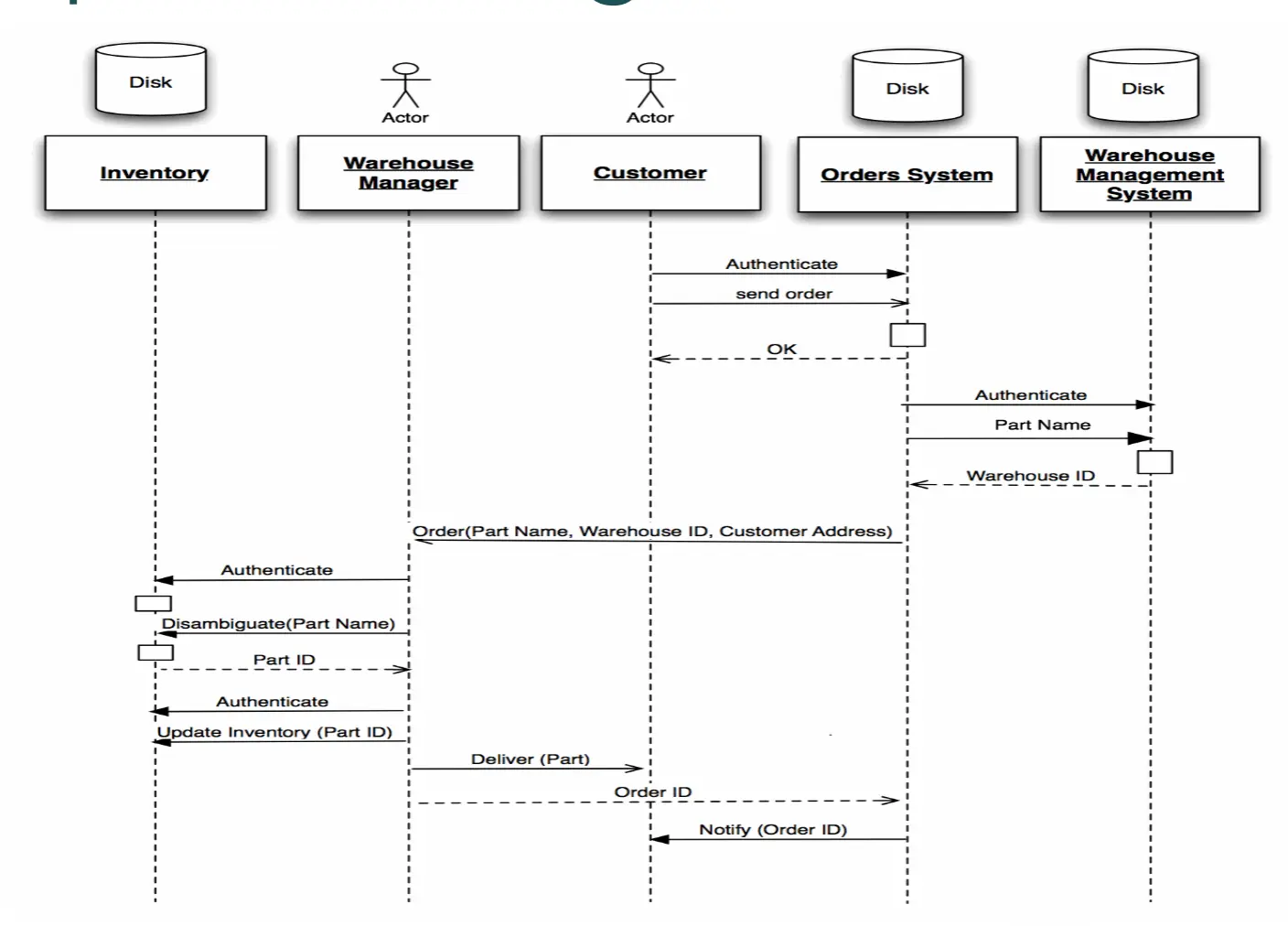
- Sequence diagrams
- Use case diagrams
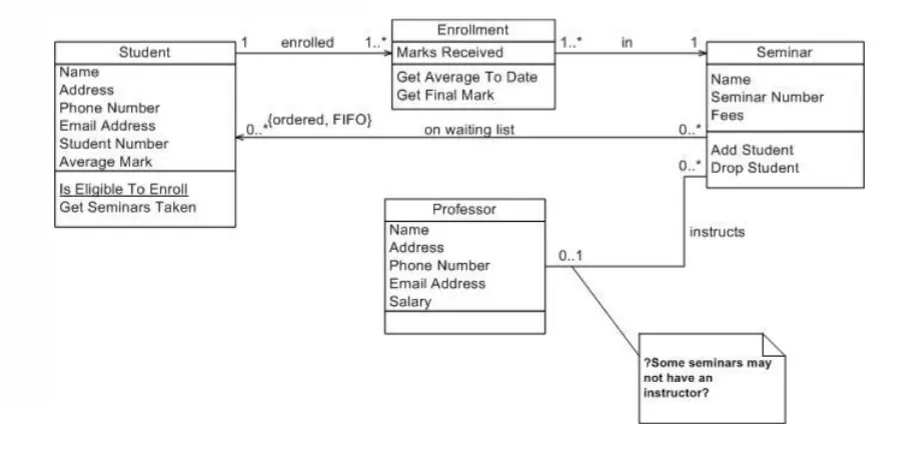
UML Class Diagrams
- Used in decomposing a system into modules known as classes
- Typically used to:
- Model domain concepts
- Create a detailed, object-oriented design of the code
Visibility notation:
+→ public visibility-→ private visibility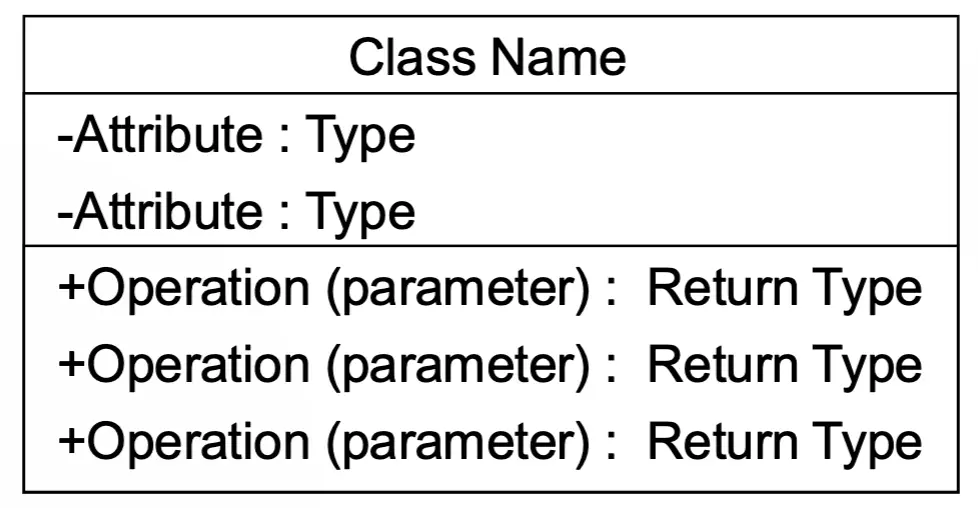
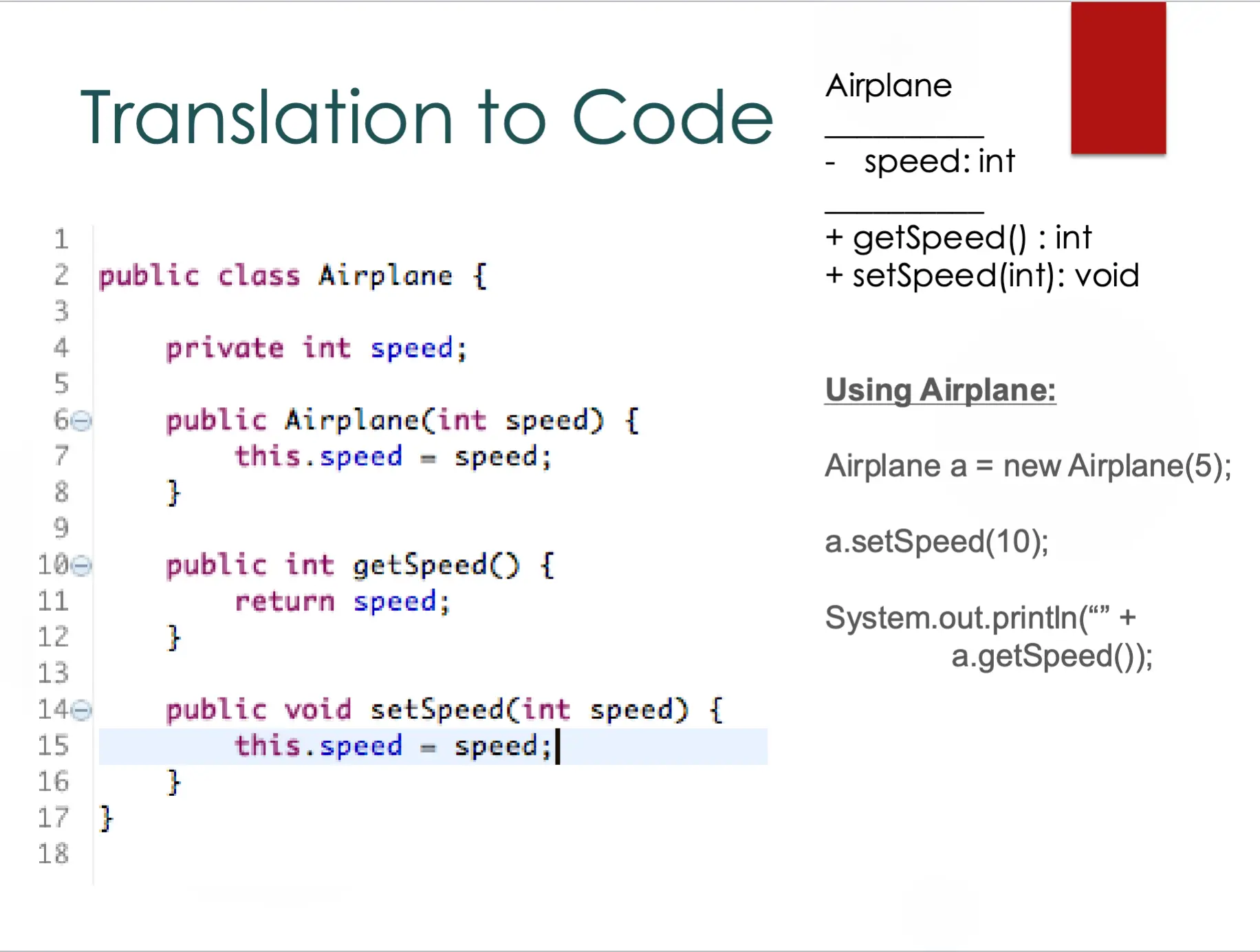
Translation to Code
Relationships Between Classes
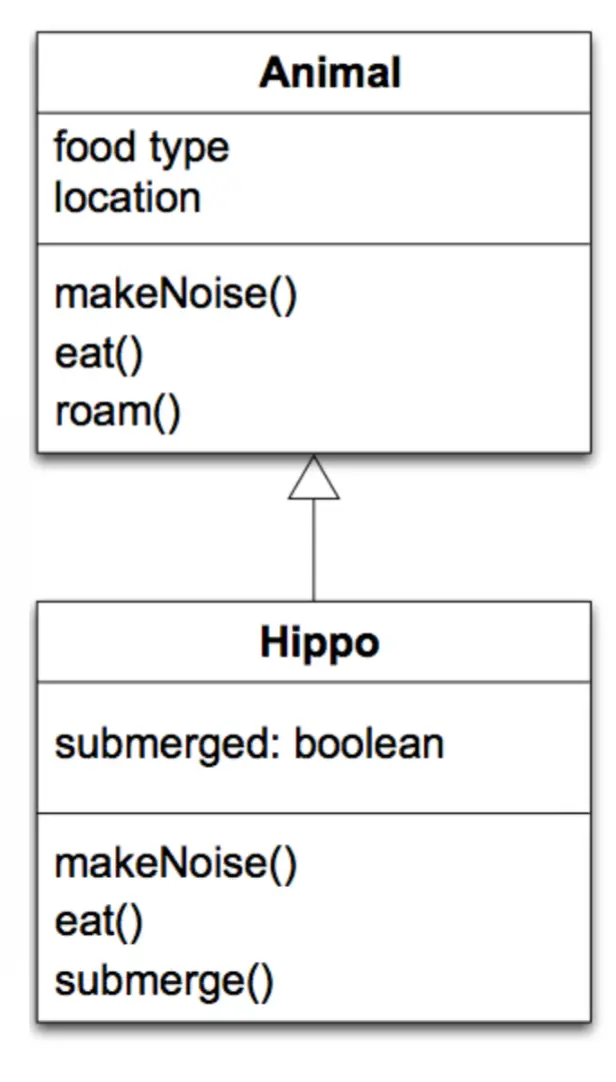
- Inheritance
- Association
- Multiplicity
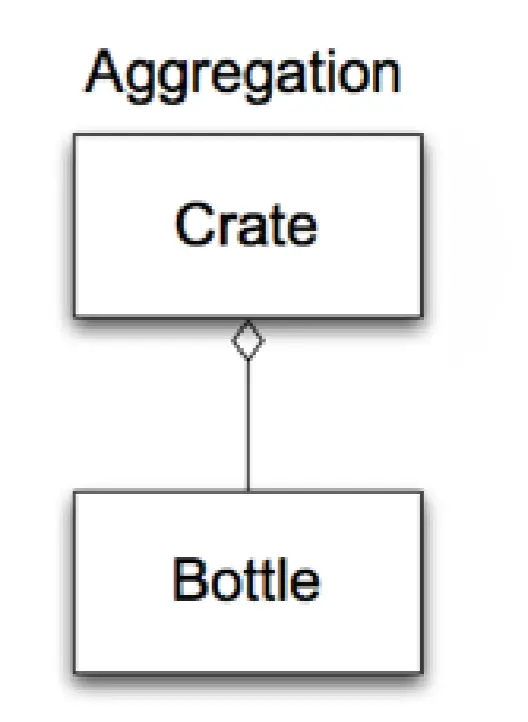
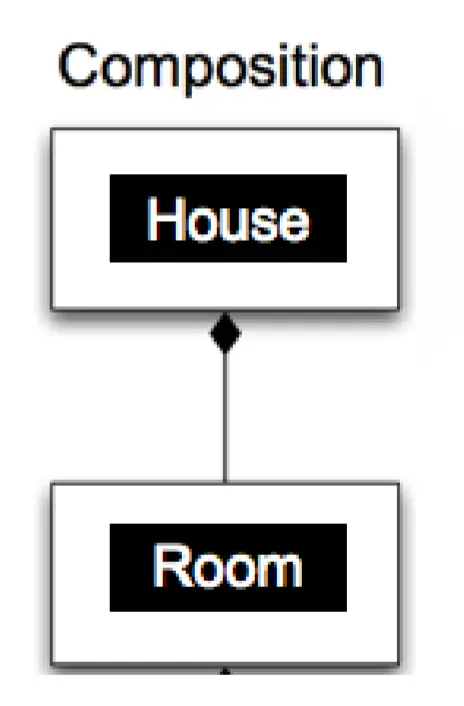
- Whole-part (aggregation and composition)
Relationships: Inheritance
Association Relationships
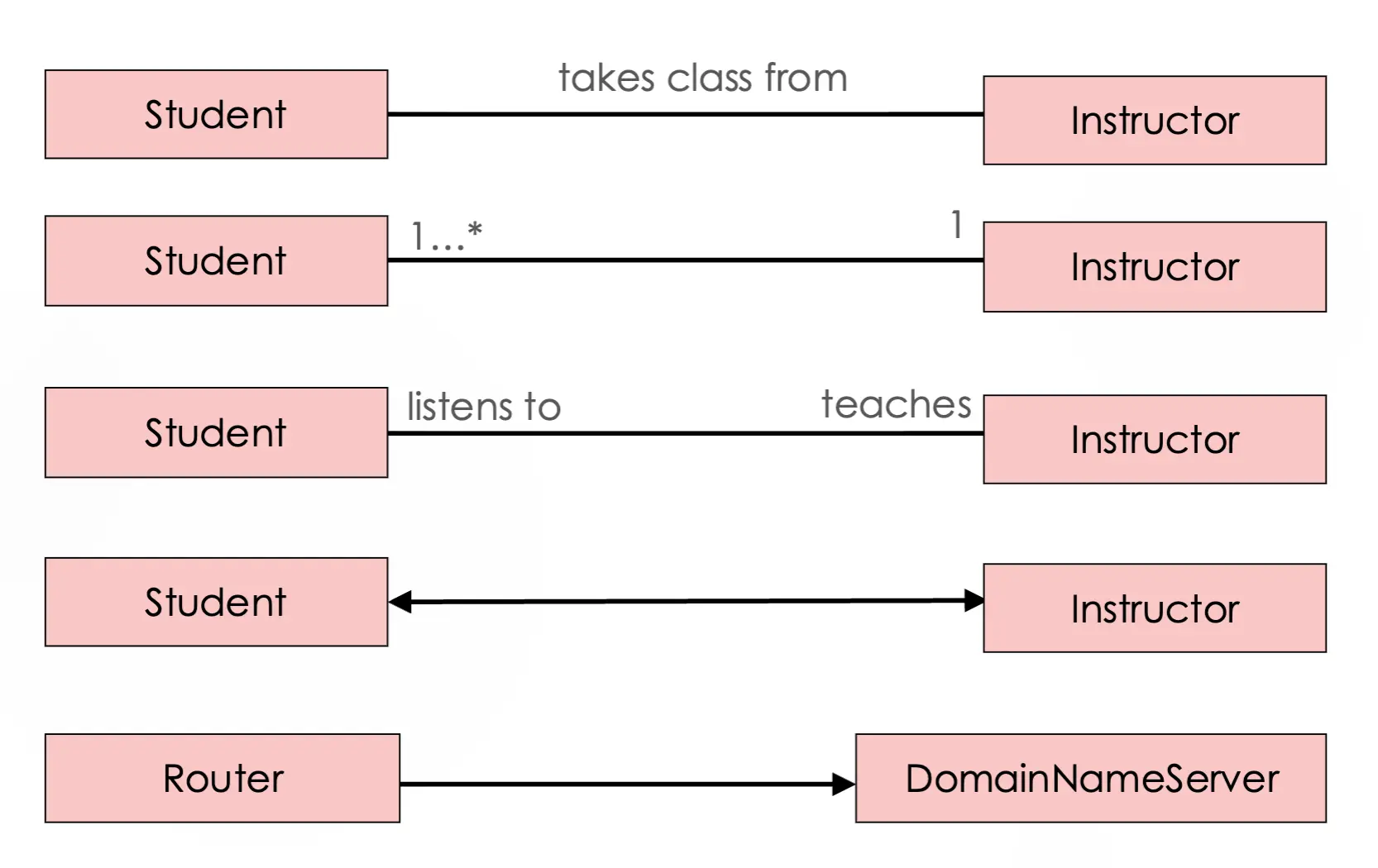
Multiplicity Examples
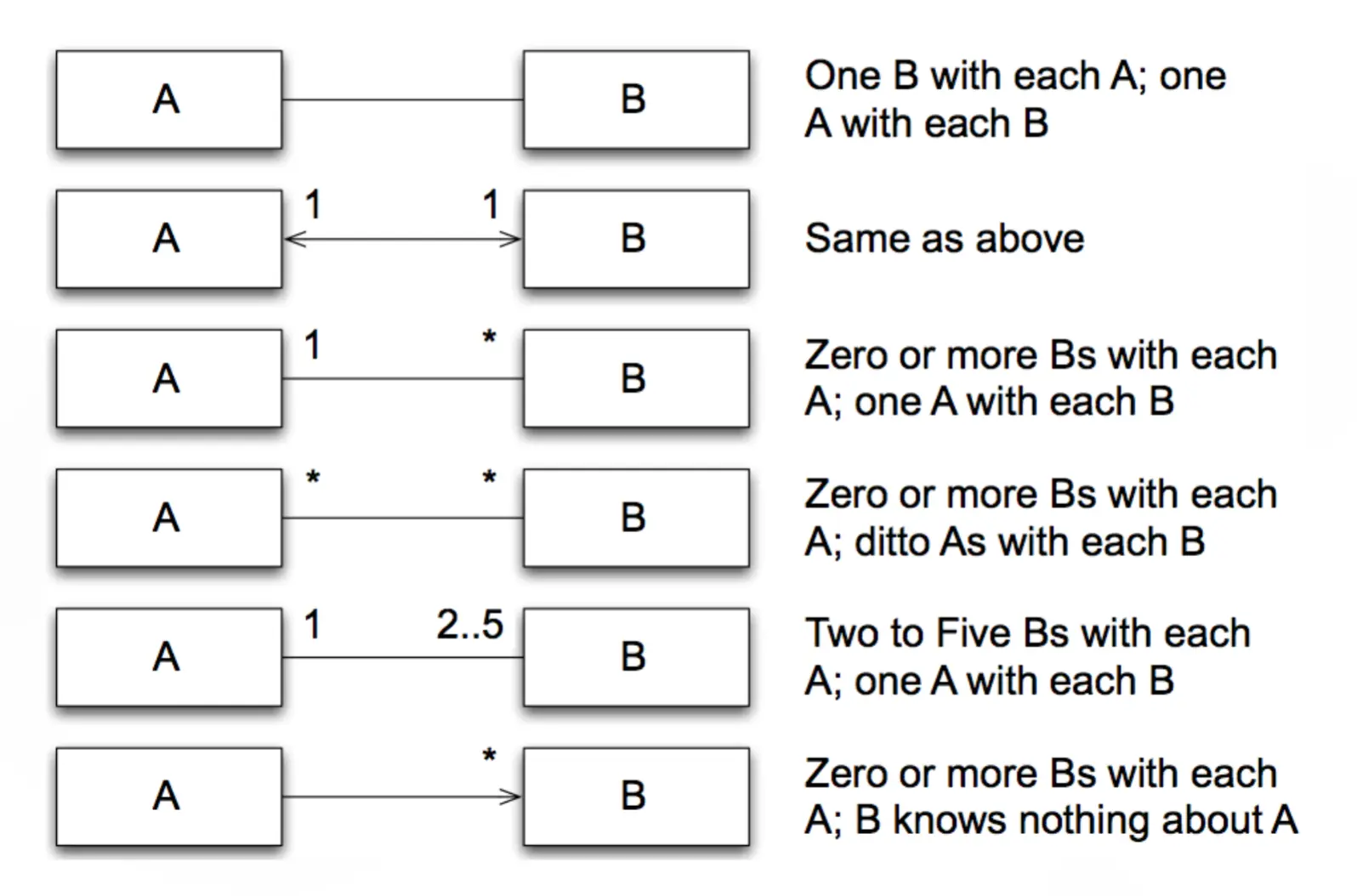
Relationships: Aggregation
- One object contains (or is composed of) a set of other objects
- Aggregation relationships are transitive and asymmetric
Relationships: Composition
- A variant of aggregation which adds the property of existence dependency
Example: UML Class Diagrams
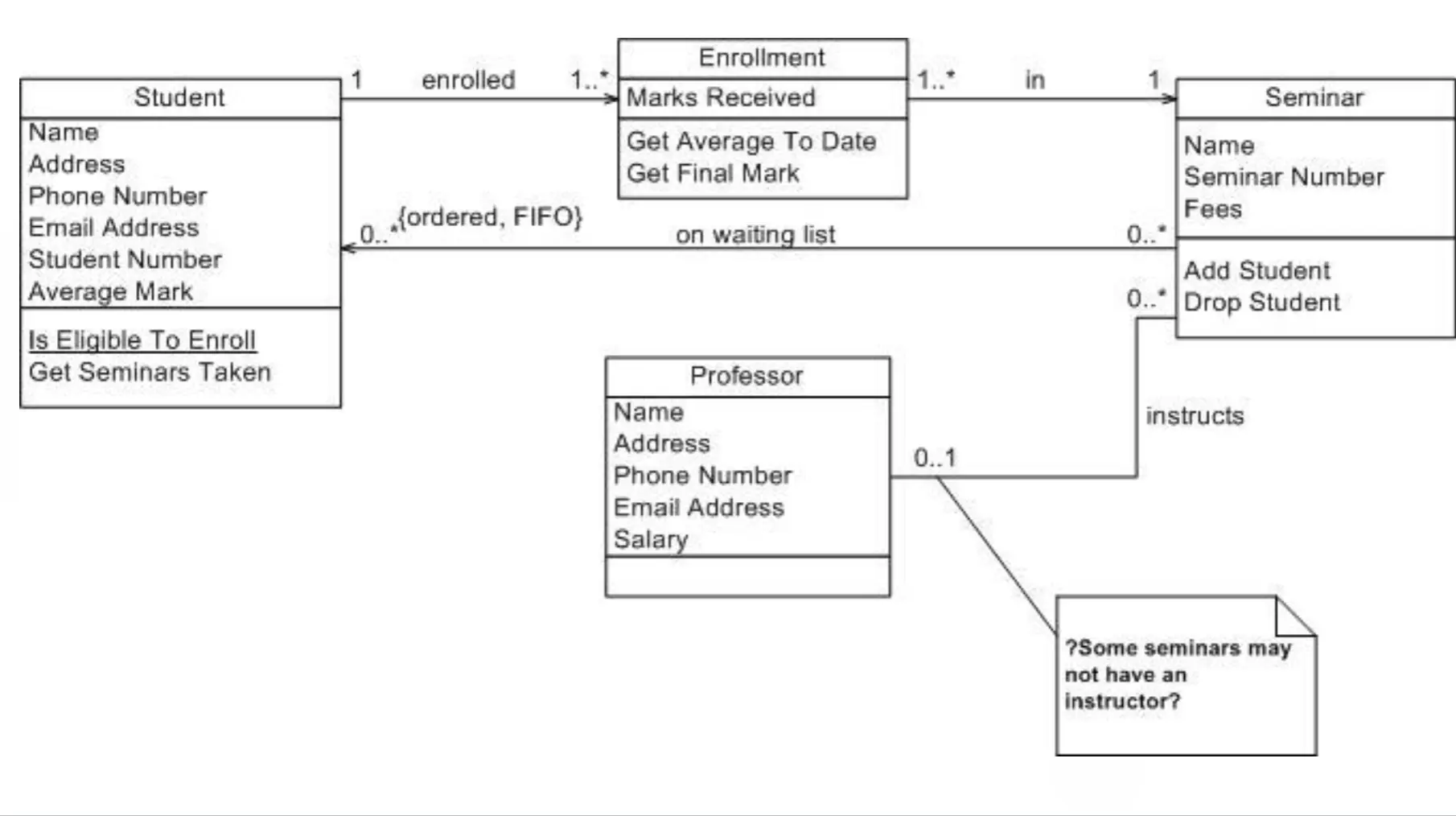
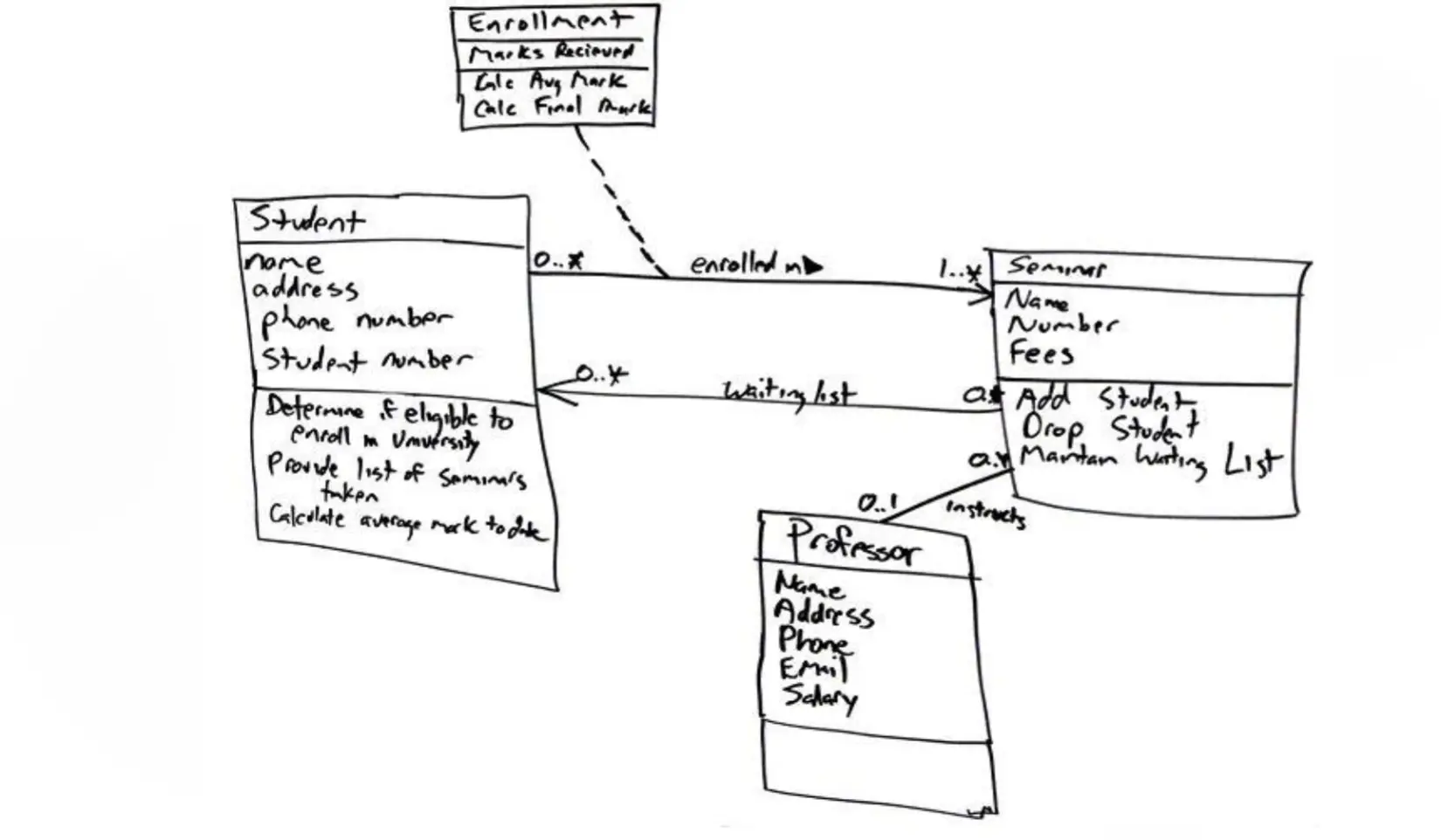
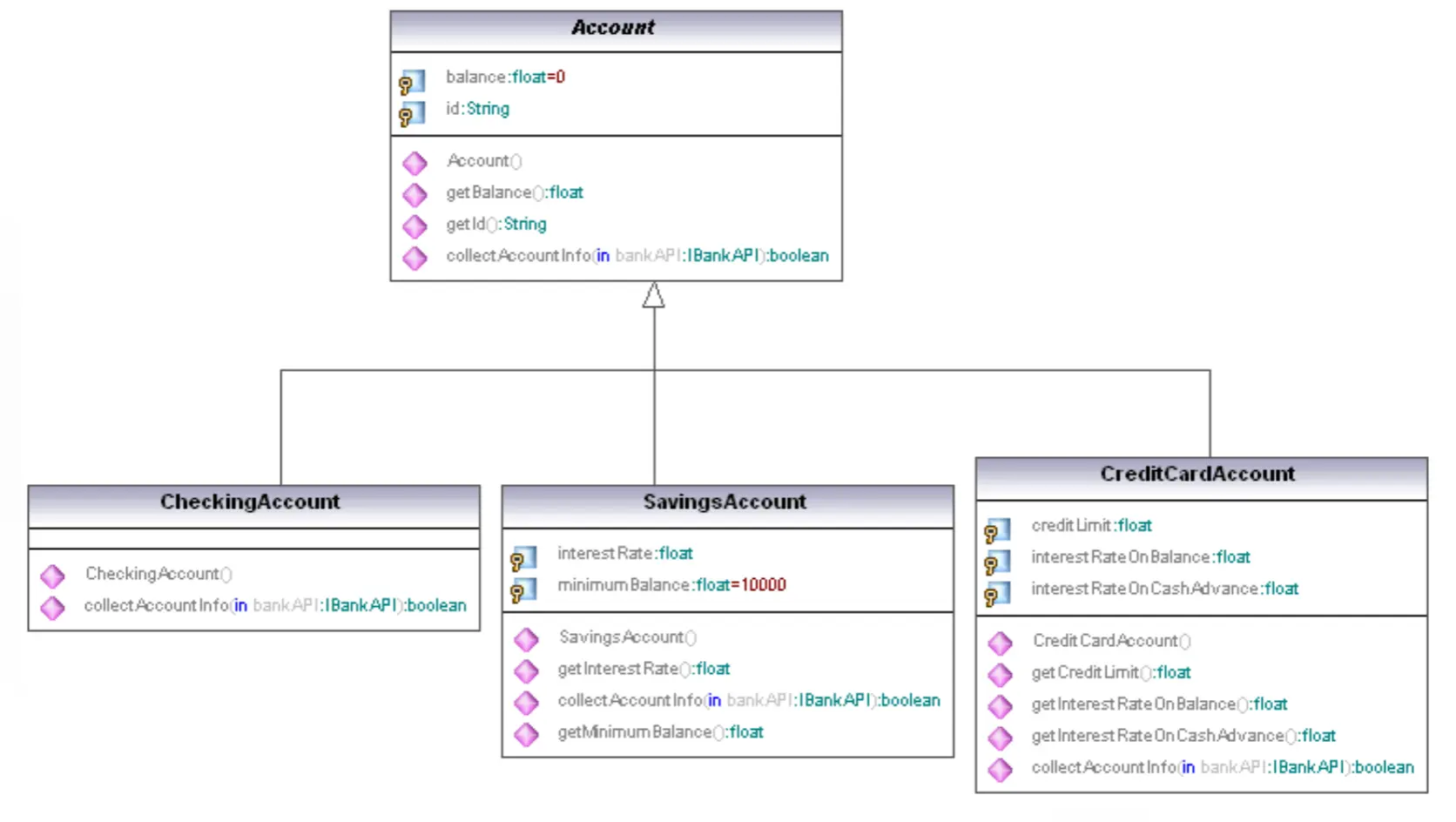
Other UML Diagrams (besides class diagrams)
- Activity diagrams
- Sequence diagrams
- Use case diagrams
Example: UML Activity Diagram
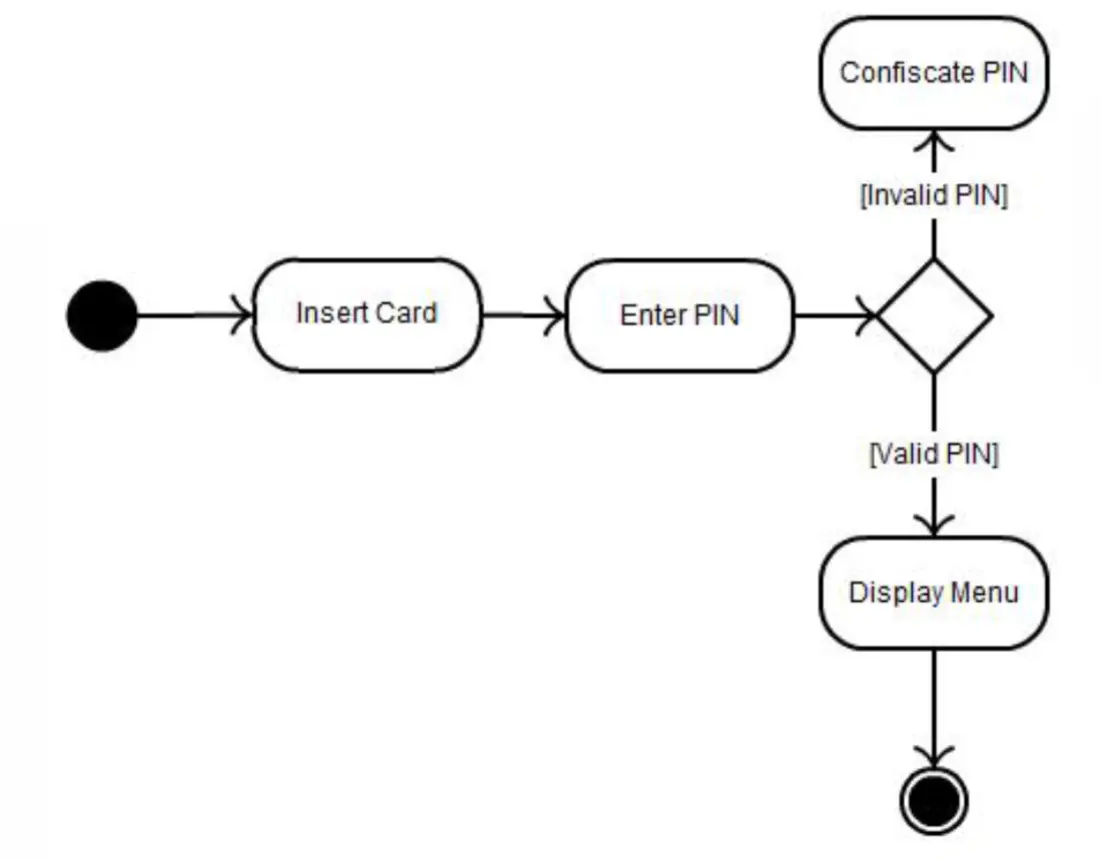
Example: UML Sequence Diagram
Example: UML Use Case Diagram
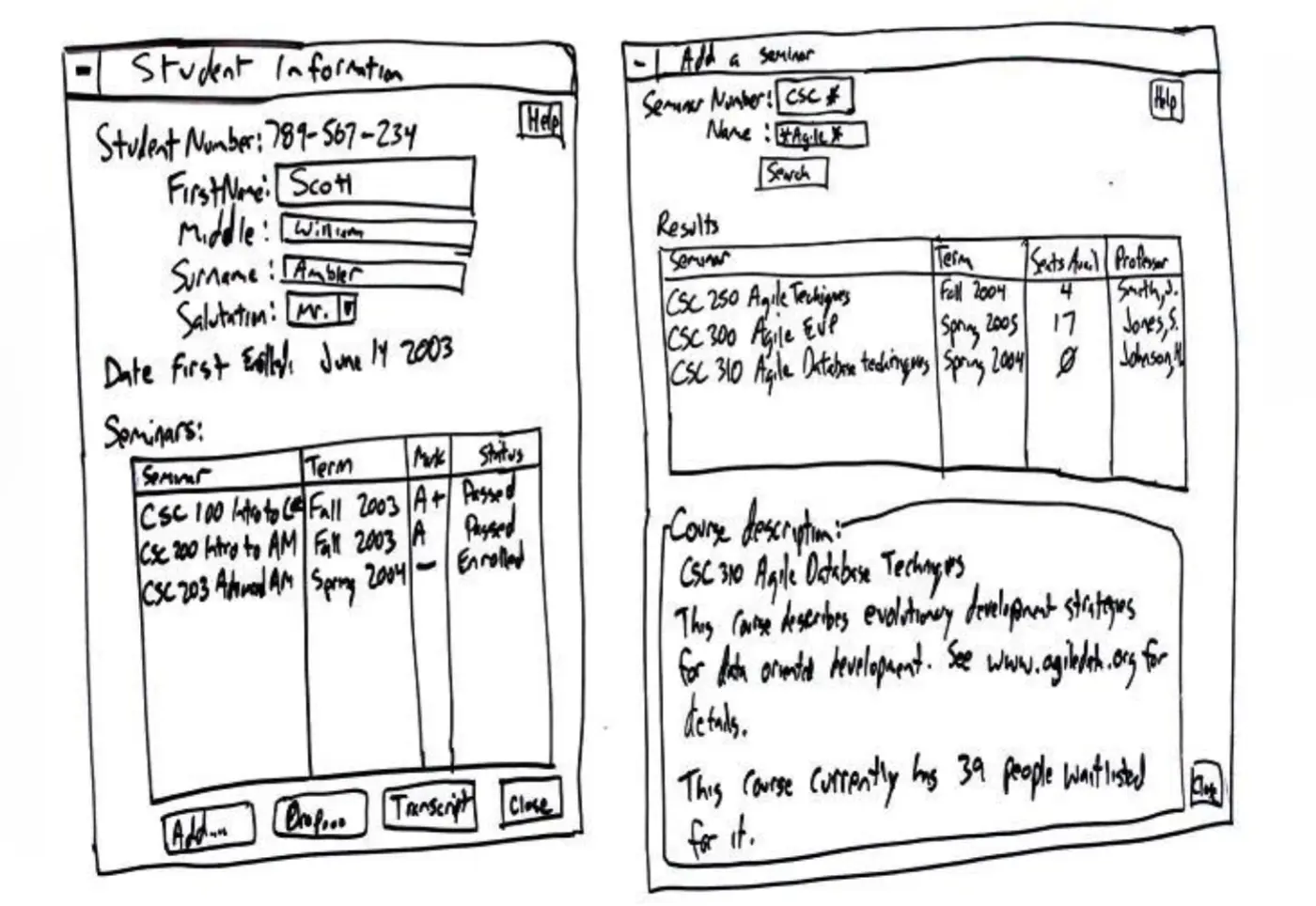
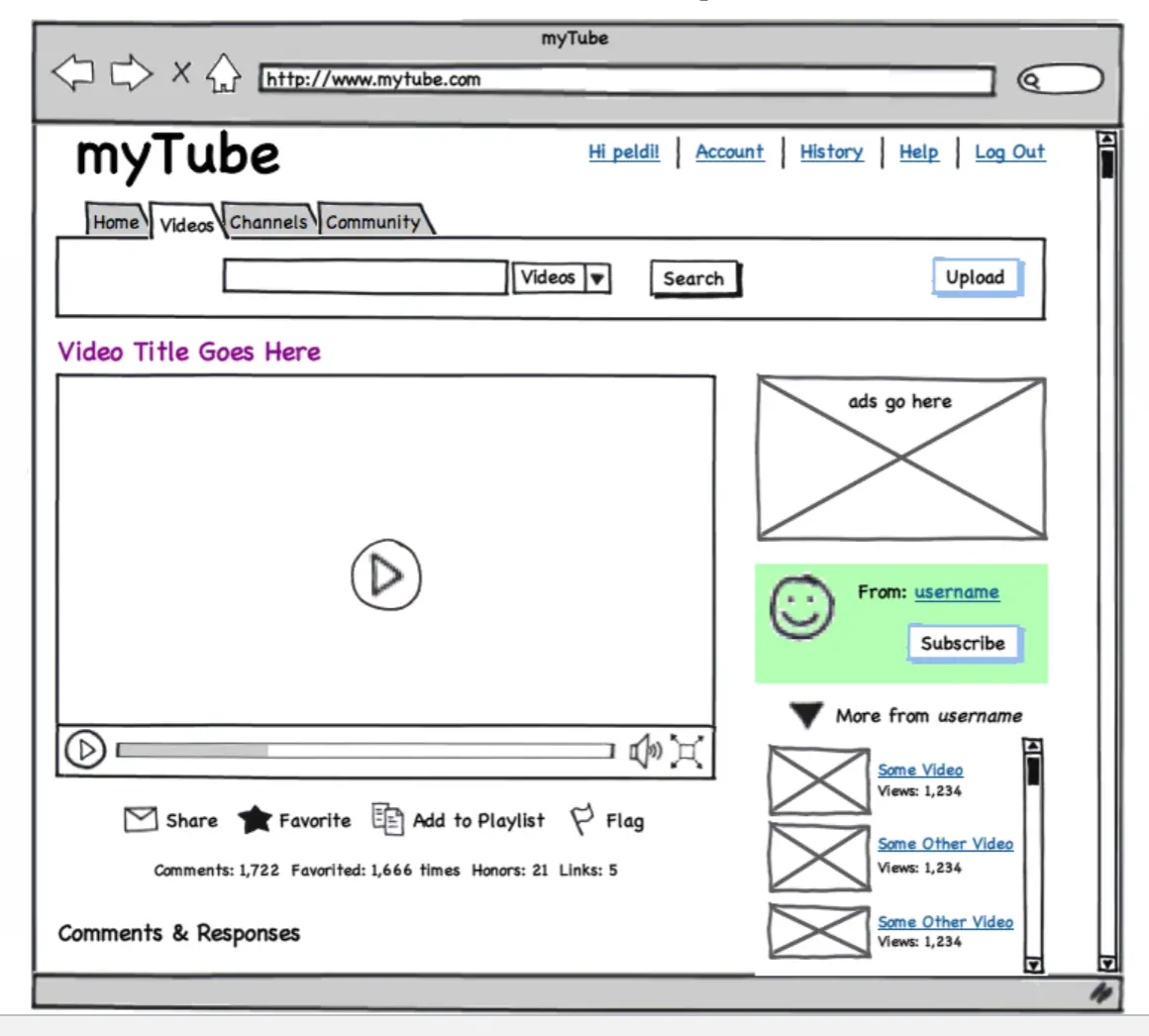
Other Diagrams → User Interface Mockups
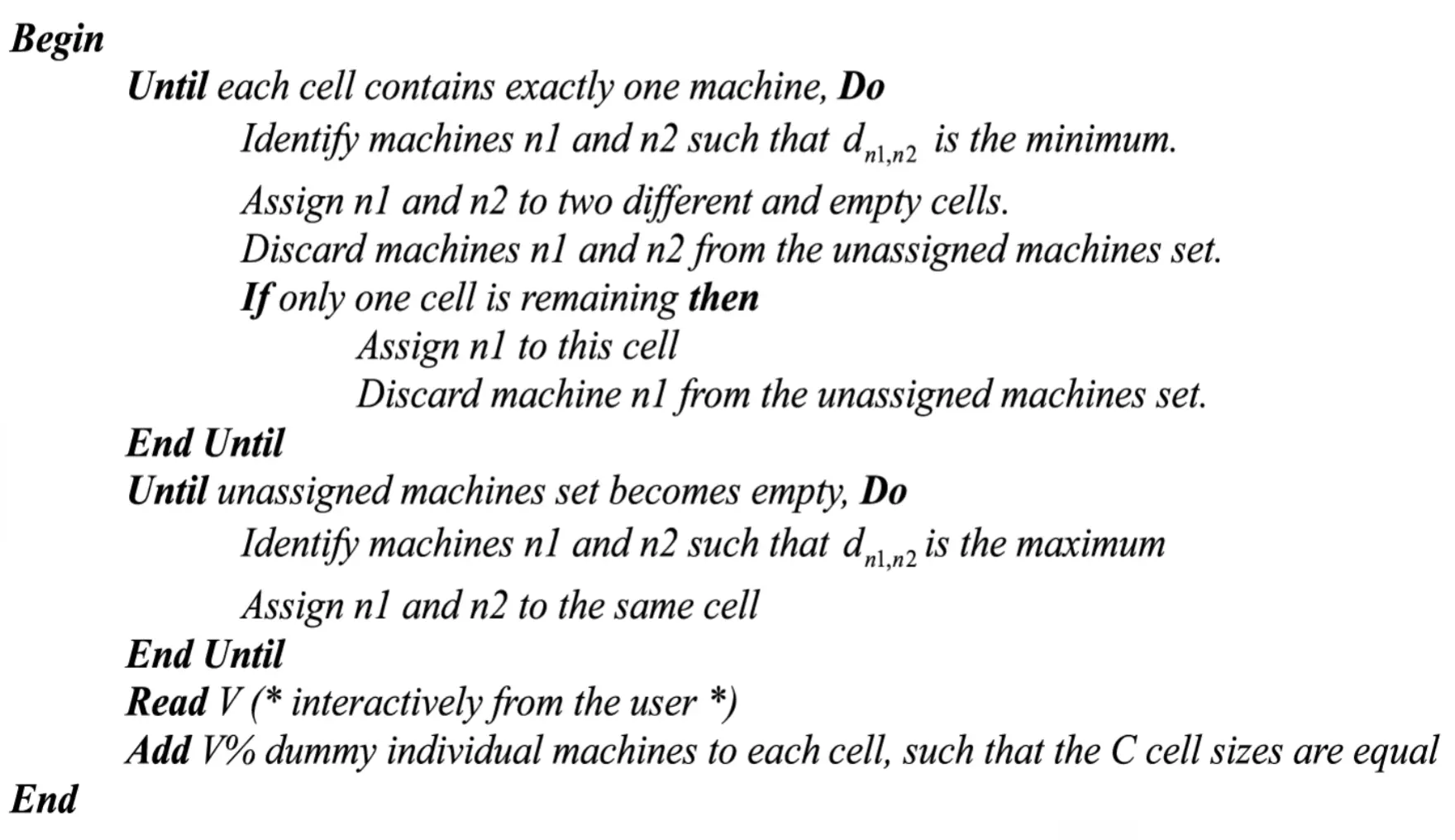
Other Diagrams → Pseudocode
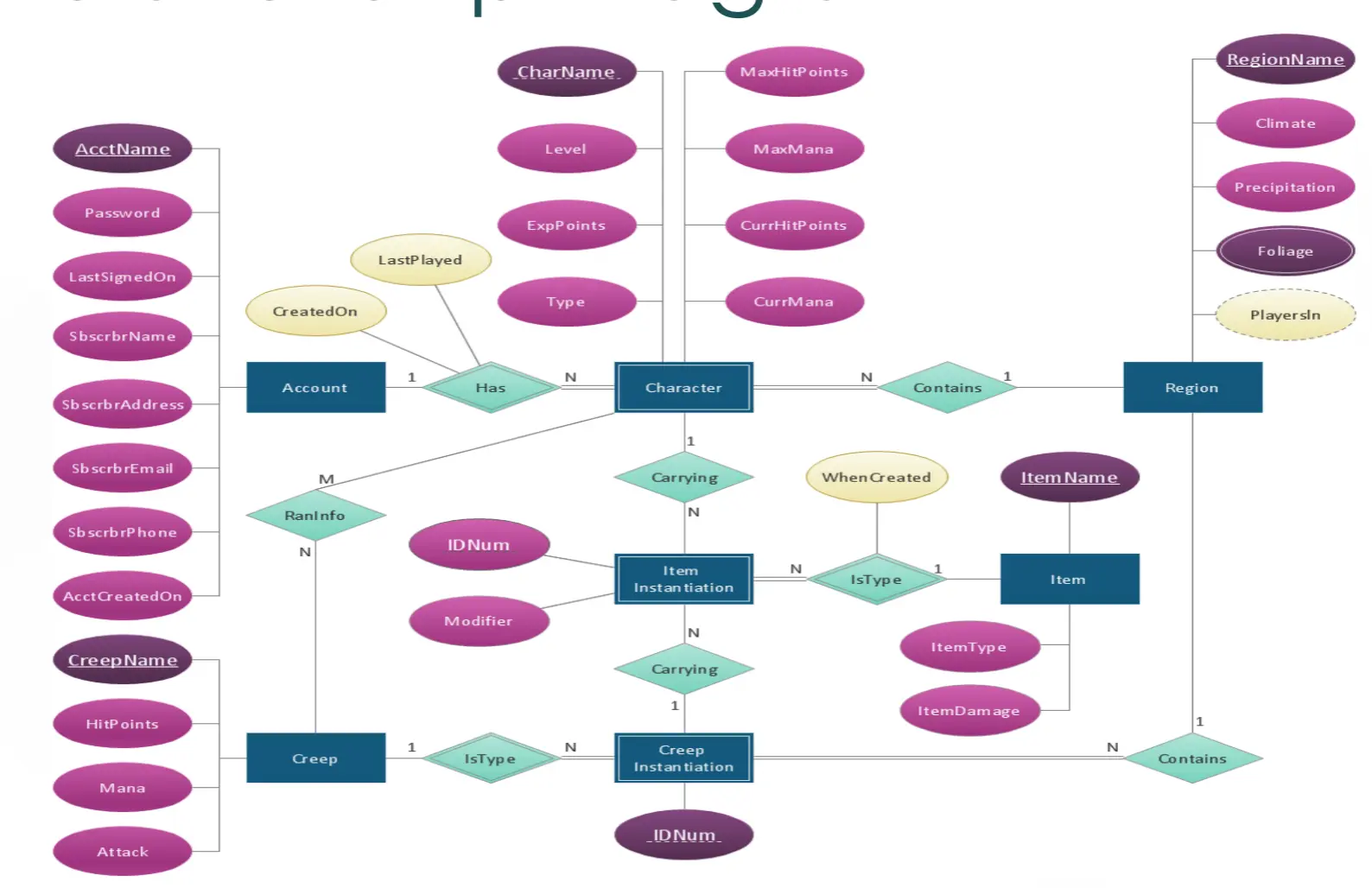
Other Diagrams → Entity Relationship Diagram
Other Diagrams → Architecture Diagrams
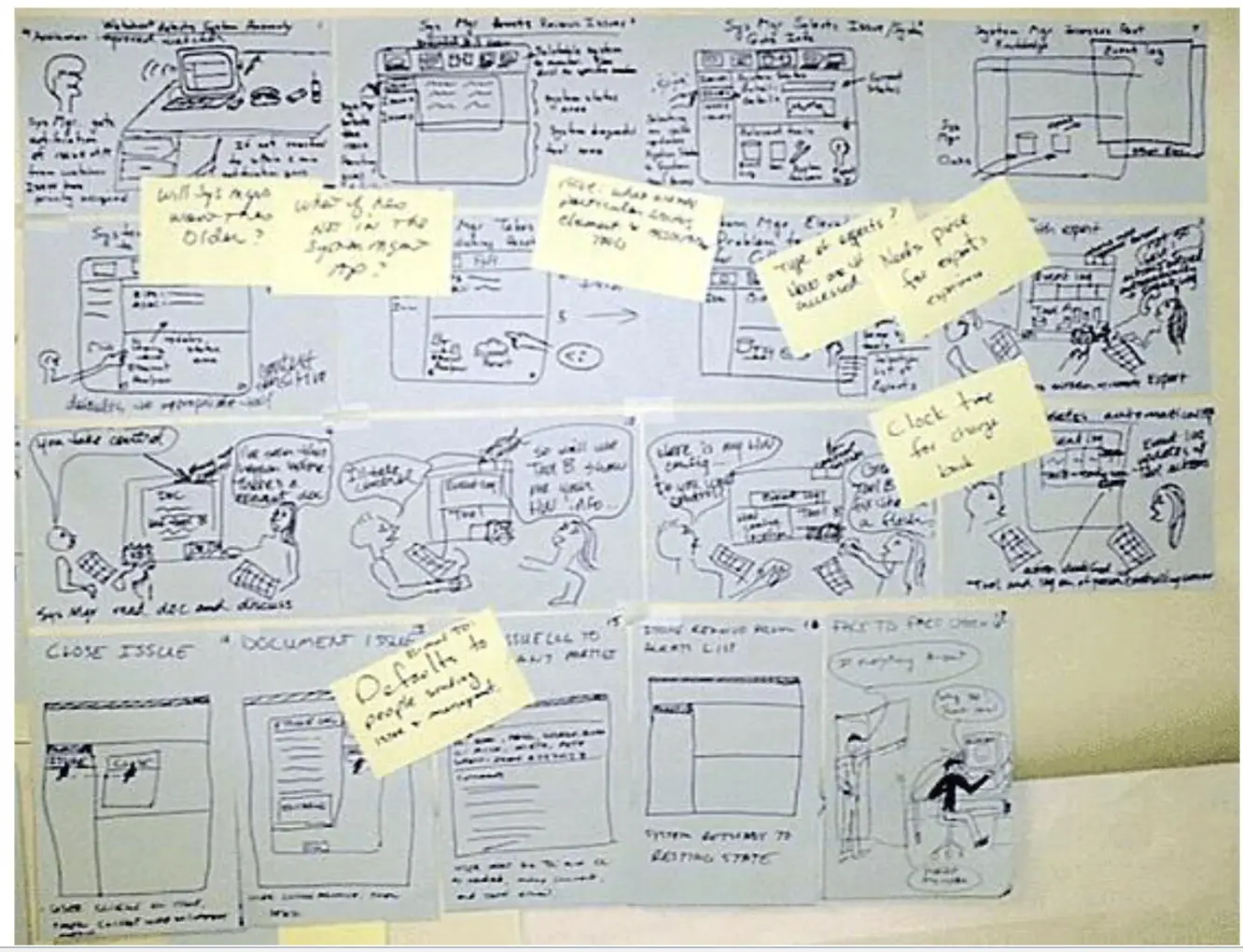
Other Diagrams → Storyboard
Other Diagrams → Sketches
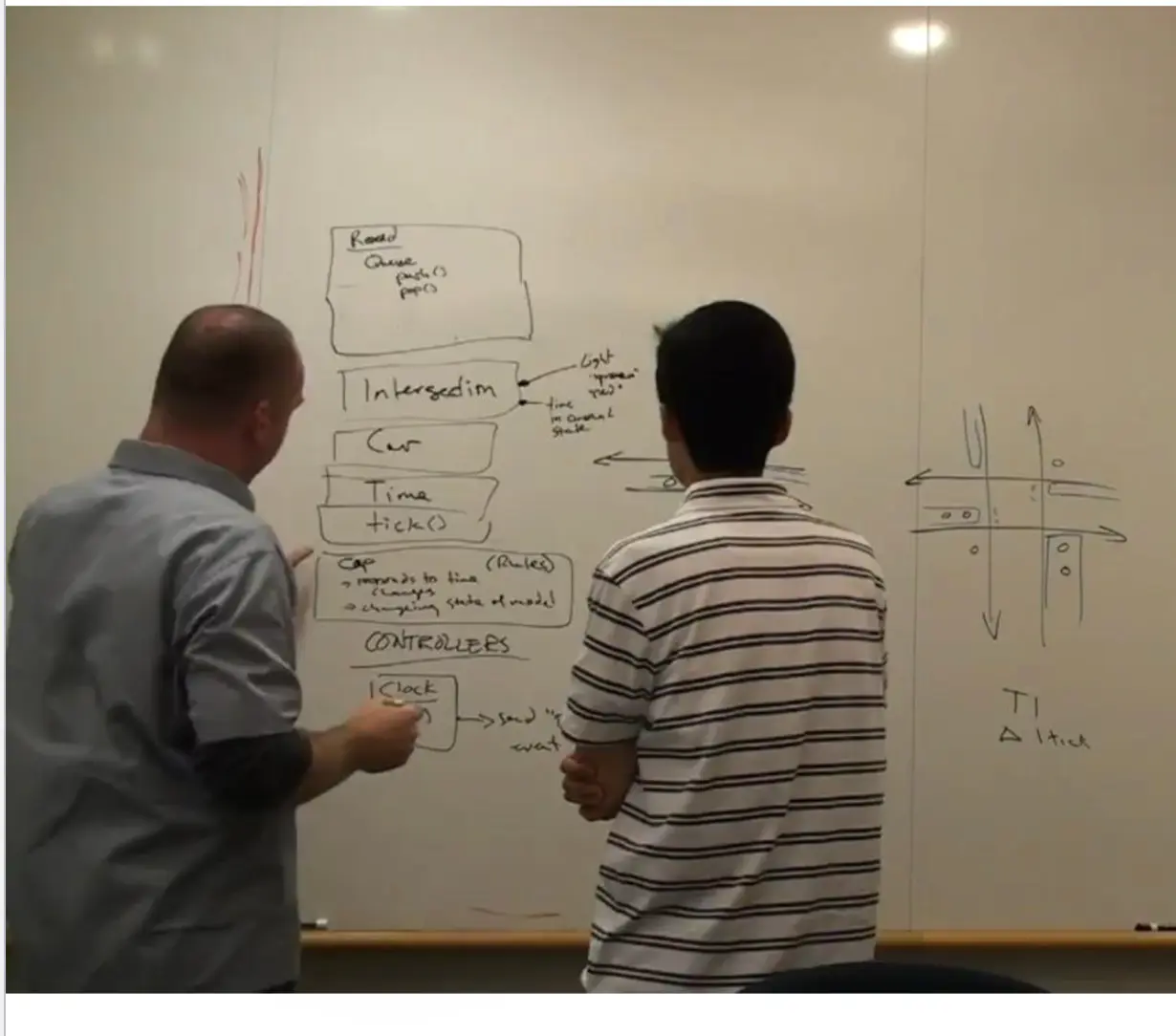
What is Software Engineering?
- Software engineering is the process of building a set of related models that represent the system-to-be
Design Principles
- High cohesion / low coupling
- Information hiding
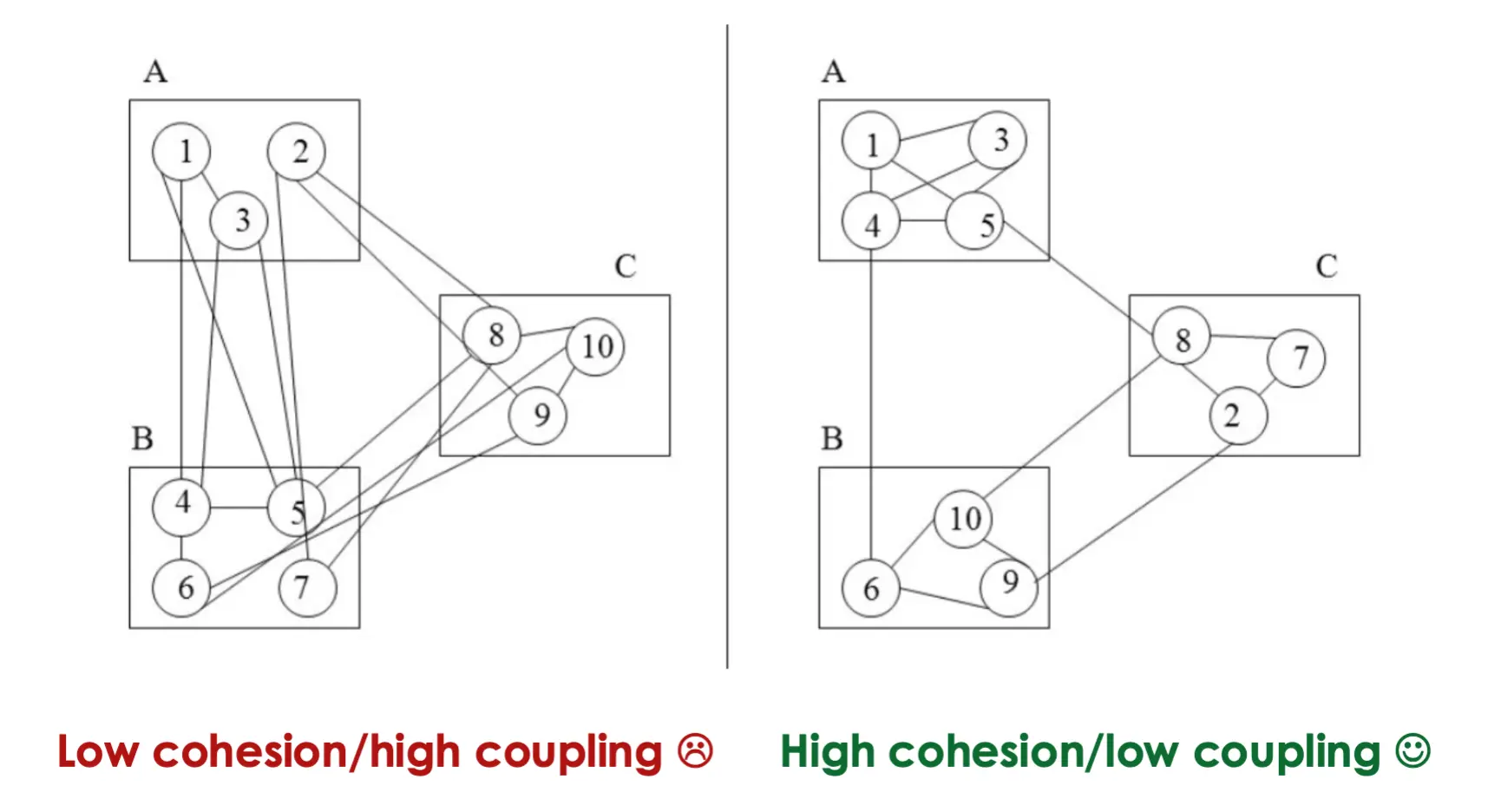
High Cohesion / Low Coupling
- High cohesion → grouping related functionality
- Low coupling → ungrouping unrelated functionality / reducing interdependency
- Effects:
- Changes don’t propagate
- Reuse is facilitated
Information Hiding
- Hide design decisions that are most likely to change, thereby protecting other parts of the program from change if the design decision is changed
- “Showing only those details to the outside world which are necessary for the outside world and hiding all other details from the outside world”
Summary
- Every design notation supports an abstraction
- A design diagram is a statement in a language that has a syntax
- UML diagrams, UI mockups, pseudocode, ER diagrams, architecture diagrams, storyboards, sketches
- Software engineering is the process of building a set of related models that represent the system-to-be
Quiz 5 Study Guide
Six Approaches to Software Design
- Software architecture → high-level structure of the system (components, connectors, configurations)
- Functional decomposition → break the system down by functionality, top-down
- Relational database design → break the system down by data and the relationships between data entities
- Object-oriented design (UML) → break the system down by domain entities; each object bundles data and methods, classes are blueprints for objects
- User interface design → drive the design from the user-facing experience and iterate on UI mockups
- Sketching → informal, low-fidelity drawings used to think and communicate early in design
Purpose of Design
- Think → designs help you reason about the problem and explore solutions
- Talk/communicate → designs are a shared language for stakeholders, devs, and testers
- Prescribe → designs specify what should be built and how
Abstraction
- Formed by removing irrelevant information and retaining/highlighting relevant information
- Every design notation supports a certain kind of abstraction
- Software engineering is all about constructing and elaborating abstractions/models
UML Class Diagrams
- Used to decompose a system into classes, model domain concepts, and produce a detailed OO design
- Visibility:
+public,-private - Relationships:
- Inheritance → “is-a” relationship between subclass and superclass
- Association → general relationship/link between classes
- Multiplicity → annotates how many instances participate (e.g.,
1,0..1,1..*,*)
- Multiplicity → annotates how many instances participate (e.g.,
- Aggregation → whole-part, transitive and asymmetric; parts can exist independently of the whole
- Composition → stronger aggregation with existence dependency; parts cannot exist without the whole
Design Principles
- High cohesion → group related functionality together inside a module
- Low coupling → reduce interdependency between modules
- Effects → changes don’t propagate, reuse is facilitated
- Information hiding → hide design decisions most likely to change; expose only what the outside world needs
- Protects other parts of the program from change when the hidden decision changes
Lecture 11: How Do We Make Software That Meets the User’s Needs?
Last Time — Recap
- Every design notation supports abstraction
- A design diagram is a statement in a language that has a syntax
- UML diagrams, UI mockups, pseudocode, ER diagrams, architecture diagrams, storyboards, sketches
- Software engineering → the process of building a set of related models that represent the system-to-be
Hope… and Change… and Test!
- A/B testing → run two versions of a website (or feature) on different user groups for marketing campaigns and test which one actually helped with the business goal
- Don’t guess at what users want → measure it
Why User-Orientation (Usability) Matters
User-centered design works:
- Simple
- Inexpensive
- Higher sales
- Higher satisfaction
- Higher efficiency
- Benefit shifts from conversion (first-time customers) → loyalty (repeat customers)
- …but it still often gets skipped
Usability Matters! — Quotes
- “A user interface is well-designed when the program behaves exactly how the user thought it would” — Joel on Software
- “A GUI should provide GUIdance”
- “Focus on the user, and all else will follow”
Usability Fail Examples
- PC LOAD LETTER → cryptic HP printer error → only the programmer understood; users had no idea what it meant
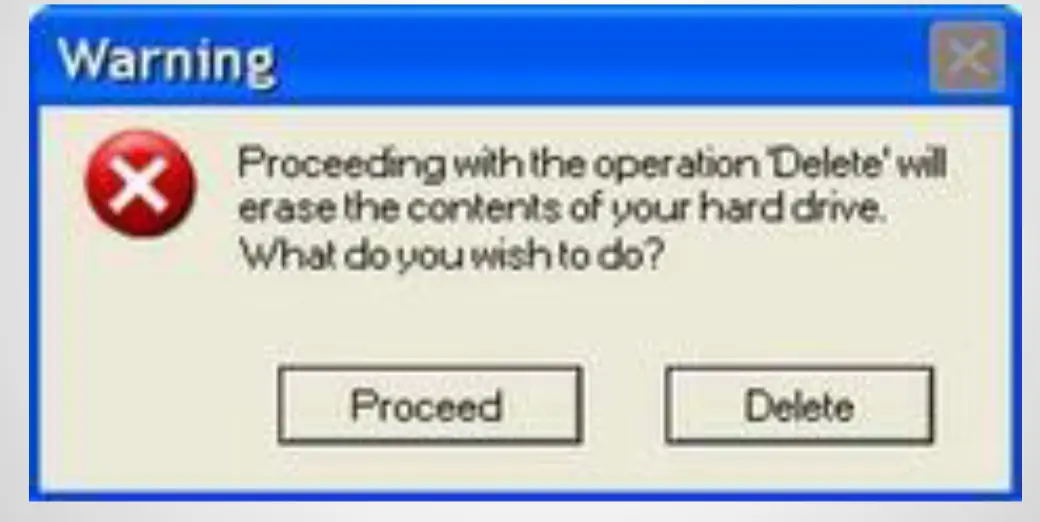
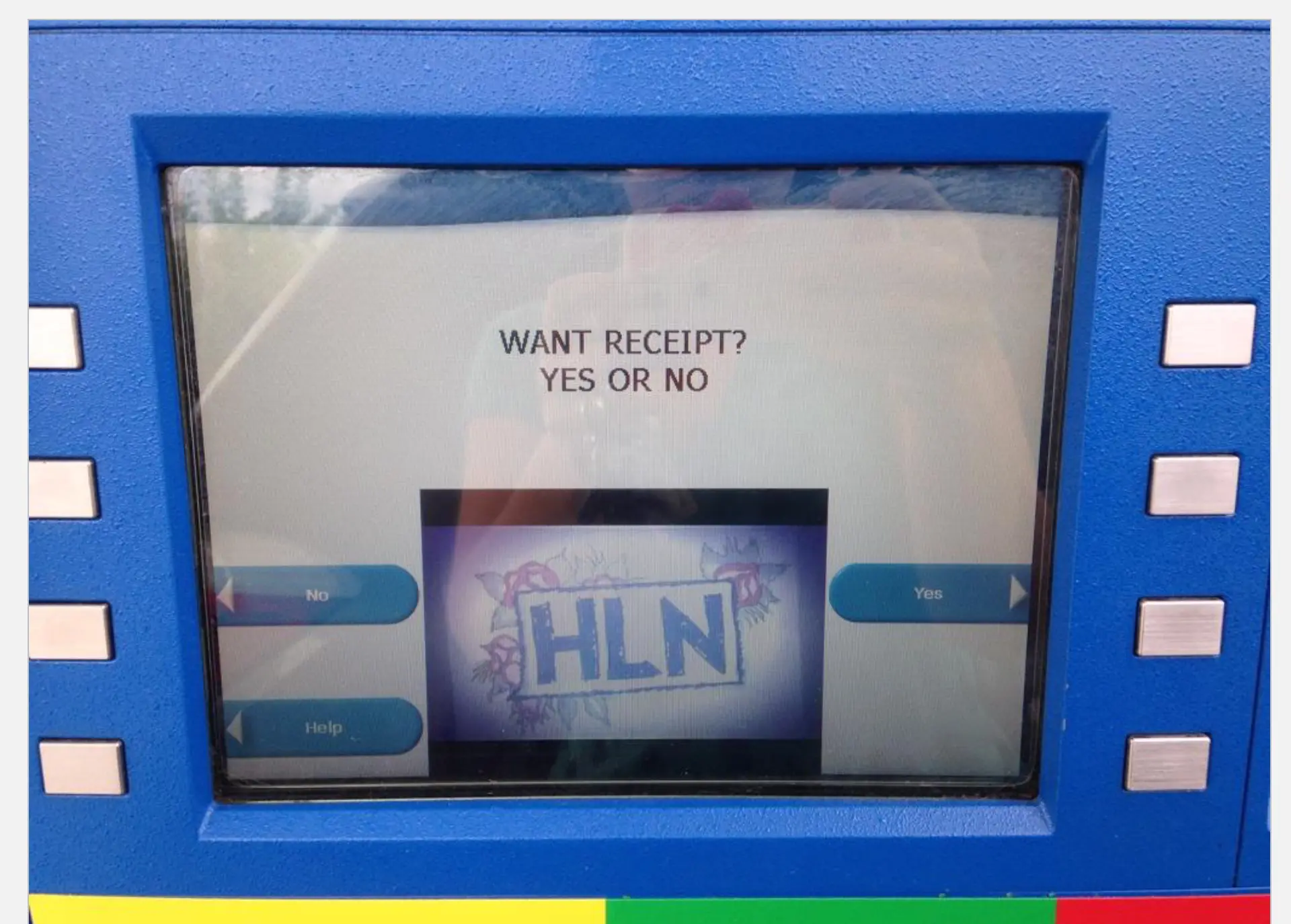
- A few things wrong with this dialog → “Yes” is on the left and “No” is on the right (buttons flipped from the platform convention) → users mis-click
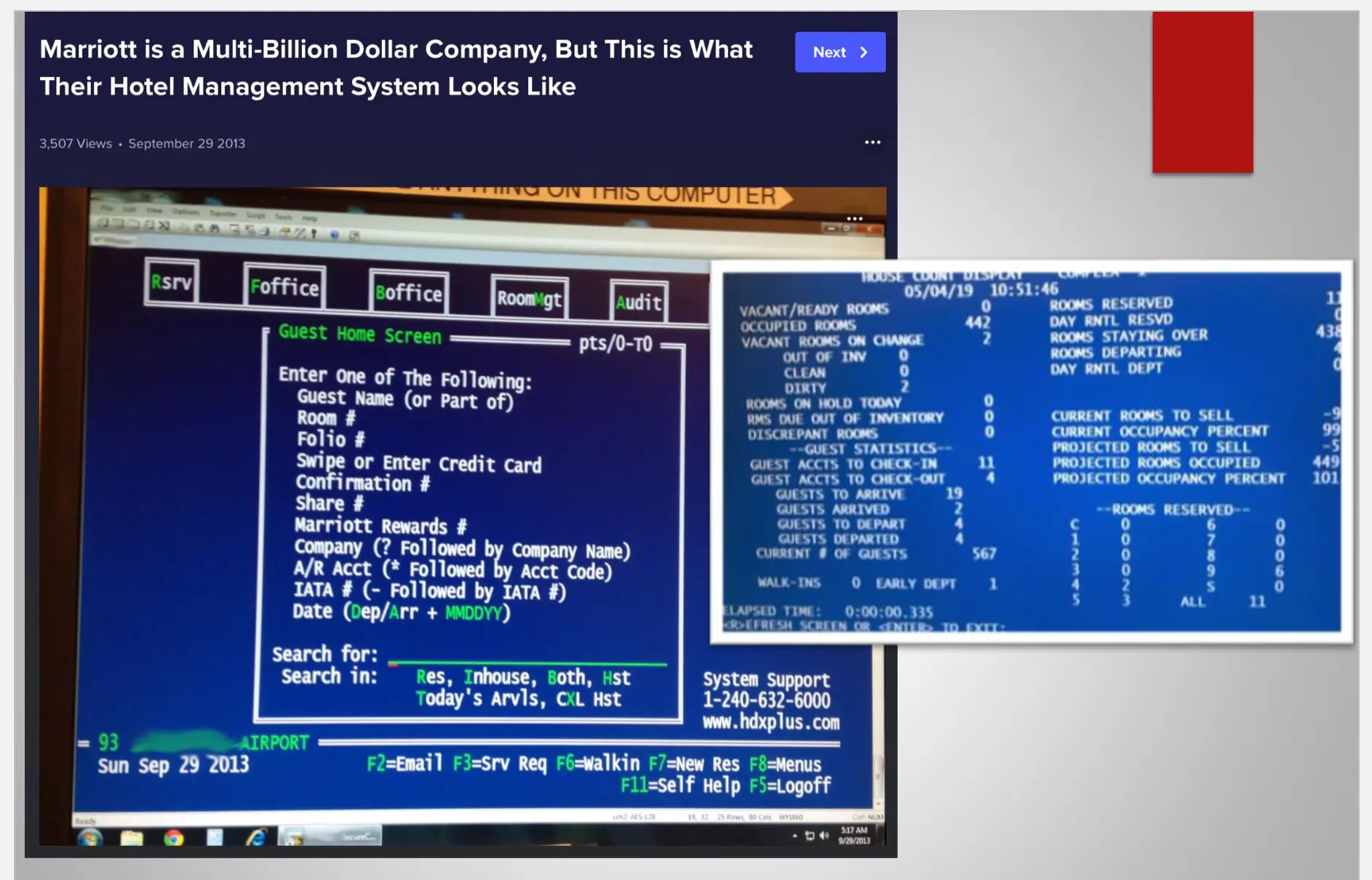
- Pretend you are the user and don’t care → remove long warnings; users won’t read them anyway
- Hawaii false missile alert (2018) → on Jan 13, 2018 the Hawaii Emergency Management Agency sent a real emergency push alert: “BALLISTIC MISSILE THREAT INBOUND TO HAWAII. SEEK IMMEDIATE SHELTER. THIS IS NOT A DRILL.”
- Cause → an employee selected the wrong item from a poorly designed dropdown menu during a routine shift change drill → “Test missile alert” and “Missile alert” sat right next to each other with similar wording
- The confirmation prompt was generic enough that the user clicked through it without registering the difference
- No “undo” / cancel mechanism existed → it took 38 minutes to send a correction
- Classic UI/UX failure → dangerous options weren’t visually distinguished, no confirmation friction proportional to the consequences, no rollback path
First Impressions Matter
- It should be simple → think Apple, think Google’s homepage
- The first 5 seconds decide whether the user trusts the product
Why Is Usability Engineering So Hard?
Usability design is based on:
-
Psychology
-
Cognitive science
-
Aesthetics
-
Art
-
Software engineers are generally not the audience of the software they develop → they have different mental models, vocabulary, and tolerance for friction
-
UX Designers → this is who solves these issues
Summary
- We use HCI / UCD (Human-Computer Interaction / User-Centered Design) methods for good reasons:
- Sales increase
- Performance increases
- Traffic counts increase
- Frustration decreases
- It’s all about the user!
Lecture 12: How Do We Make Software That Meets the User’s Needs?
Last Time — Recap
- We use HCI / UCD methods for good reasons → sales increase, performance increases, traffic counts increase, frustration decreases
- It’s all about the user
User-Centered Design Methods (the 8)
- Interviews and observations of end users
- Personas
- Scenarios
- Storyboards
- Wireframes and mockups
- Design guidelines
- Heuristic evaluation
- User testing
Interviews and Observations
- Watch users actually do the thing → design to serve the behavior you observe
- Ask them what they think they want → but trust observation over self-report (people are bad at predicting their own behavior)
Personas
- Fictional, research-based profiles representing key user segments
- Used as a tool to build empathy and guide design decisions → “would Blake actually use this feature?”
Scenarios
- Narrative descriptions of a persona using the system to accomplish a goal
- Example — Scenario 1: Joining myFlix → While Blake is searching the internet to find local theaters playing a newly released indie film, he finds its profile page on myFlix. Excited that he can watch it from home, he creates an account, pays the monthly fee, and streams the movie from his TV’s browser.
- Example — Scenario 2: Discovering Content → Blake has specific tastes in films and TV. At work he browses myFlix categories and reads reviews. Summaries and recommendations that match his preferences get added to his ever-growing queue so he can quickly pick something later.
Storyboards
- Visual representations of UX stories → capture attention, provide clarity, and inspire action
- Like a comic strip of the user’s journey through the product
Wireframes and Mockups
- Wireframes → define the functional flow (UX) → boxes, arrows, structure, no styling
- Mockups → define the visual aesthetic (UI) → colors, typography, polish
- Both happen before development begins → cheap to change on paper, expensive to change in code
Design Guidelines
- Before → every team solved the same simple problem (e.g., a date picker) a different way
- Now → the U.S. Web Design Standards give a shared baseline:
- Color palette
- Wireframes / component patterns
- Code (HTML, CSS)
Heuristic Evaluation
- Using research-based principles to evaluate and improve the usability of a system
- Process:
- Select tasks to evaluate
- Someone plays the user
- Evaluators each focus on a specific aspect
- Someone takes notes
Nielsen’s 10 Usability Heuristics
- Visibility of system status → keep users informed about what’s happening (loading screens, progress bars)
- Match between system and the real world → use words and concepts familiar to the user, not jargon (e.g., “Library” contains music, movies, TV shows)
- User control and freedom → support undo, back buttons, restart, escape hatches from unwanted states
- Consistency and standards → follow platform conventions; same word/action should mean the same thing everywhere
- Error prevention → design to prevent problems before they happen; a GUI should provide GUIdance; make the primary action more visible
- Recognition rather than recall → make objects, actions, and options visible; don’t make users remember information across screens; vary fonts/styles so things are visually distinguishable
- Flexibility and efficiency of use (accelerators) → shortcuts for expert users that stay out of the way for novices
- Aesthetic and minimalist design → no irrelevant information; apply contrast, repetition, alignment, proximity (CRAP)
- Help users recognize, diagnose, and recover from errors → plain-language error messages that say what went wrong and what to do about it
- Help and documentation → easy to search, focused on the user’s task (e.g., the little
?tooltip on hover)
User Testing
- Improve designs before showing to real users:
- Checklists, heuristic evaluation
- Cognitive walkthrough
- Planning a user test:
- Subjects → who you recruit
- The system → what version / prototype
- Tasks → what you ask them to do
- The session → how it’s run
- Measures taken → time, errors, success rate, satisfaction
- Professional usability labs → one-way mirrors, eye tracking, recording rigs
- Less formal user testing also exists → hallway testing, remote sessions
Summary
- We use HCI / UCD methods → interviews/observations, personas, scenarios, storyboards, mockups, design guidelines, heuristic evaluation, user testing
- …for good reasons → sales increase, performance increases, traffic counts increase
- It’s all about the user
Quiz 6 Study Guide
User Orientation
- Know and understand all 8 user-centered design methods (see list above)
- Know and understand all 10 Nielsen heuristics (see list above)
Reading 1 — NN/g: “UX Lessons from Restaurants” (link)
- Atmosphere matters → place settings distinguish fine dining from a roadside diner → visual polish signals quality and builds trust (same is true of web UI)
- Visual communication → photos help users recognize options faster than text, overcome language barriers, and set accurate expectations
- Focused offerings → specialization and limited choices reduce decision paralysis and let the business build expertise
- Pacing flexibility → accommodate rushed and leisurely users → don’t force one speed
- Transparent timelines → communicate delays upfront so users can adjust expectations or make different choices
- Anticipatory service → delight comes from providing what users need before they ask
- Good patterns → clear responsibility, proactive suggestions, honest recommendations, clean interfaces, treating angry users with respect, keeping valued features through redesigns
- Bad patterns → communication gaps, rigid policies, hidden required steps, unexplained jargon, abrupt redesigns that force relearning, broken promises about quality/timing
- Mapping to web/software → streamline checkout, remember preferences, helpful error recovery, avoid “system-focused housekeeping” interruptions, respect user autonomy
Reading 2 — USDS: “Introducing U.S. Web Design Standards” (link)
- What it is → a shared set of UI components, visual styles, and code resources for federal government websites → consistency across agencies, flexibility for customization
- Problem it solves → government sites lacked visual and functional consistency → citizens like “Joanne” (the veteran example) had to relearn confusing interfaces at every agency → wasted taxpayer dollars on agencies solving the same design problems independently
- What’s included:
- Visual style guide → typography and color palette (blue, gray, white, red) meeting Section 508 accessibility standards
- UI components and patterns → foundational interface elements + code
- Front-end code → HTML, Sass, CSS written for readability and cross-browser accessibility
- Design principles → clarity, credibility, trust, warmth
- Four core goals:
- “Make the best thing the easiest thing” via user-centered design
- Bake accessibility in from the start
- Balance standardization with agency-level customization
- Leverage existing best practices from government and private sector
- Who built it → 18F + U.S. Digital Service, over a 4-month cycle, with input from FDA, VA, SSA, and others
- Intended impact → faster and cheaper site development, consistent UX across agencies, higher standards for public digital services
Lecture 13: How Do We Know the Software Works? (Testing & QA)
Last Time — Recap
- We use HCI / UCD methods → interviews/observations, personas, scenarios, storyboards, mockups, design guidelines, heuristic evaluation, user testing
- …for good reasons → sales increase, performance increases, traffic counts increase
- It’s all about the user
Failures: A Second Look
- Boeing 737 Max → “The 737 Max saga teaches us not only about the limits of technology and the risks of complexity, it teaches us about our real priorities. Today, safety doesn’t come first — money comes first, and safety’s only utility in that regard is in helping to keep the money coming. The problem is getting worse because our devices are increasingly dominated by something that’s all too easy to manipulate: software.”
Other Famous Software Failures
- Toyota “Unintended Acceleration” → Throughout the late 2000s, Toyota vehicles were reported to accelerate on their own without driver input → investigations traced the root cause to embedded software faults in the engine control unit (unsafe memory practices, lack of fail-safe behavior). Linked to multiple fatalities and a massive recall.
- Apollo 8 → While in lunar orbit, an astronaut accidentally entered a command (Verb 01 Noun 01) that erased critical navigation data from the guidance computer → mission control had to manually re-uplink the state vector. A UX failure as much as a software one — the system let a single keystroke wipe load-bearing state.
- Mars Polar Lander (1999) → Crashed into the Martian surface because a software bug misinterpreted the vibration of landing-leg deployment as touchdown → engines shut off ~40 meters above the ground. $165M mission lost to one boolean flag.
- Y2K
- Bug → date formats stored as MM/DD/YY → does “00” mean 2000 or 1900? Does “1999” roll over to “19100”?
- Effects → relatively minor in the end (because of massive remediation effort)
- Cost → ~$300 billion globally in preventive fixes
NASA “Cardinal Rules for Safety”
- No single event or action shall be allowed to initiate a potentially hazardous event
- When an unsafe condition or command is detected, the system shall:
- Inhibit the potentially hazardous event sequence
- Initiate procedures or functions to bring the system to a predetermined “safe” state
The Power of Ten — 10 Rules for Writing Safety-Critical Code
- Restrict to simple control flow constructs
- Give all loops a fixed upper bound
- Do not use dynamic memory allocation after initialization
- Limit functions to no more than 60 lines of text
- Use a minimum of two assertions per function on average
- Declare data objects at the smallest possible level of scope
- Check the return value of non-void functions, and check the validity of function parameters
- Limit the use of the preprocessor to file inclusion and simple macros
- Limit the use of pointers → no more than two levels of dereferencing per expression
- Compile with all warnings enabled, and use one or more source code analyzers
Quality Assurance
QA Goals: Verification and Validation
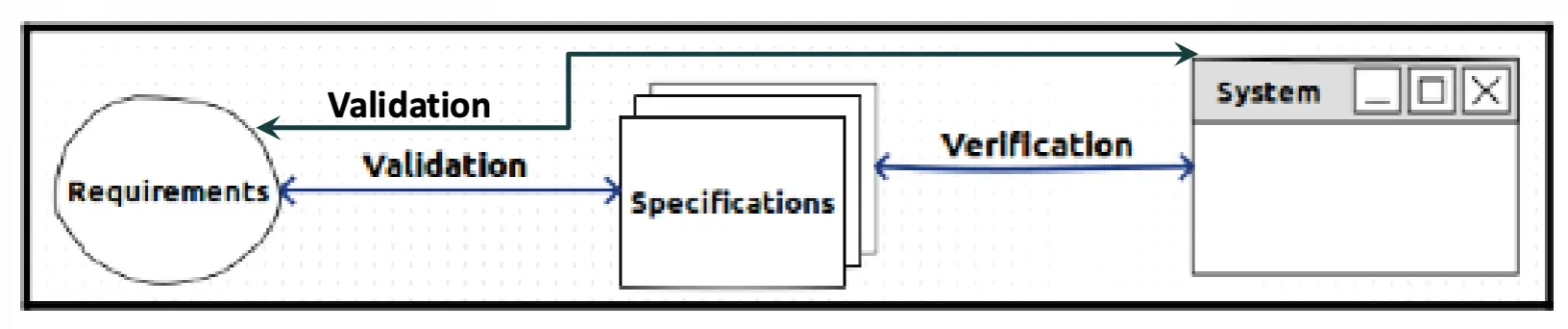
- Quality Assurance → all activities designed to measure and improve quality in a product
- Verification → Does it conform to specifications? (are we building the thing right?)
- Validation → Does it serve its purpose? (are we building the right thing?)
QA Techniques
- Formal methods
- Static analysis of program properties
- Reviews and inspections
- Testing
Testing: Who, What, How
Basic Process
- Detect and correct bugs in a software product
- Exercise a module, collection of modules, or system:
- Devise test case (input) → create expected output
- Run test case
- Capture actual output
- Compare actual output to expected output
- Lather, rinse, repeat
- Outcomes:
- Actual output = expected output → test case succeeds / passes
- Actual output ≠ expected output → test case fails (report failure)
- Much of the testing process is automated
Testing Goals
- Find and fix failures / faults / errors
- Improve confidence that the system performs as specified (verification) and as desired (validation)
- All in a manner that is:
- Accurate
Complete→ Thorough (you can never be complete)- Repeatable
- Systematic
- “Program testing can be used to show the presence of bugs, but never to show their absence.” — Dijkstra
Testing Terminology (from IEEE 610.12-90)
- Mistake → a human action that produces an incorrect result (“mistake” applies to both coder and user)
- Fault / Bug → an incorrect step, process, or data definition in a computer program (something you can point to in the code)
- Error → a difference between a computed result and the correct result (could be internal or external)
- Failure → the [incorrect] result of a fault (externally visible unexpected behavior or output)
- The common term “defect” usually means fault
Who Does the Testing
- Programmers, testers
- Users:
- Acceptance testing
- Alpha testing
- Beta testing
- Crowdsourcing / bug bounties
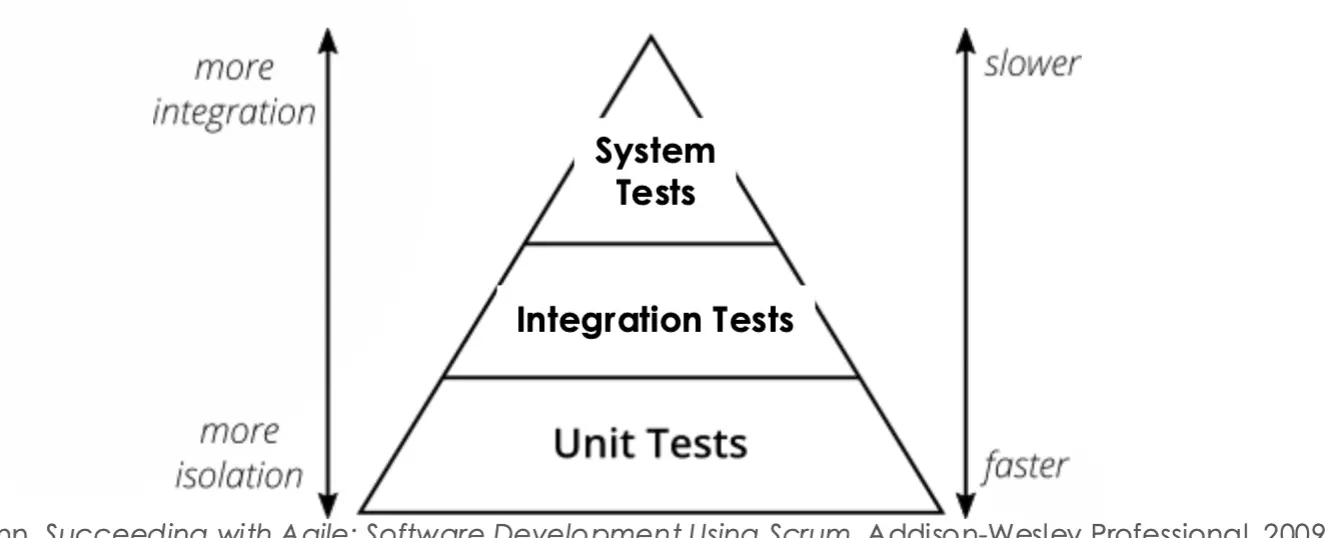
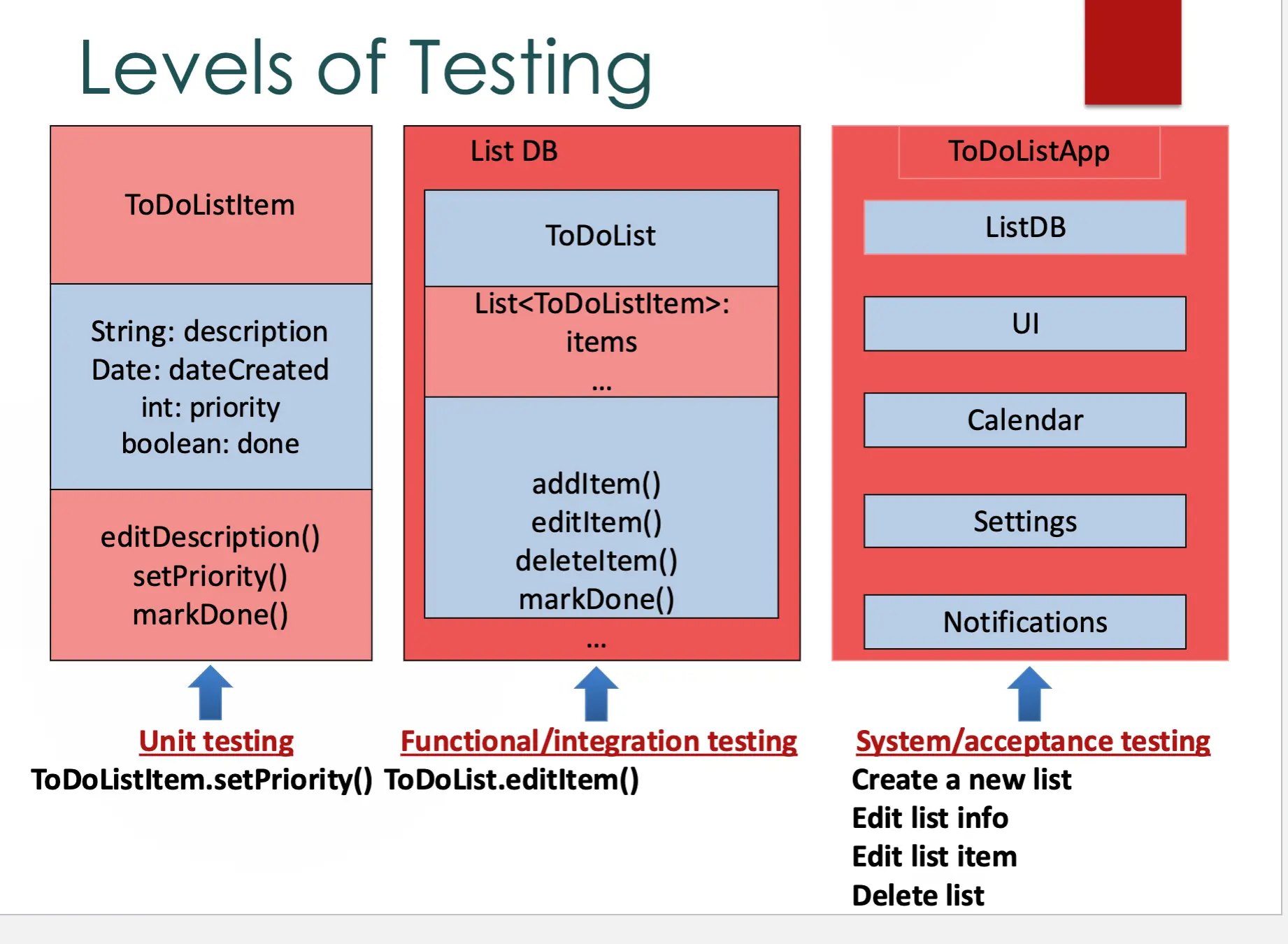
Levels of Testing
- Unit testing → testing of a single code unit
- Functional / integration testing → testing of interfaces among integrated units
- System / acceptance testing → testing of the complete system for satisfaction of requirements
Summary
- Many failures are caused by a lack of good quality assurance (QA) practices
- QA = all activities designed to measure and improve quality in a product → validation & verification
- Testing is the most common QA activity
- Different levels: unit / functional / system
- Goal: find and fix failures / faults / errors
Lecture 14: How Do We Know the Software Works?
Last Time
- Many failures are caused by a lack of good quality assurance (QA) practices
- QA = all activities designed to measure and improve quality in a product → validation & verification
- Testing is the most common QA activity
- Different levels: unit / functional / system
- Goal: find and fix faults / errors / failures
This Lecture
- How to choose test cases
- How to know if the program’s behavior is correct
- Bugs
- How do we know when we are done testing?
Choosing Test Cases
How to Choose Test Cases?
- There is usually an infinite number of possible test cases, so we must take a small sample
int multiplier(int a, int b) {
	return a * b;
}- Even for a trivial 2-argument function, the input space is huge → can’t try every (a, b) pair
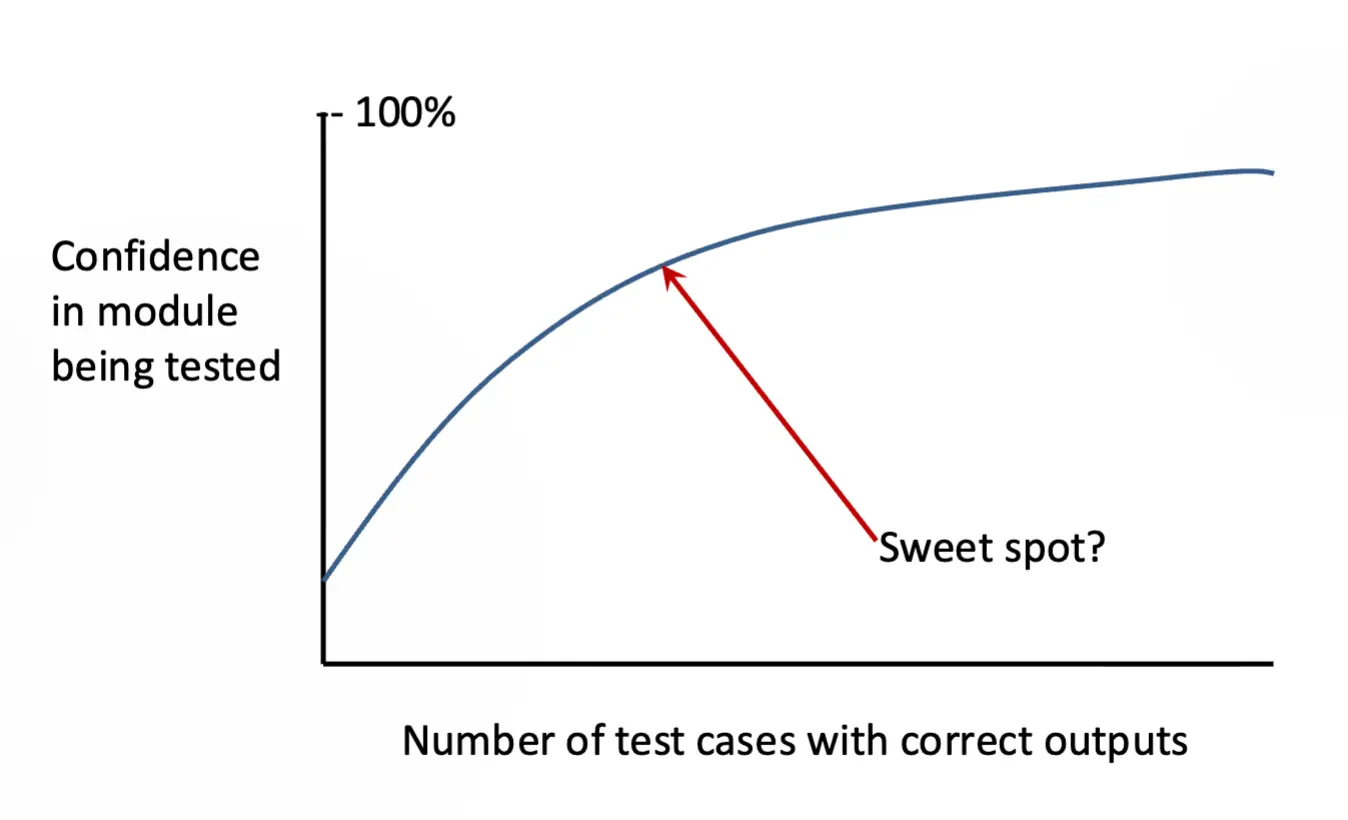
Ways to Choose Test Cases
- Intuition → gut feel, experience with where bugs tend to hide
- Specification (black-box testing) → derive tests from what the program is supposed to do
- Equivalence class partitioning → group inputs that should behave the same way, pick one per group
- Boundary-value analysis → test at and around edges (0, max, off-by-one, empty input)
- Code (white-box testing) → derive tests from the implementation itself
- Path analysis → cover the branches / paths through the code
- Existing test cases (regression testing) → re-run prior tests after changes to catch reintroduced faults
- Faults → target tests at known fault patterns / past bug reports
Test Oracles
How to Know if the Program’s Behavior Is Correct?
- Test Oracle → a mechanism for deciding whether a test case execution succeeds or fails
- Often difficult to automate → knowing the right answer can be as hard as computing it
- Example:
- Your test shows
cos(0.5) = 0.87758256189 - Oracle? → how do you decide if that’s correct without already having a trusted
cosimplementation?
- Your test shows
Bugs
- All software has bugs
- Quote: “All nontrivial code has defects, and the probability of nontrivial defects increases with code size. The more code you use to solve a problem, the harder it gets for someone else to understand what you did and to maintain your code when you have moved on to write still larger programs.” — Holzmann, Code Inflation (IEEE SW 2015)
All Software Has Bugs!
- Q: What is the required period of failure-free operation for conventional takeoffs and landings of the F35 Joint Strike Fighter?
- Answer: 6 hours
- And a recent government report stated that this target had not yet been realized!
Some Bugs Are Bizarre
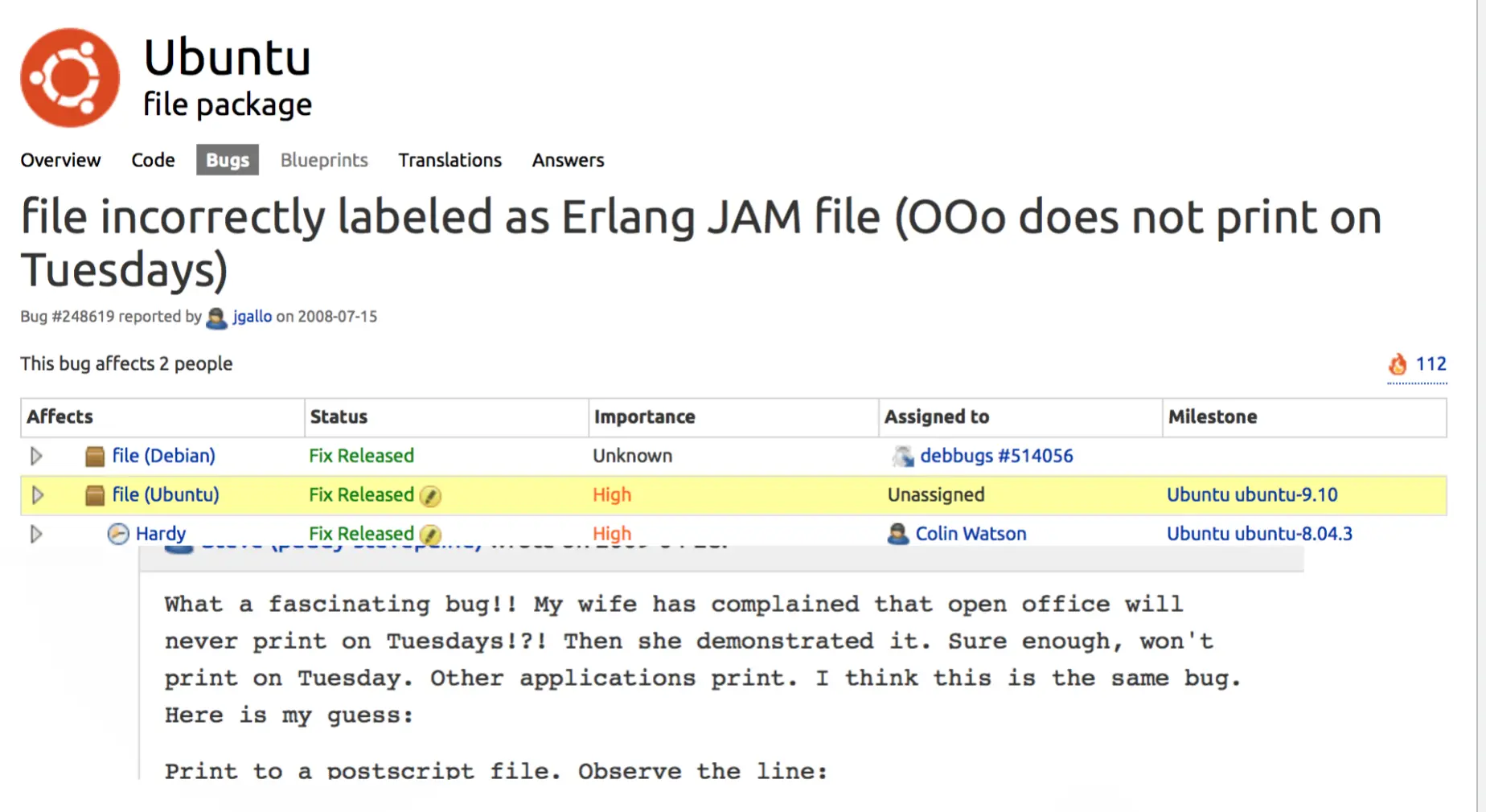
When Are We Done Testing?
- Aim to reveal as many faults as possible in a fixed period of time with a fixed budget
- Target specific areas of the system
- Aim to meet the quality requirements established for the project
- You can never prove the absence of bugs → “done” is a budget/risk decision, not a mathematical one
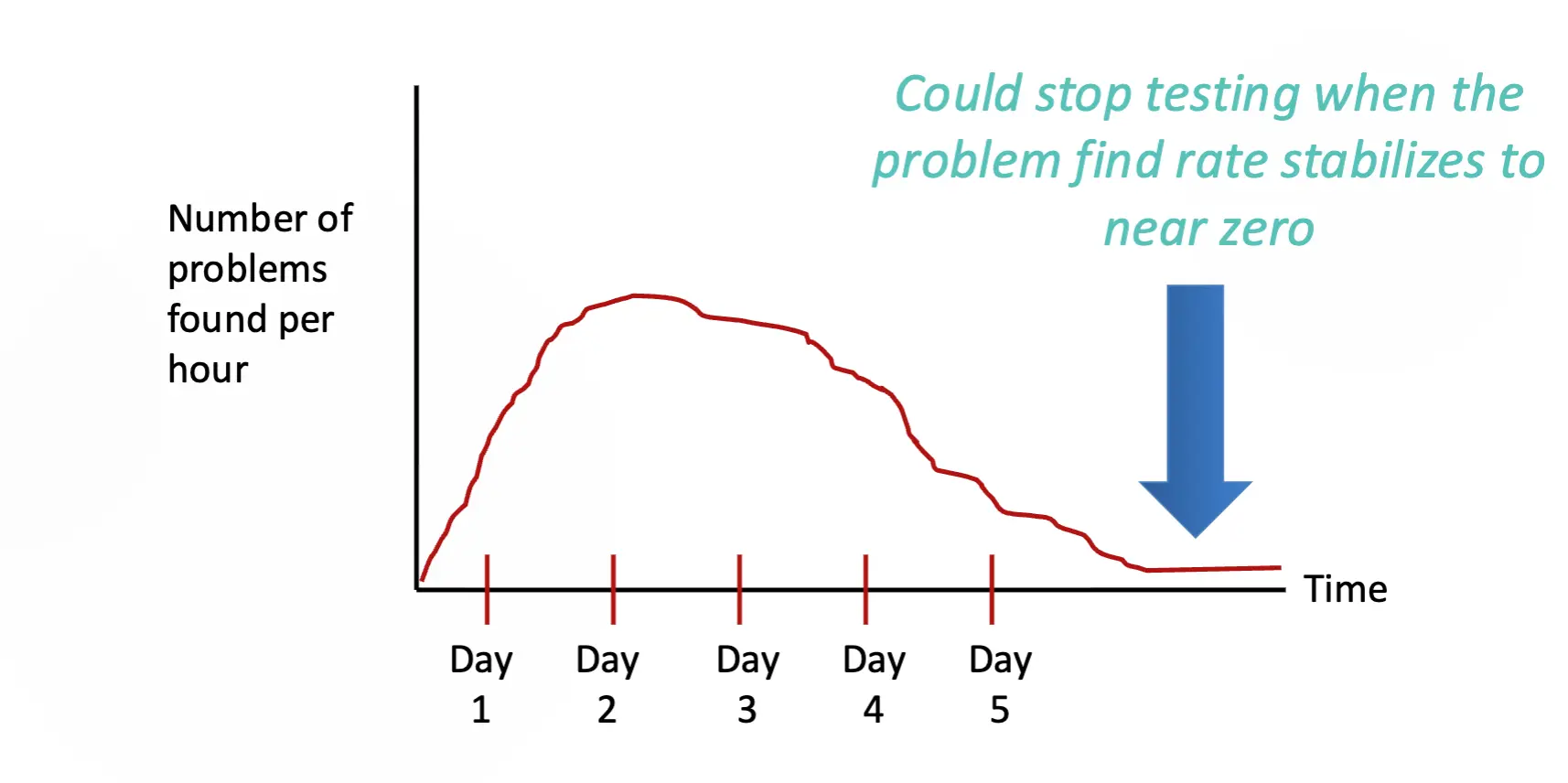
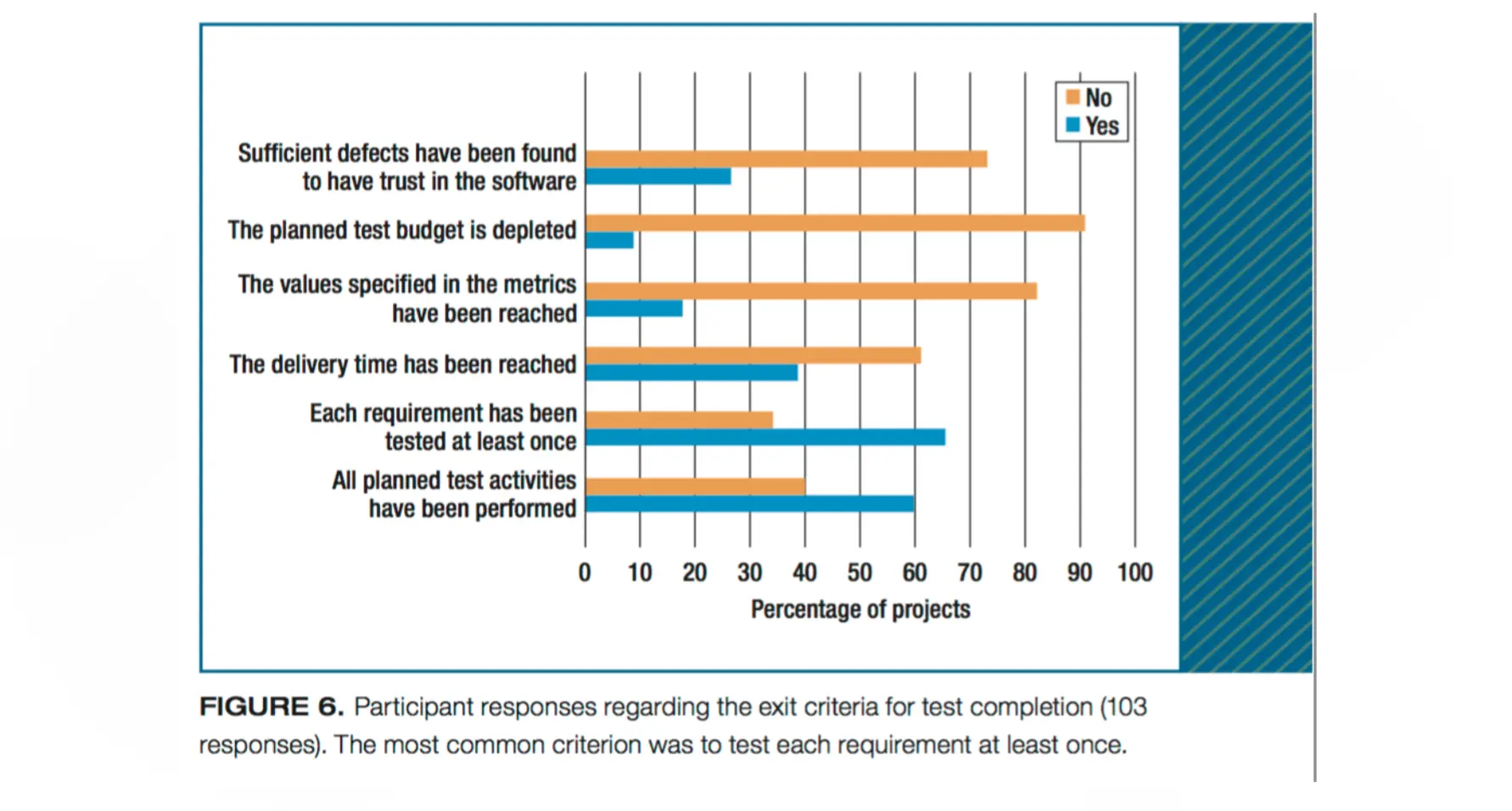
Lecture 15: How Do We Choose Test Cases?
Last Time
- Testing can never be exhaustive
- Testing can never prove a system’s correctness
- All software has bugs!
Black-Box vs White-Box Testing
Black-Box (Specification-Based) Testing
- Functional testing
- Specification-based testing
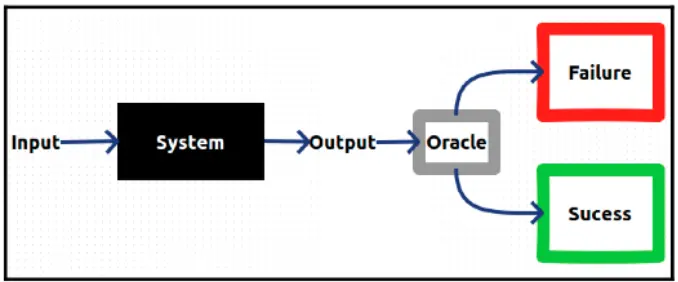
White-Box Testing
- Structural testing
- Code-based testing
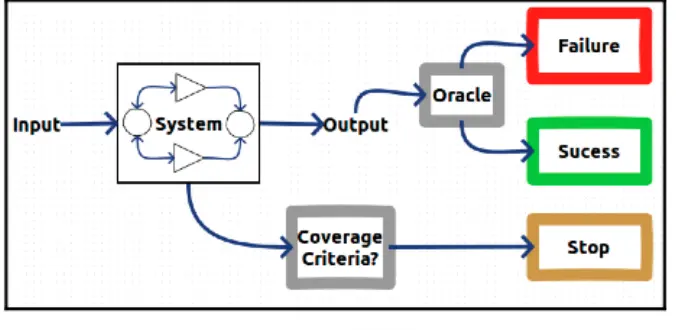
Black-Box / Specification-Based Testing
- Use specifications to derive test cases
- Choose test cases that guarantee a wide range of coverage
- Typical values
- Boundary values
- Special cases
- Invalid input values
- Combinations of values
Equivalence Class Partitioning
- Divide the input into several classes that are considered “equivalent” for the purposes of finding errors
- If it fails/passes for one member of the class, it is likely to fail/pass for all members
- Classes are determined by:
- Looking at the requirements specification
- Tester’s intuition
- Classes:
- Should cover the complete input domain
- Should not overlap
Boundary Value Analysis
- Experience has shown that many errors are made at the “boundaries” rather than normal conditions
- “Edge cases” is another name
- EX: confusion between
<and<=
- Boundary value analysis uses the same classes as equivalence partitioning, but tests at the boundaries of the classes rather than just any element from the class
Equivalence Class Partitioning / BVA: A Systematic Approach
- Identify the set of all possible inputs (to what is being tested) → AKA the “domain”
- Identify a basis for subdividing the set of inputs
- Possible bases:
- Size / magnitude
- Structure
- Correctness
- Your creative thinking / intuition
- Possible bases:
- Use this basis to divide the set of all possible inputs into classes / subdomains
- From each subdomain, select representative(s) to be test case input(s)
- One test case may suffice
- Test for each subdomain:
- “Normal” or “representative” values (anywhere within the subdomain / range)
- Boundary or edge input values (boundary value analysis)
Example: Letter Grade Program
Program takes a single assignment score from 0 to 100 (integer) and returns a letter grade → 90s = A, 80s = B, 70s = C, 60s = D, 50s and lower = F (no plusses/minuses).
- Partitions of the single input:
- Invalid low → score < 0
- F → 0–59
- D → 60–69
- C → 70–79
- B → 80–89
- A → 90–100
- Invalid high → score > 100
- Boundary values per partition:
- Invalid low → -1
- F → 0, 59
- D → 60, 69
- C → 70, 79
- B → 80, 89
- A → 90, 100
- Invalid high → 101
- Test cases (input, expected output):
- -1, invalid / error
- 0, F
- 59, F
- 60, D
- 69, D
- 70, C
- 79, C
- 80, B
- 89, B
- 90, A
- 100, A
- 101, invalid / error
Combinatorial Testing
- If there are multiple parameters, and each has its own equivalence partitions, how do we combine the values within each partition, for each parameter?
- Treat each parameter the same as we did with equivalence class partitioning:
- For each parameter, determine the partitions and representative (possibly boundary) values
- Then, with these values for each parameter, devise combinations of them
White-Box / Structural Testing
- Use source code to derive test cases
- Build a graph model of the system
- State test cases in terms of graph coverage
- Choose test cases that guarantee different types of coverage:
- Statement (node) coverage
- Branch (edge) coverage
- Condition coverage
- Method coverage
- Method-call coverage
- Path coverage
Example 1: Building the Control-Flow Graph
def getSecondElement():
1   head = getHead()
2   if head == null:
3       return null
4   if head.next == null:
5       return null
6   return head.next.node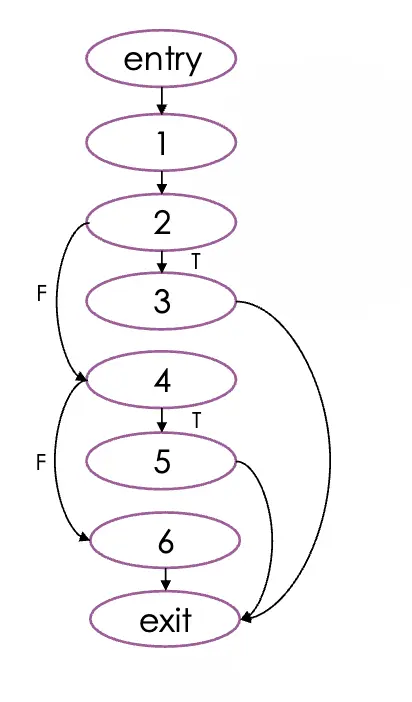
- Every control-flow graph includes an “entry” and an “exit” node
- Entry node → represents all control flow that comes into the function
- Exit node → represents all outgoing control flow from the function
- Each node relates to an atomic instruction → in general, maps to a single line of code
- Each edge is directed (i.e., has an arrow on one end) from where control flows from, to where it goes
- Any node that has 2 or more outgoing edges → those edges need to be labeled based on the condition that chooses that path (“T” or “F” for predicates, the value for switch statements)
- When there are 2 or more outgoing edges, these edges are called “branches”
Lecture 16: How Do We Choose Test Cases?
Last Time
- Black-box testing → uses specifications to derive test cases
- Equivalence class partitioning + boundary value analysis → choose test cases that guarantee a wide range of coverage
- Typical values, boundary values, special cases, invalid input
- Combinatorial testing → creates combinations of inputs
White-Box (Structural) Testing
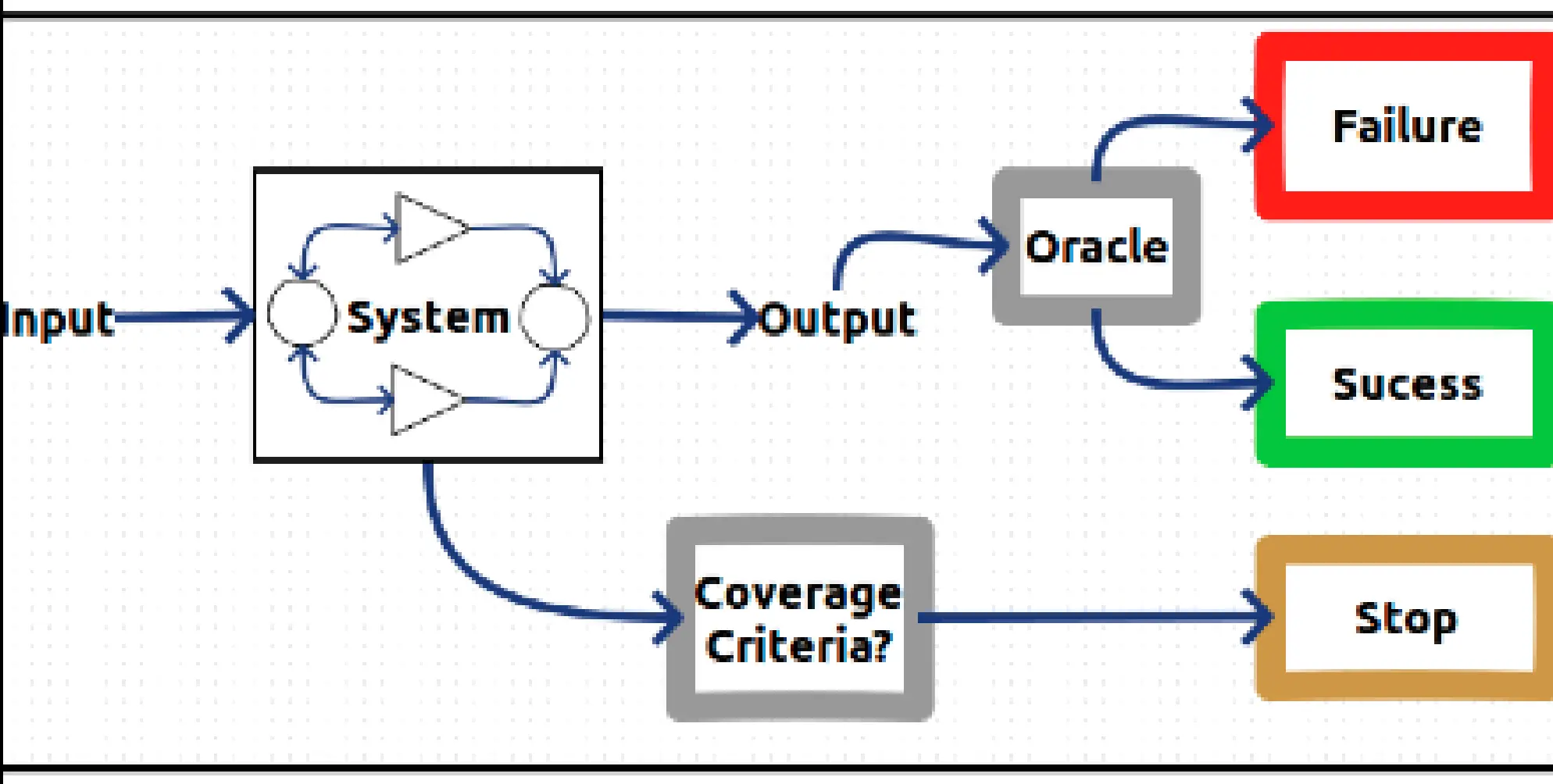
- Use source code to derive test cases
- Build a graph model of the system
- State test cases in terms of graph coverage
- Choose test cases that guarantee different types of coverage:
- Statement (node) coverage
- Branch (edge) coverage
- Condition coverage
- Method coverage
- Method-call coverage
- Path coverage
Example 1: Building the Control-Flow Graph
def getSecondElement():
1   head = getHead()
2   if head == null:
3       return null
4   if head.next == null:
5       return null
6   return head.next.node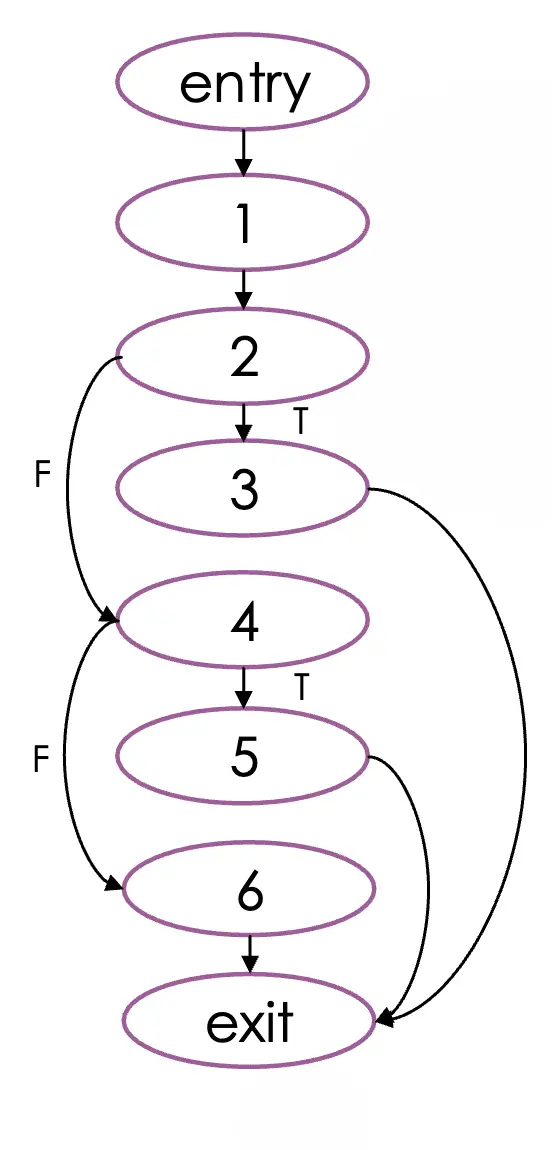
Control-Flow Graphs (recap from Lecture 15)
- Entry and exit nodes bookend the function → entry = all incoming control flow, exit = all outgoing
- Each node = atomic instruction (≈ a single line of code)
- Each edge is directed → from where control comes, to where it goes
- Any node with 2+ outgoing edges → label each edge with the condition that chooses it (“T”/“F” for predicates, the value for switch statements)
Statement Coverage
- Select test cases such that every node in the graph is visited → also called node coverage
- Set of test-case inputs that achieves statement coverage (for the
getSecondElementgraph above):{null, 2, 4}{5, null, 8, 7}{9, 2}
Branch Coverage
- Select test cases such that every branch in the graph is visited → also called edge coverage
- More thorough than statement coverage → more likely to reveal logical errors
- Set of test cases that achieves branch coverage (for the
getSecondElementgraph above):{null, 2, 4}{5, null, 8, 7}{9, 2}
Example 2: Statement vs. Branch Coverage
int m(int i) {
1       r = 1;
2       if ( (i%2) == 0 ) {
3           r = r * 3;
4           if ( (i%4) == 0 ) {
5               r = r * 5;
            }
        } else {
6           if ( (i%3) == 0 ) {
7               r = r * 7;
8               if ( (i%9) == 0 ) {
9                   r = r * 11;
                }
            }
        }
10      return r;
}
Statement coverage → only 2 inputs needed to hit every numbered statement:
| Test input | Expected output | S1 | S2 | S3 | S4 | S5 | S6 | S7 | S8 | S9 | S10 |
|---|---|---|---|---|---|---|---|---|---|---|---|
i = 4 | 15 | ✓ | ✓ | ✓ | ✓ | ✓ | ✓ | ||||
i = 9 | 77 | ✓ | ✓ | ✓ | ✓ | ✓ | ✓ | ✓ |
Branch coverage → needs 5 inputs to hit every T/F edge out of nodes 2, 4, 6, and 8:
| Test input | Expected output | 2T | 2F | 4T | 4F | 6T | 6F | 8T | 8F |
|---|---|---|---|---|---|---|---|---|---|
i = 4 | 15 | ✓ | ✓ | ||||||
i = 2 | 3 | ✓ | ✓ | ||||||
i = 9 | 77 | ✓ | ✓ | ✓ | |||||
i = 3 | 7 | ✓ | ✓ | ✓ | |||||
i = 5 | 1 | ✓ | ✓ |
→ Branch coverage subsumes statement coverage here → 5 tests vs. 2, and catches logical errors statement coverage would miss (e.g., a flipped predicate on node 4 or 8)
Other Coverage Criteria
- Condition coverage → select test cases such that all conditions are tested individually
- e.g.,
if (a > b || c > d) ...→ test botha > bandc > dtrue/false on their own, not just the combined expression
- e.g.,
- Method coverage → make sure every method has been executed
- Method-call coverage → make sure every method-call site reaches every method (considering all possible polymorphic calls)
- Data-flow coverage → every variable assignment reaches all of its reachable uses
Path Coverage
- Select test cases such that every path in the graph is visited
- Loops are a problem → typically test 0, 1, average, and max iterations
- Most thorough… but is it feasible?
- Number of paths explodes combinatorially → often infeasible for real programs
Challenges with White-Box Testing
- Can be useful for identifying under-tested parts of a program
- Can cover all nodes or edges without revealing obvious faults
- Some nodes, edges, or loop combinations may be infeasible (dead code, unreachable branches)
Inspections and Reviews
- Humans read documents and look for defects → effective
- Benefits:
- Improve code quality
- Improve code understandability
- Find defects
- Transfer knowledge
- Explore alternative solutions
- Improve the development process
- Avoid breaking builds
- Increase team awareness
- Share code ownership
- Team assessment
Formal Methods
- Proofs of correctness
- Note: verification only (does the code match the spec?), not validation (is the spec the right thing?)
- Usually done with formal specifications
Static Analysis
- A computer program analyzes source code and finds possible defects → without running the code
- Results are reviewed by a human → many warnings aren’t actual problems (false positives)
Static Analyzer (FindBugs)
- FindBugs → static analyzer for Java bytecode that scans for known bug patterns
- Findings are organized by category (e.g., “Suspicious calls to generic comparison methods”, “equals() comparisons”), bug kind, bug pattern, and priority
- For each finding, the tool shows:
- The offending line of source highlighted in context
- A natural-language explanation of why the pattern is buggy → e.g., calling
equals()between unrelated class and interface types is guaranteed to returnfalseat runtime per theObject.equalscontract - A severity ranking so the reviewer can triage “must fix” vs. low-priority warnings
- Output is reviewed by a human → static analyzers flag possible defects, not confirmed ones
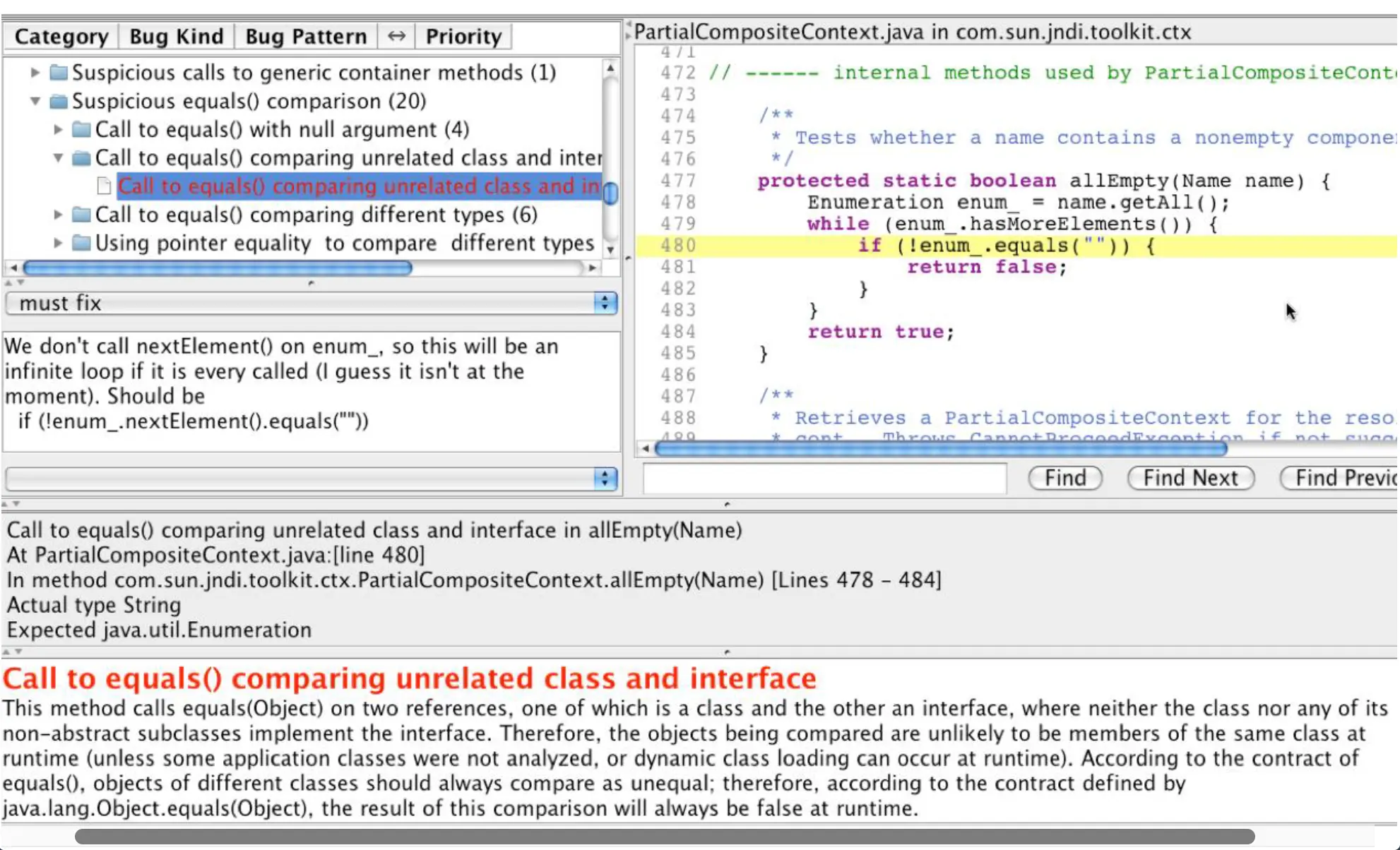
Testing: A Look Back
- Quality assurance
- Testing
- Black-box (specification-based) testing → equivalence class partitioning, representative + boundary values, combinatorial testing
- White-box (structural) testing → statement/node coverage, branch/edge coverage
- Miscellaneous: inspections and reviews, formal methods, static analysis
Not Covered
- Regression testing
- Integration testing
- Interaction testing (mocking)
- Debugging
- Mutation testing
- Fuzz testing
- Exploratory testing
- …
Summary
- White-box testing uses program graphs derived from source code to derive test cases
- In white-box testing we choose test cases to achieve different types of coverage → statement, branch, condition, path
- Other approaches to QA → inspections/reviews, formal methods, static analysis
Quiz 7 Study Guide
Testing fundamentals
- Validation vs. verification → “are we building the right thing?” vs. “are we building it right?”
- Error → human mistake; Fault → defect in code/spec; Failure → observable misbehavior at runtime
- Testing goals, including Dijkstra’s quote → “testing can show the presence of bugs, but never their absence”
- Levels of testing → unit, integration, system, acceptance
- Oracles → mechanism for deciding whether a test passed (spec, reference implementation, gold output, human judgment, metamorphic relation)
- Different ways to know when we are done testing → coverage thresholds met, defect-discovery rate flattening, time/budget exhausted, risk-based stopping criteria
Black-box testing
- Equivalence class partitioning → divide the input domain into classes that should behave the same, pick one representative per class
- Boundary value analysis → test at and just outside the edges of each equivalence class
- Combinatorial testing → cover all pairs (or k-tuples) of input combinations rather than the full Cartesian product
White-box testing
- Statement/node coverage → every node in the CFG executed at least once
- Branch/edge coverage → every outgoing edge from every decision point taken at least once
- Control-flow graphs → entry/exit nodes, atomic instructions per node, labeled T/F branches
- Code inspections → human-driven defect detection, complements automated testing
- Static analyzers → automated pattern-matching over source/bytecode (e.g., FindBugs) — flags possible defects for human review
Lecture 17: Software Process Models
What process do we follow to develop software?
Last Time
- White-box testing uses program graphs derived from source code to derive test cases
- In white-box testing we choose test cases to achieve different types of coverage → node, edge, loop, condition, path
- Other approaches to QA → inspections/reviews, formal methods, static analysis
Difficulties of Software Engineering
Essential qualities (Brooks):
- Complexity
- Conformity
- Changeability
- Invisibility
- Potentially drastic or disastrous consequences
→ Software engineering is hard, and we need processes to help
Process as a Remedy
- Software is engineered via a defined process
- Make sure we do the right things / we do things right / do not forget anything
- Different processes for different kinds of software / companies / situations
- Not a silver bullet [Brooks, “No Silver Bullet”]
What is a Model?
- Model = simplified representation (not “ideal”)
- Architecture model
- Layered
- Client-server
- Model-View-Controller
- Software process model
- Waterfall
- Rapid prototyping
- Spiral
What is a Software Process Model For?
- Prescriptive → enforcing rules
- Descriptive → serving to describe or characterize
Software Life Cycle Models
A software life cycle model is a high-level representation of the activities, artifacts, and ordering involved in developing software.
Models covered:
- Build and fix
- Waterfall
- Rapid prototyping
- Incremental
- Spiral
- Rational Unified Process (RUP)
- Extreme Programming (XP)
- Agile
Build and Fix Model
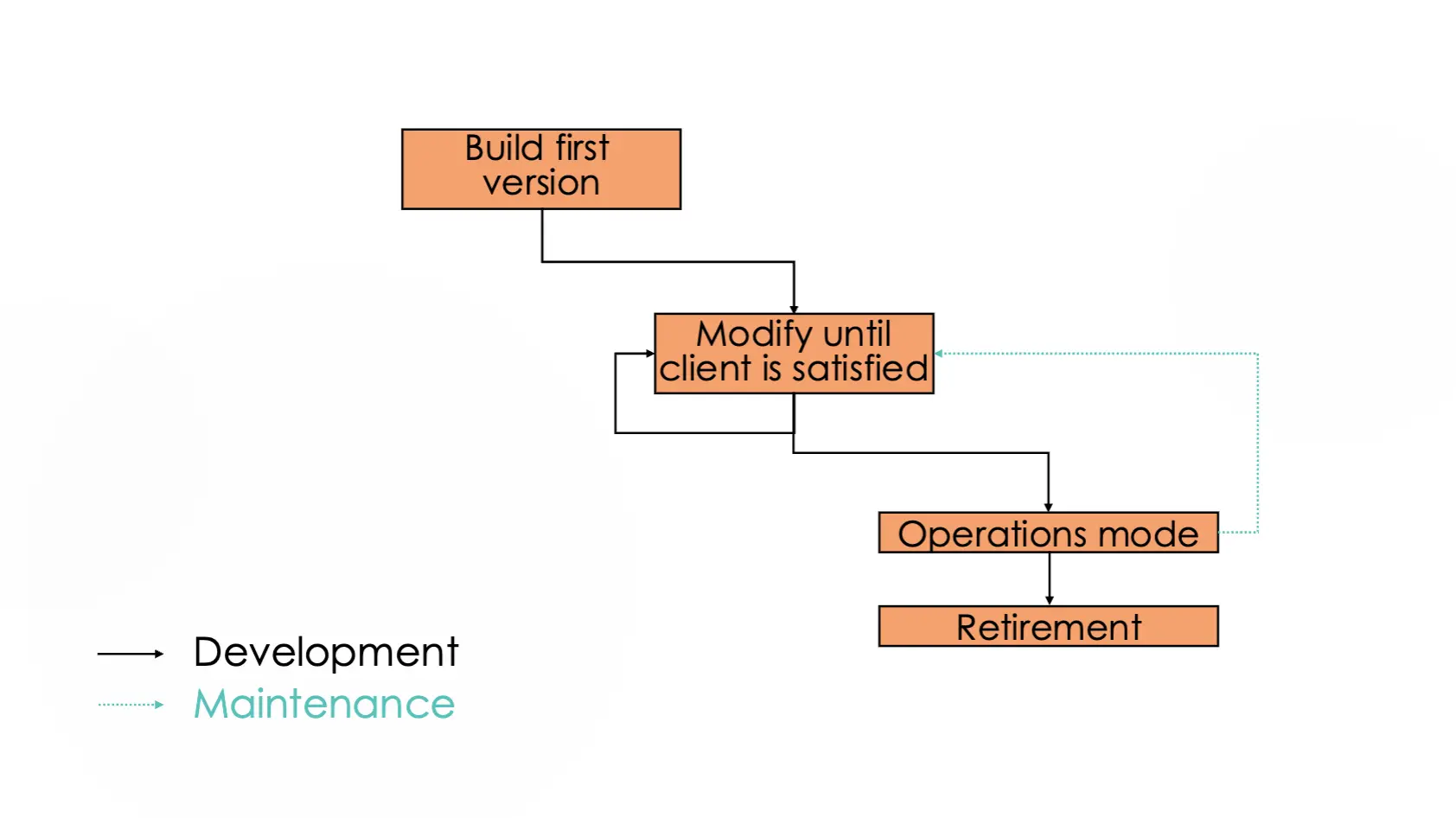
Strengths and Weaknesses
- Strengths
- Good for small programs that do not require much maintenance or many devs
- Weaknesses
- Not rigorous enough for non-trivial projects
Waterfall
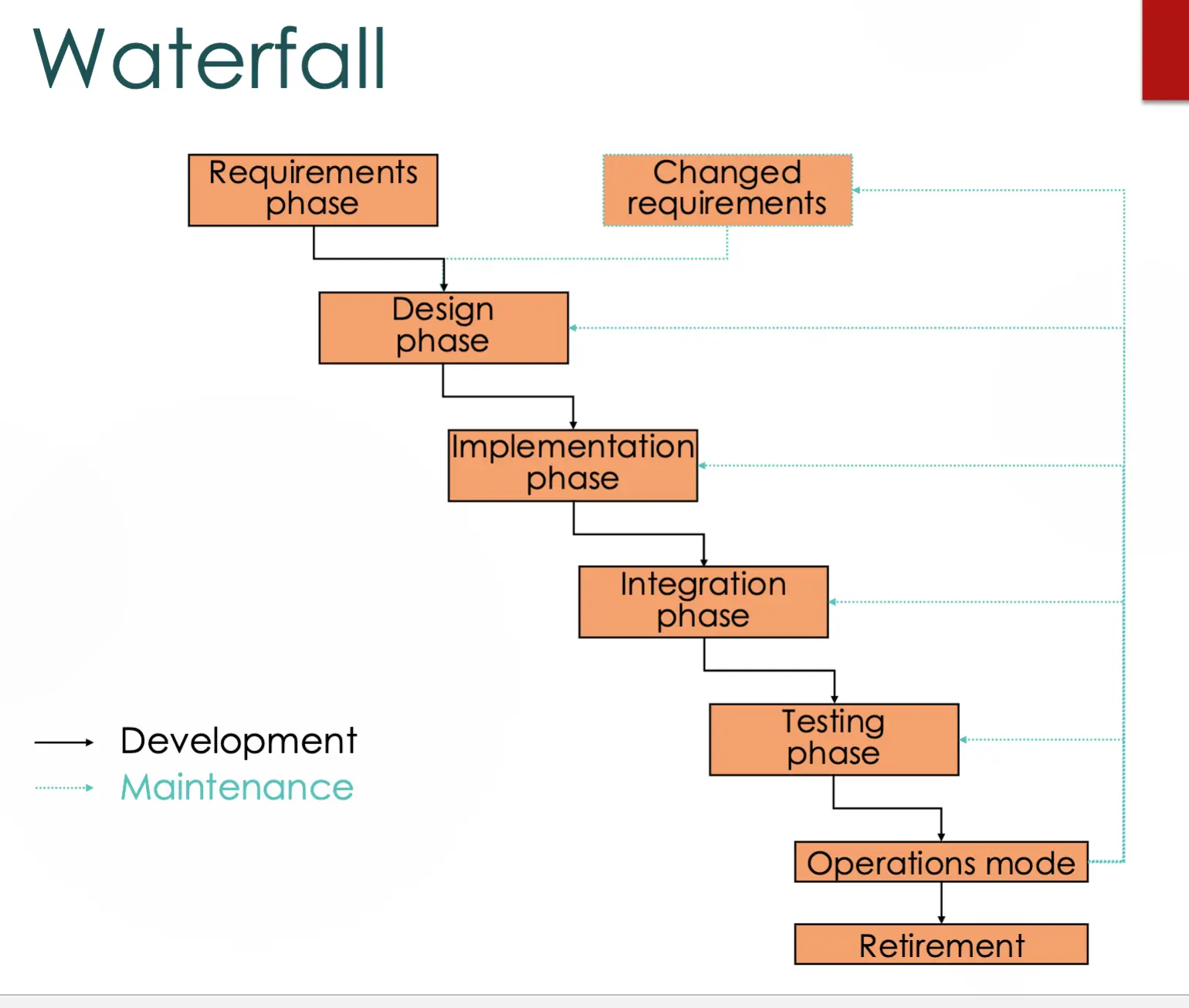
Strengths
- Promotes understanding of requirements first
- Disciplined, rigorous, formal
- Lots of documentation
- Good for projects with well-understood requirements that are unlikely to change
- Provided a starting point for other software process models
Weaknesses
- Rigid, not amenable to change
- Limited user input
- Bad for projects with any ambiguity in requirements or technology
- Often run out of time for testing
- Healthcare.gov → https://www.youtube.com/watch?v=FqkQrPmsP2w
“The waterfall model amounts to a pledge by all parties not to learn anything while doing the actual work.” — Clay Shirky, “Healthcare.gov and the Gulf between Planning and Reality,” blog, 2013
Rapid Prototyping
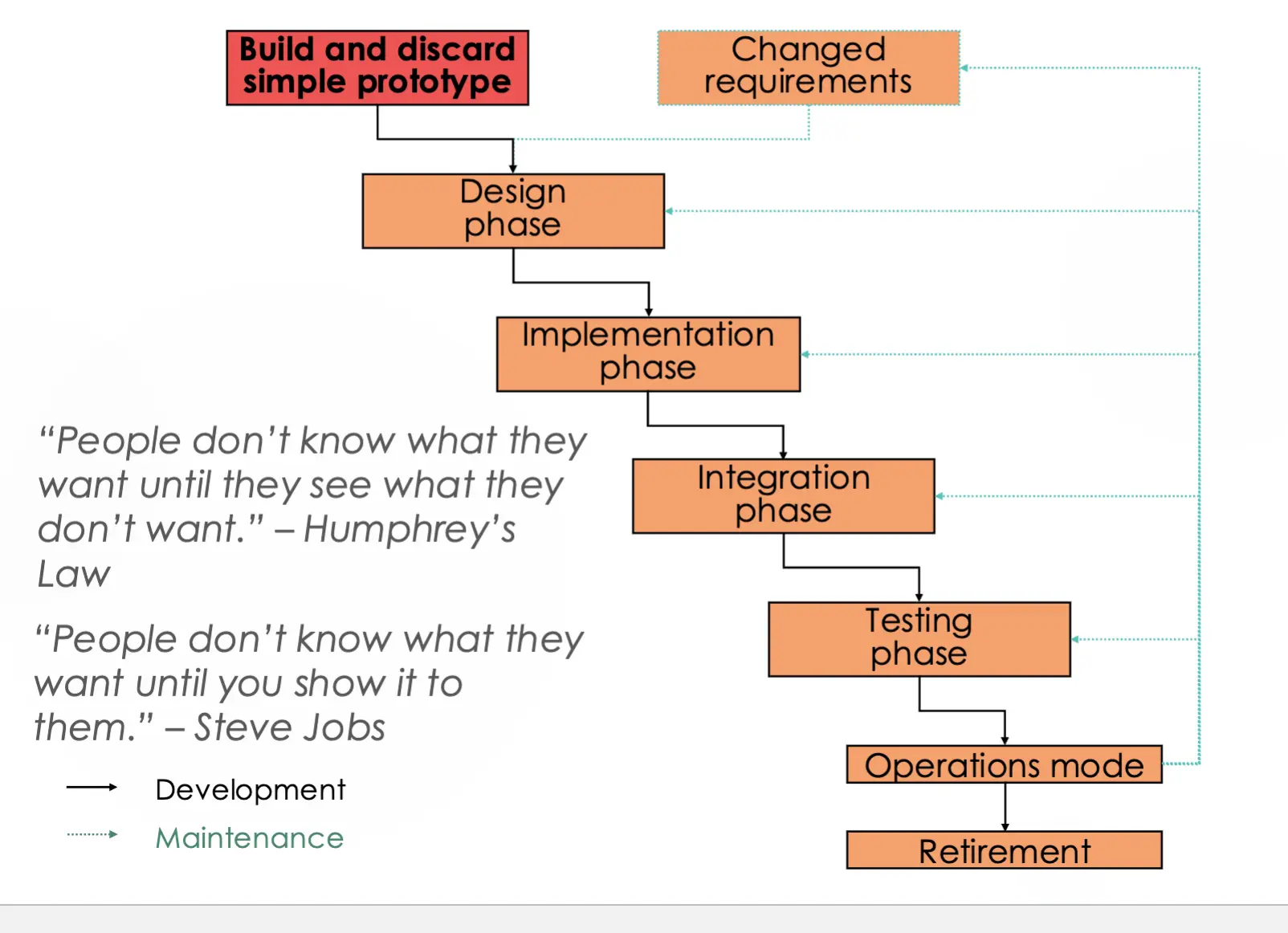
Incremental
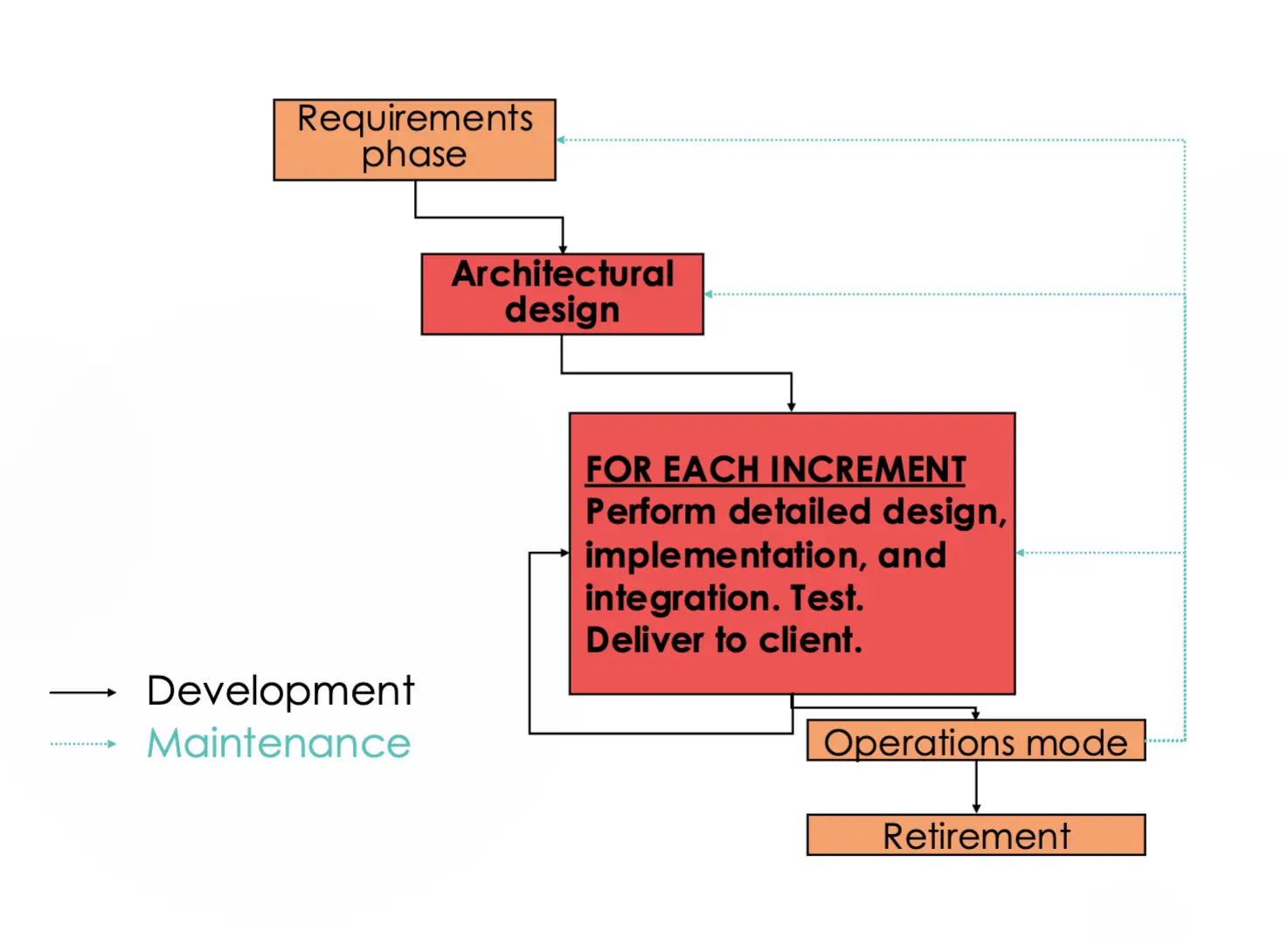
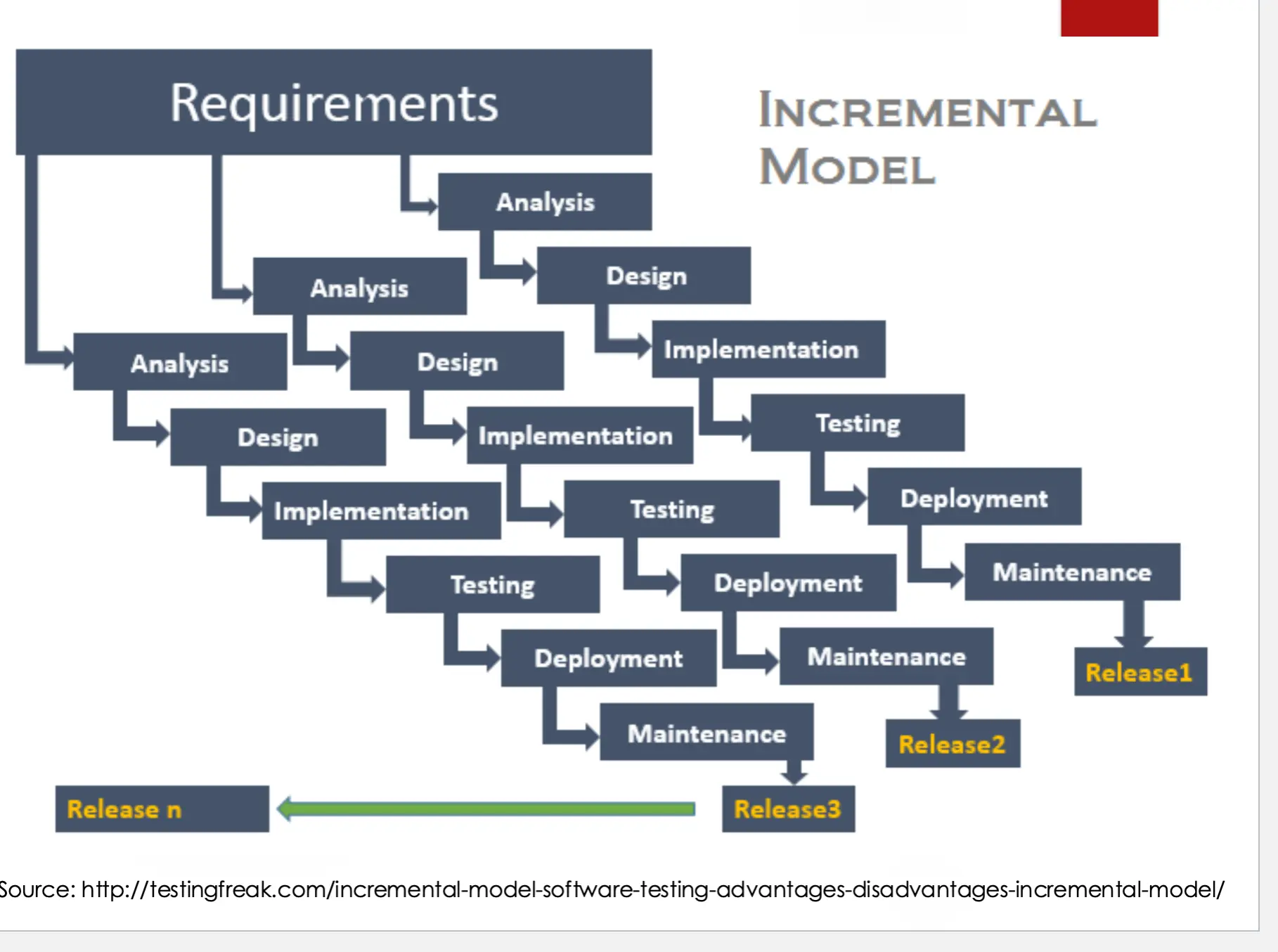
Case Study: Microsoft evolves their software process
- Before (Windows 8 and earlier)
- “TA-DA” approach → big-bang release
- After (Windows 10)
- Iterative
- User feedback
- A/B testing
Spiral
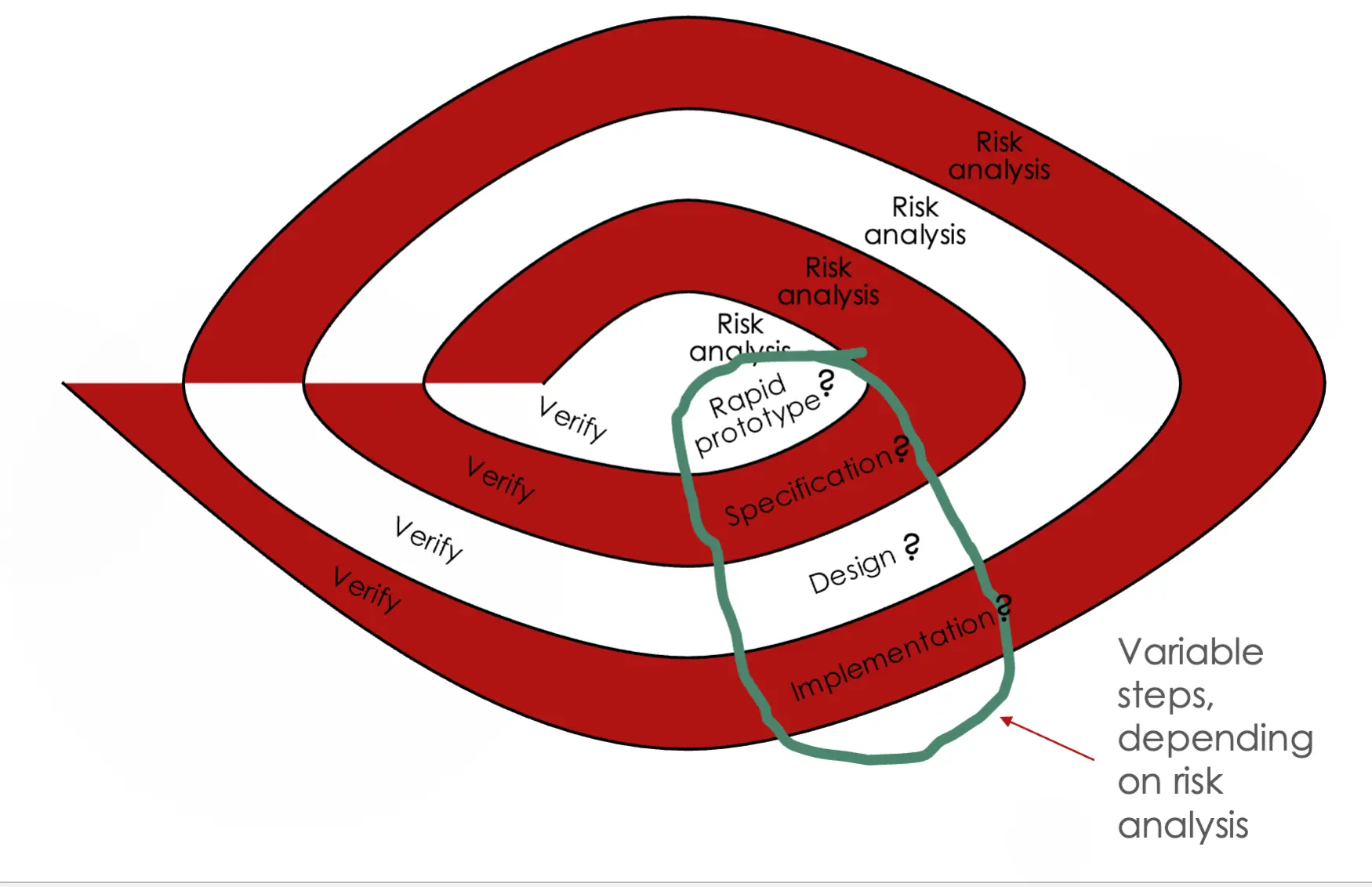
Software Risks: Some of Boehm’s Top 10
| Risk | Risk Management Techniques |
|---|---|
| Personnel shortfalls | Staff with top talent, job matching, morale building |
| Unrealistic schedules and budgets | Detailed cost/schedule estimation, reuse, incremental development |
| Developing the wrong software functions | User surveys, prototyping |
| Continuing stream of software changes | Information hiding, incremental development |
| Shortfalls in externally furnished components | Compatibility analysis |
| Shortfalls in externally performed tasks | Reference checking, competitive design or prototyping |
Adapted from Hans Schaefer’s “Software Risk Management: A Calculated Gamble”
Strengths and Weaknesses
- Strengths
- Good for new projects with uncertain, complex requirements
- Riskiest parts get developed first
- Weaknesses
- Developers have to be competent at risk analysis
- “End of project” may not be known
Rational Unified Process (RUP)
- Use case driven
- Architecture centric
- Iterative and incremental
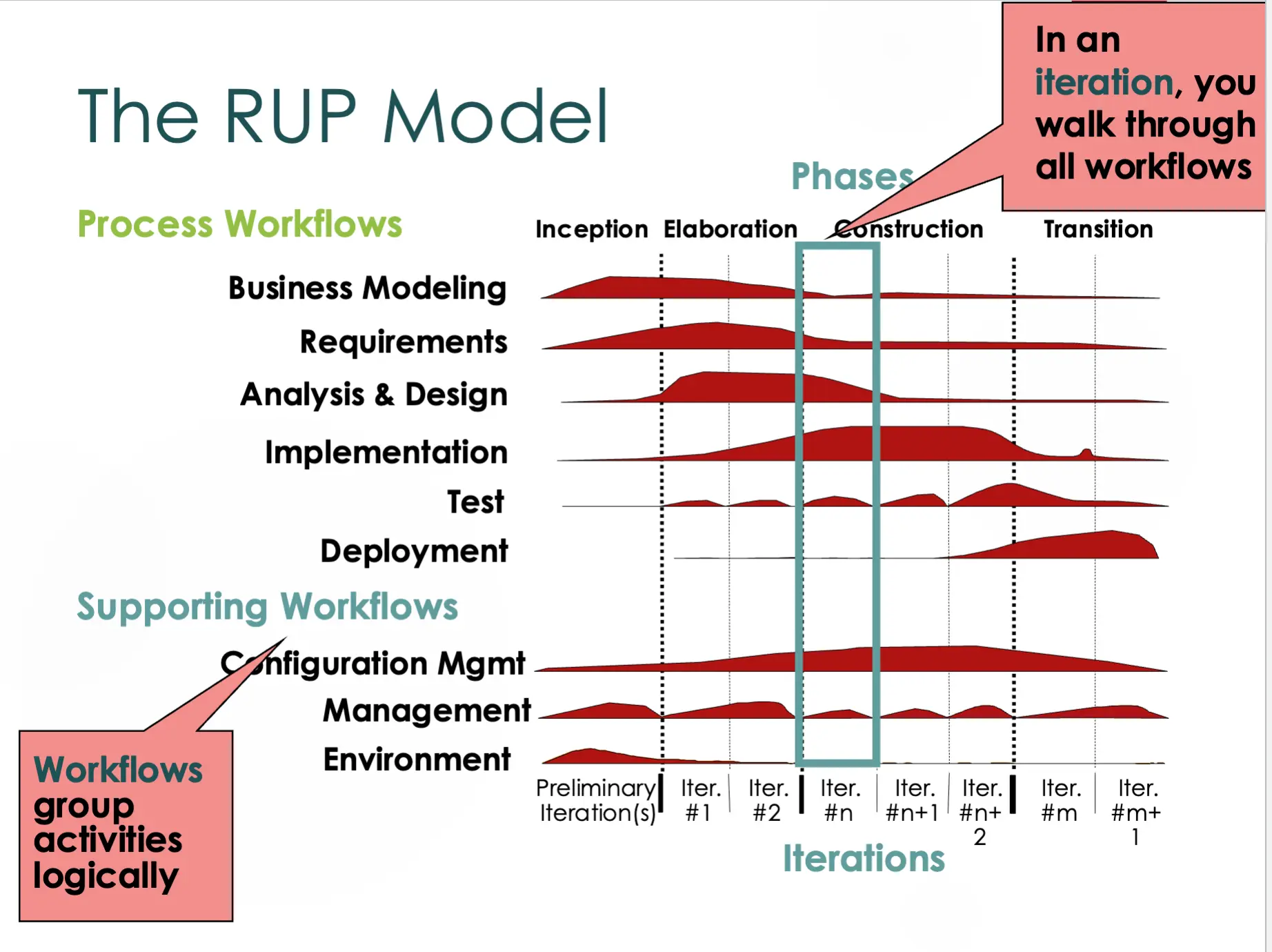
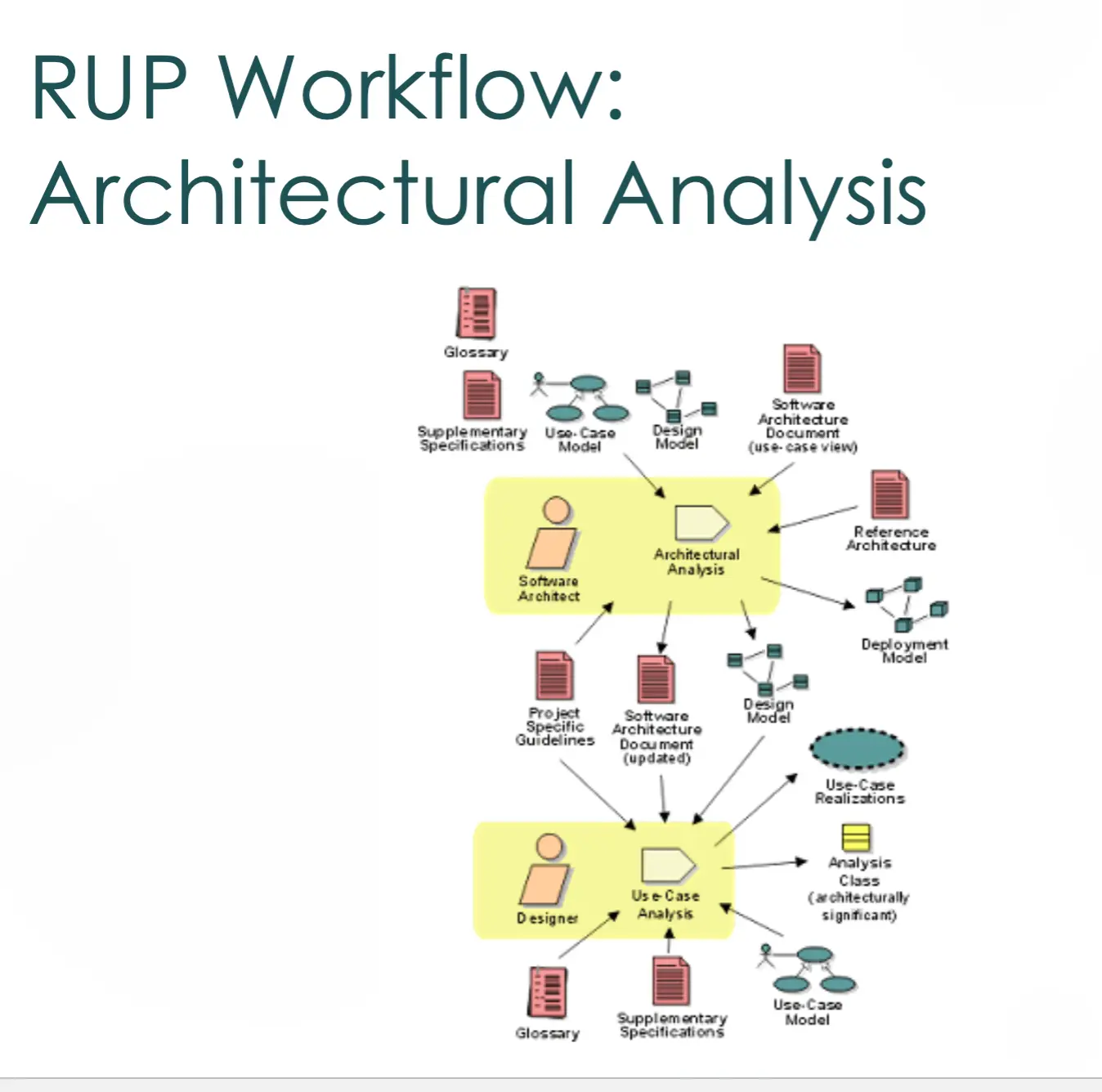
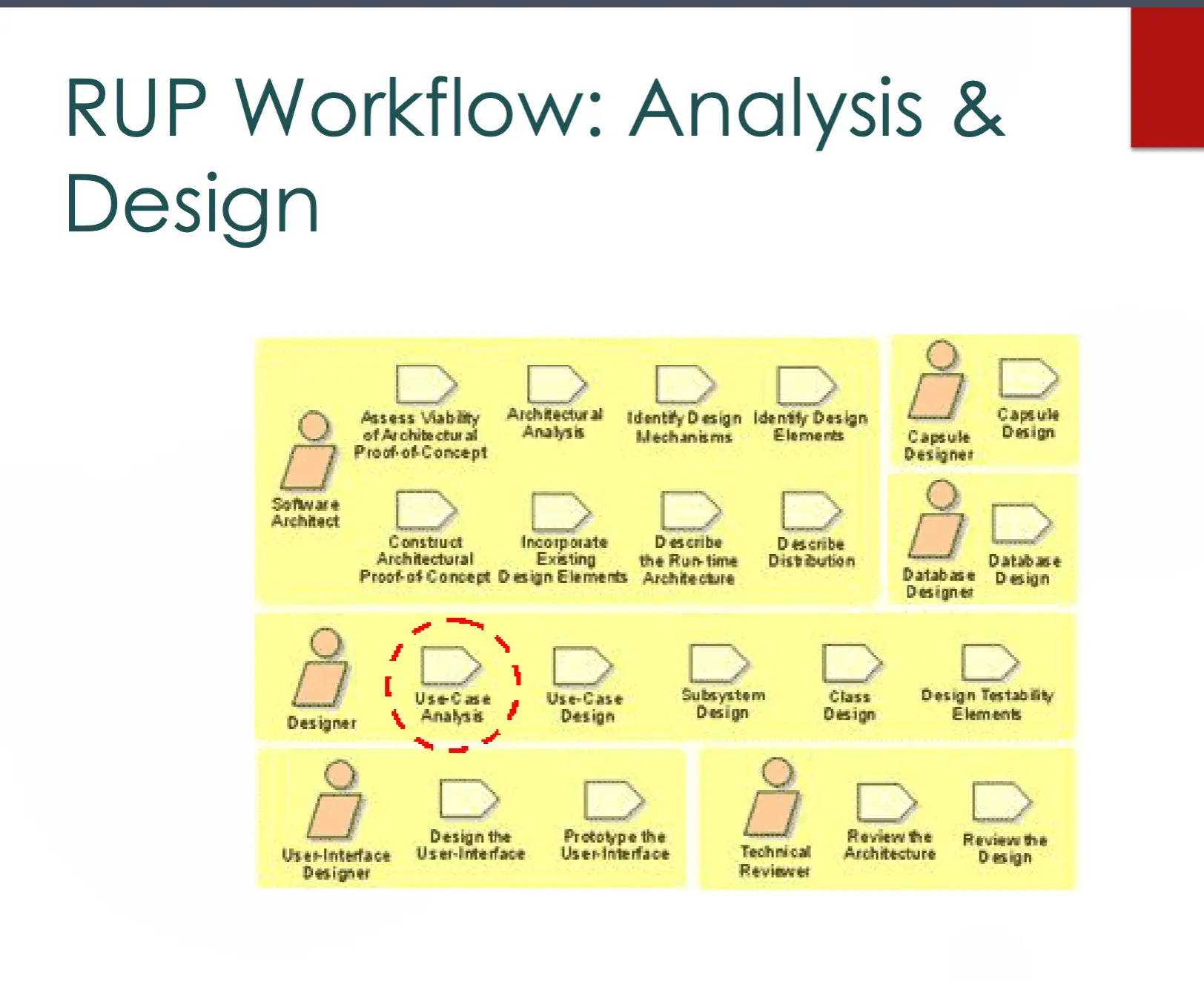
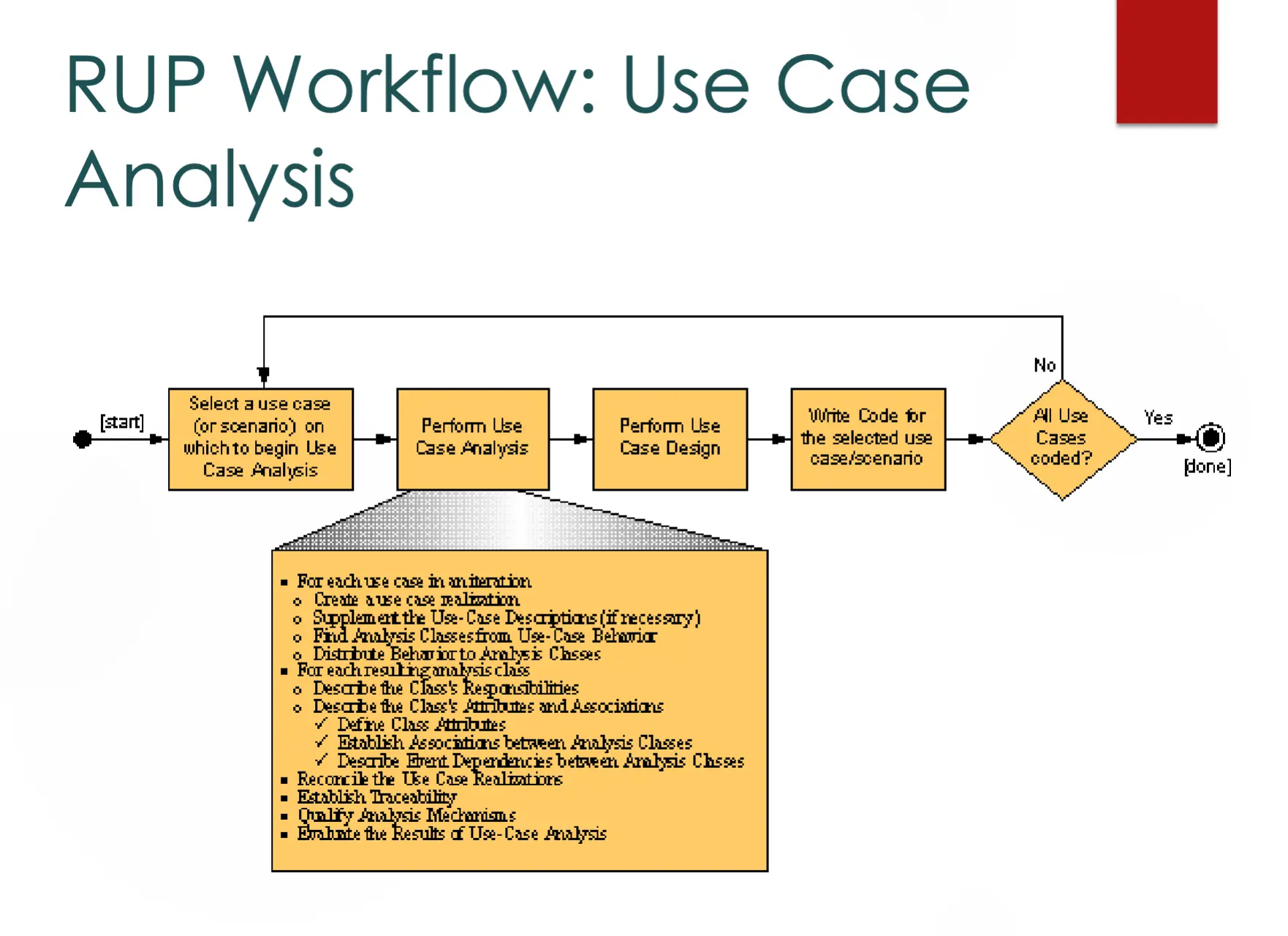
Strengths and Weaknesses
- Strengths
- Risk-driven, incremental
- Lots of tool support
- Provides a lot of guidance
- Weaknesses
- Heavyweight (Very!)
- Complicated (need special expertise to implement it)
Summary
- Software engineering is hard, and we need software process models to help
- Process models prescribe and describe what we do to develop software
- They help us apply rigor to software development
- Models covered today
- Build and fix
- Waterfall
- Rapid prototyping
- Incremental
- Spiral
- Rational Unified Process
Lecture 18: What Process Do We Follow to Develop Software? (RUP, XP, Agile)
Last Time
- Software engineering is hard, and we need software process models to help
- Prescribe and describe what we do to develop software
- Help us apply rigor to software development
- Models covered so far → build-and-fix, waterfall, rapid prototyping, incremental, spiral
Rational Unified Process (RUP) — Continued
- Use case driven
- Architecture centric
- Iterative and incremental
RUP Workflow: Architectural Analysis
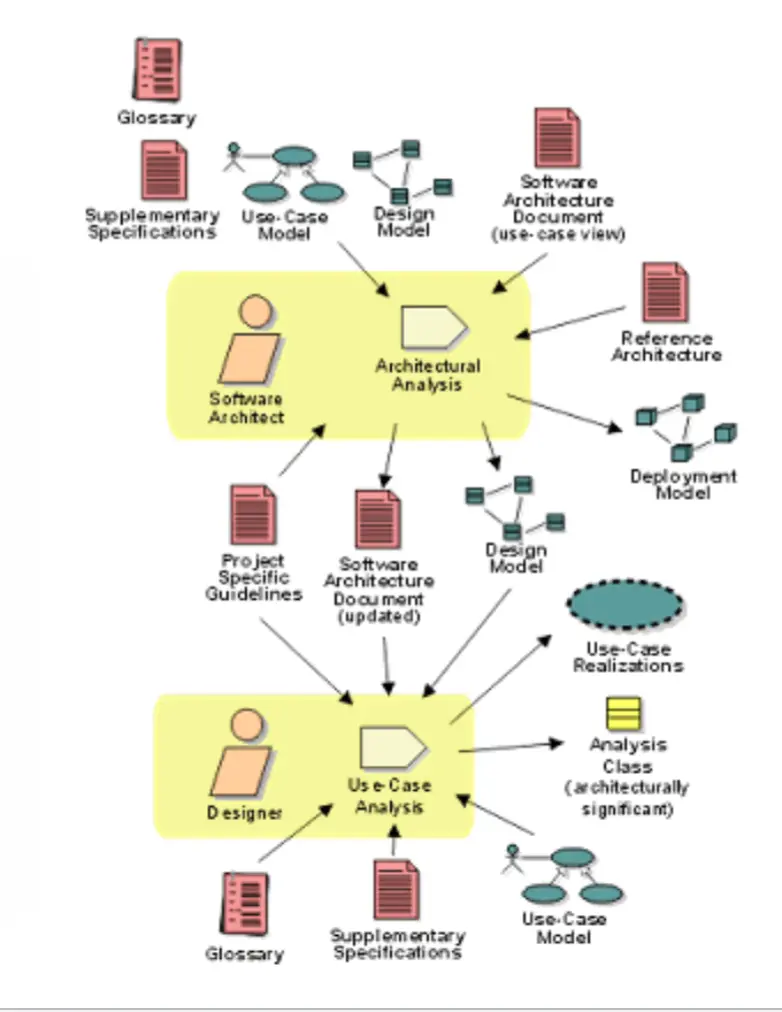
RUP Workflow: Analysis & Design
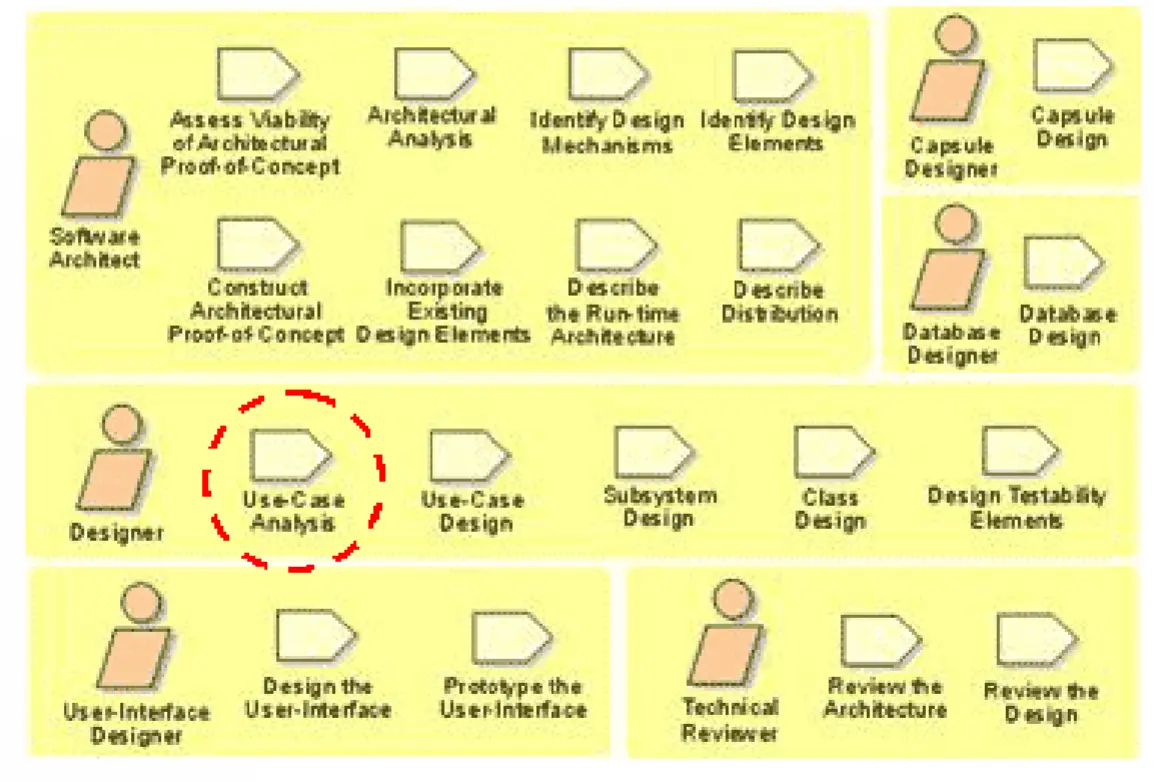
RUP Workflow: Use Case Analysis
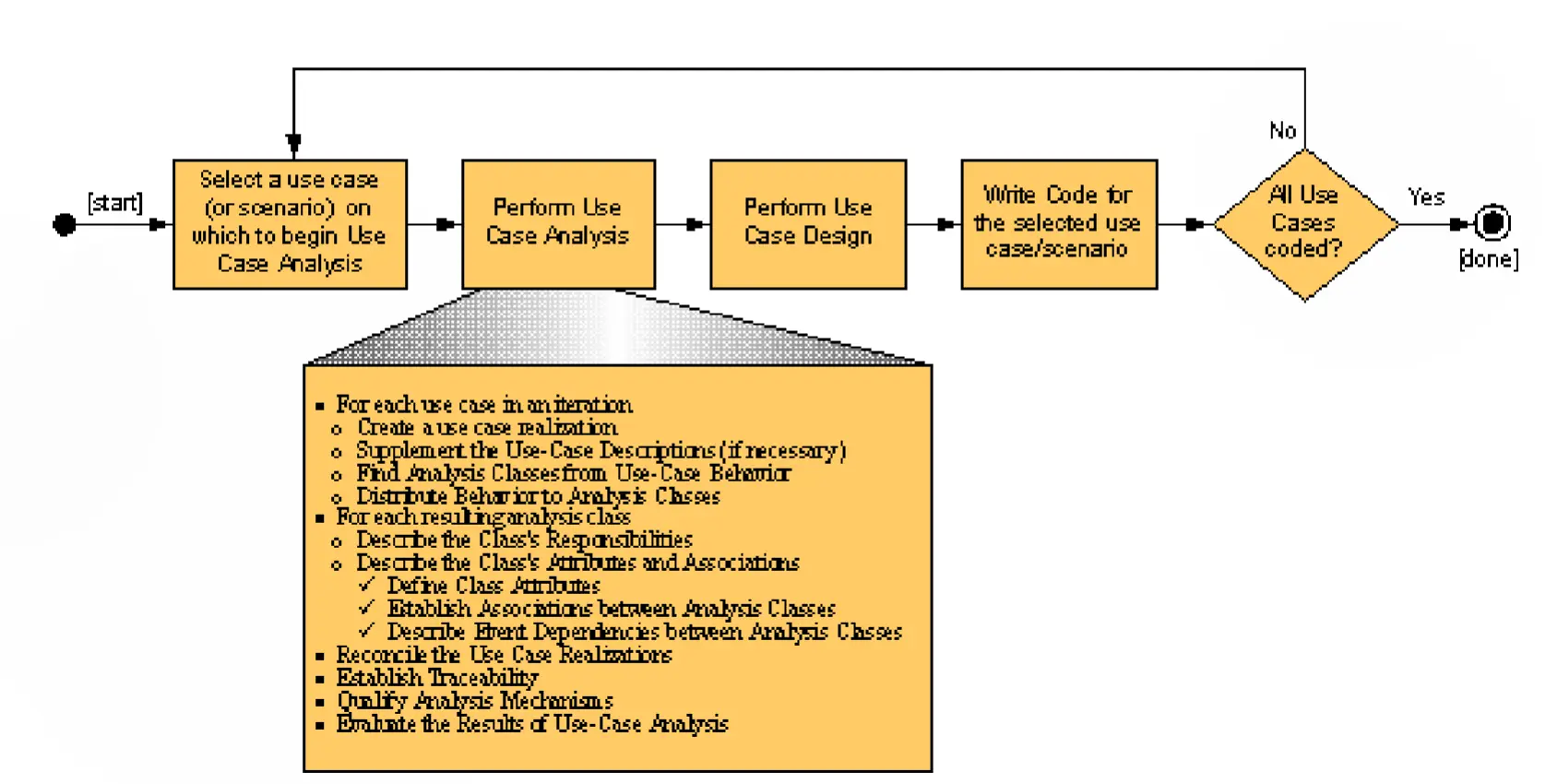
Strengths and Weaknesses
- Strengths
- Risk-driven, incremental
- Lots of tool support
- Provides a lot of guidance
- Weaknesses
- Heavyweight
- Complicated (need special expertise to implement it)
Extreme Programming (XP)
An “extreme” reaction to waterfall and other heavyweight/traditional processes, which usually have:
- Lengthy development times
- Inability to cope with changing requirements
- Assumption that requirements are completely understood before the project begins
- Too much reliance on heroic development effort
- Complex methodology
- Waste/duplication of effort
→ I guess thats not good
XP Practices and Principles
- Whole team → customer, developers, and testers all work together as one cohesive group
- Small releases → ship working software frequently in small increments, not in one big drop
- Customer tests → customer specifies acceptance tests that define “done” for each feature
- Simple design → build the simplest thing that could work; no speculative generality
- Pair programming → two developers at one keyboard; one drives, the other reviews in real time
- Test-driven development → write the failing test first, then code to make it pass, then refactor
- Design improvement → continuous refactoring to keep the design clean as the code evolves
- Continuous integration → integrate and build many times a day to catch conflicts early
- Collective code ownership → anyone can change any code; no “this is my module” silos
- Coding standards → shared style/conventions so anyone can read and modify any code
- Sustainable pace / developer welfare → no crunch; team works hours they can keep up indefinitely
- Open space → shared physical workspace to enable osmotic communication
- Shared understanding → everyone knows the system’s goals, design, and current state
- Rapid, fine feedback → tight feedback loops at every level (tests, pairs, customer, build)
XP Process Steps
- Determine the desired features (stories)
- Estimate, prioritize, refine
- Implement/deliver each task, typically using…
- Test-driven development
- Pair programming
- Follow values and principles
From XP to Agile
- Agile includes and evolved from → Extreme Programming, Scrum, Crystal, Kanban, others
- The Agile Manifesto (2001) → “We have come to value…”
- Individuals and interactions over processes and tools
- Working software over comprehensive documentation
- Customer collaboration over contract negotiation
- Responding to change over following a plan
Some Agile Principles
- Welcome change in requirements
- Business people and developers work together daily throughout the project
- Build projects around motivated individuals
- Face-to-face conversation is the best way to convey information
- Documentation is just a means to an end
- Continuous delivery
Ziv’s Law
- Software development is unpredictable and the documented artifacts such as requirements will never be fully understood
- Uncertainty is inherent and inevitable in SE processes and products!
Agile Strengths and Weaknesses
- Strengths
- Customer (and developer) satisfaction
- Adaptable to changing circumstances
- Good for projects with unclear, changing requirements
- Good for small teams
- Weaknesses
- Lack of documentation
- Unstable requirements
- Technical debt
- Original agile ideas not ideal for large teams, safety-critical requirements, or projects where customer involvement is not possible
Software Life Cycle Models (Full List)
A software life cycle model is a high-level process.
- Build-and-fix
- Waterfall
- Rapid prototyping
- Incremental
- Spiral
- Rational Unified Process (RUP)
- Extreme Programming (XP)
- Agile
Summary
- Software engineering is hard, and we need software process models to help
- Prescribe and describe what we do to develop software
- Help us apply rigor to software development
- There has been a shift from rigid, heavyweight, document-driven processes to lightweight, agile processes
- Models covered today → RUP, XP, Agile